SYMPTOM:
In Strategy 9.x-10.x it is not possible to input a space between elements using the CONCAT function in a derived metric.
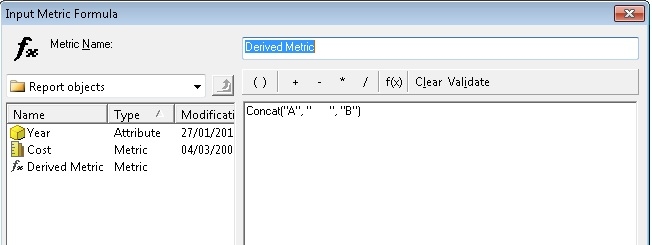
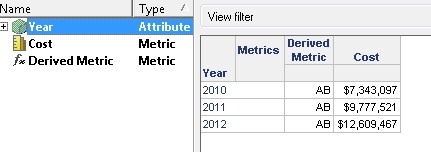
When a use attempts to concatenate A and " " and B the result is AB.
CAUSE:
This is the product functioning by design.
WORKAROUND:
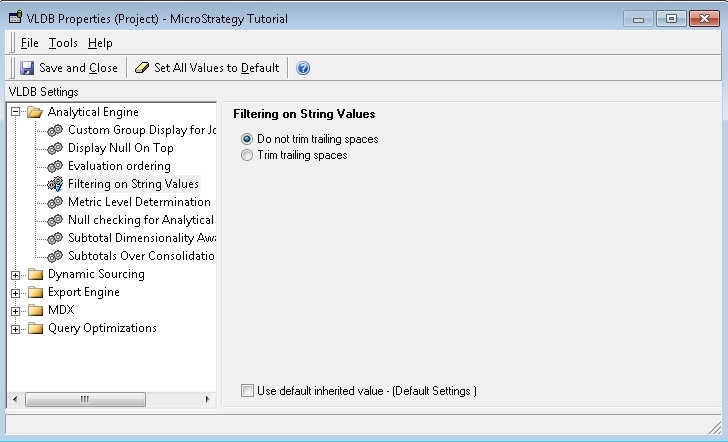
Enable the setting "Do not trim trailing spaces" setting under:
Project Configuration > Project Definition > Advanced > Analytical engine VLDB properties > Configure.
Ensure that advanced VLDB properties are shown by clicking on Tools > Show advanced settings
Then, the required setting will be visible under:
Analytical engine > Filtering on string values
Or, if it is not possible to use this setting, then the ConcatBlank function can be used. This will return a string as a concatenation of the two or more input strings with a blank space in between:
ConcatBlank(Year(CurrentDate()), Month(CurrentDate()))
