SYMPTOM:
"Fit to contents" for height is enabled for the grid in a Report Services document, as shown below:
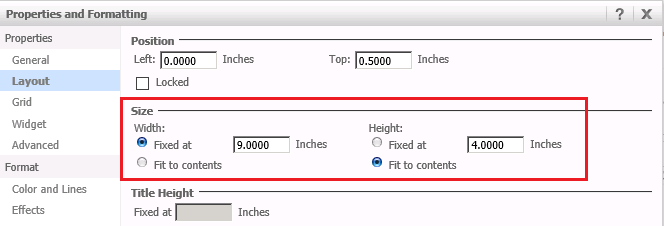
"Fit to contents" for height works well when the Report Services document is ran from Strategy Web.
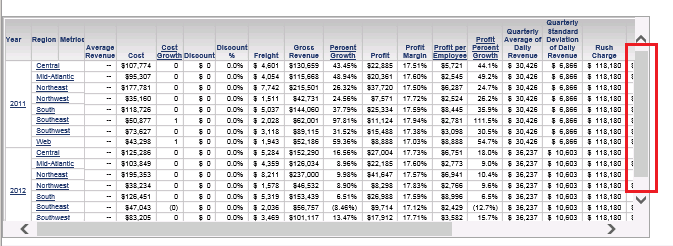
However, when the row header or column header is locked in the grid, "Fit to contents" for height does not work. A vertical scrollbar is displayed in the grid, and users need to scroll down to view all the rows, as shown below:
STEPS TO REPRODUCE:
Follow the steps below to reproduce the issue with Strategy Tutorial project:
1. Create a Report Services document with a dataset report containing at least Year and Region in rows and Cost, Profit, Profit per Employee, Profit Percent Growth in Columns.
2. Lock the row or column header for the grid.
3. Enable "Fit to contents" option for height in the grid.
4. Run the Report Services document in Strategy Web. Note that a vertical scrollbar is displayed in the grid, and users need to scroll down to view all the rows.
CAUSE:
This is a known issue in Strategy Web 9.3.1.
ACTION:
This issue is fixed in Strategy 9.3.1 HF4
WORKAROUND:
Unlock the row header and column header, and "Fit to contents" for height will work correctly.
