SYMPTOM:
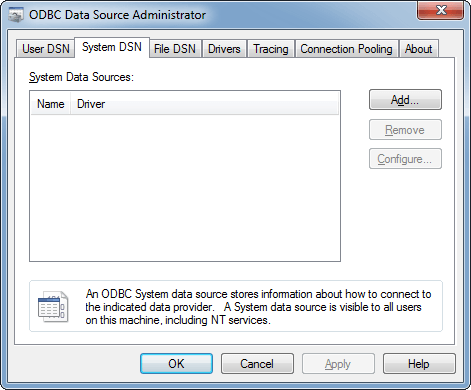
After launching the 32-bit ODBC Data Source Administrator tool in Microsoft Windows 2008, users may see an empty "System DSN" window as shown below even though they have created DSNs.
CAUSE:
One possible cause for this issue is that the Windows user that launched the 32-bit ODBC Data Source Administrator tool does not have the correct administrative privileges. Another possible cause for this issue is listed in the following Strategy KnowledgeBase Technical Note:
KB30553: System DSN and MicroStrategy certified ODBC drivers are not visible from the ODBC Data Source Administrator in 64-bit Windows Operating Systems when running MicroStrategy 9.4.x
ACTION:
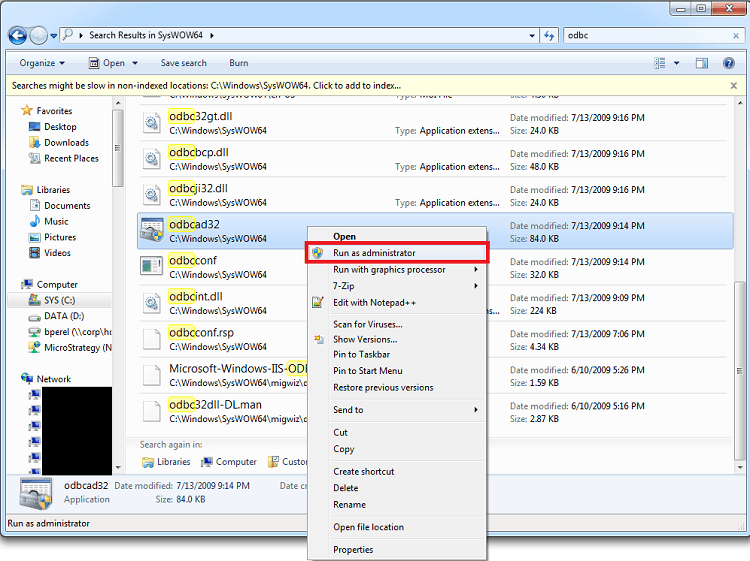
Right-click on the 32-bit ODBC Data Source Administrator tool and select "Run as administrator" as shown below if the Windows user does not have the sufficient administrative privileges.