Starting with the release of Strategy ONE (March 2024), dossiers are also known as dashboards.
The count metric does not calculate correctly with a proper aggregation function. The Metric Guide is not being utilized by the new Data Engine Behavior.
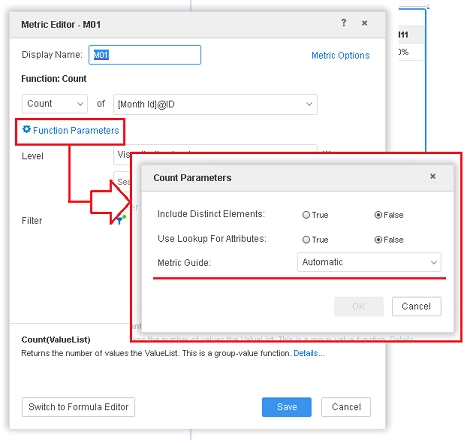
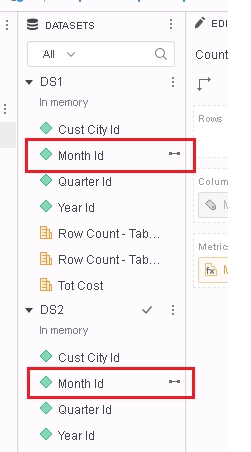
1. Create two datasets - DS1 and DS2 with the following attributes and metrics:
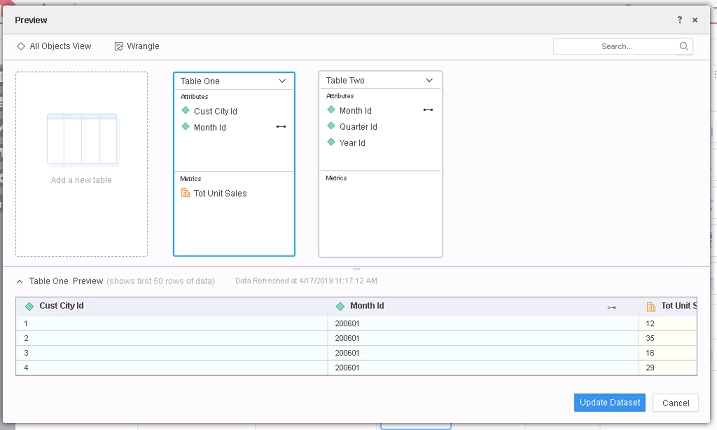
DS1:
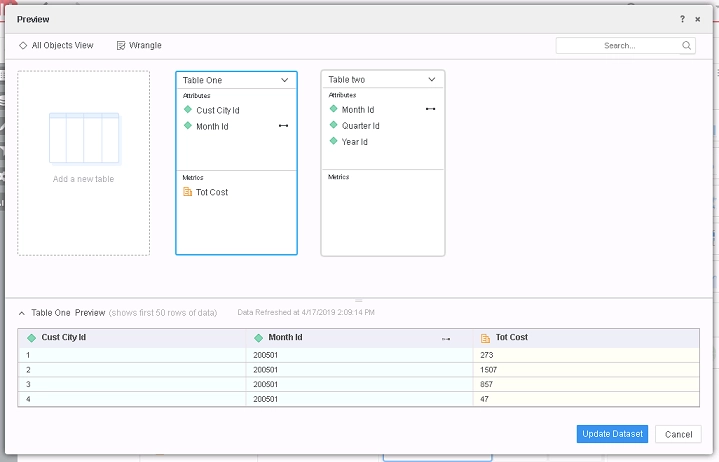
DS2:
2. Create a dossier with DS1 and DS2.
3. Link the Month ID in both datasets.
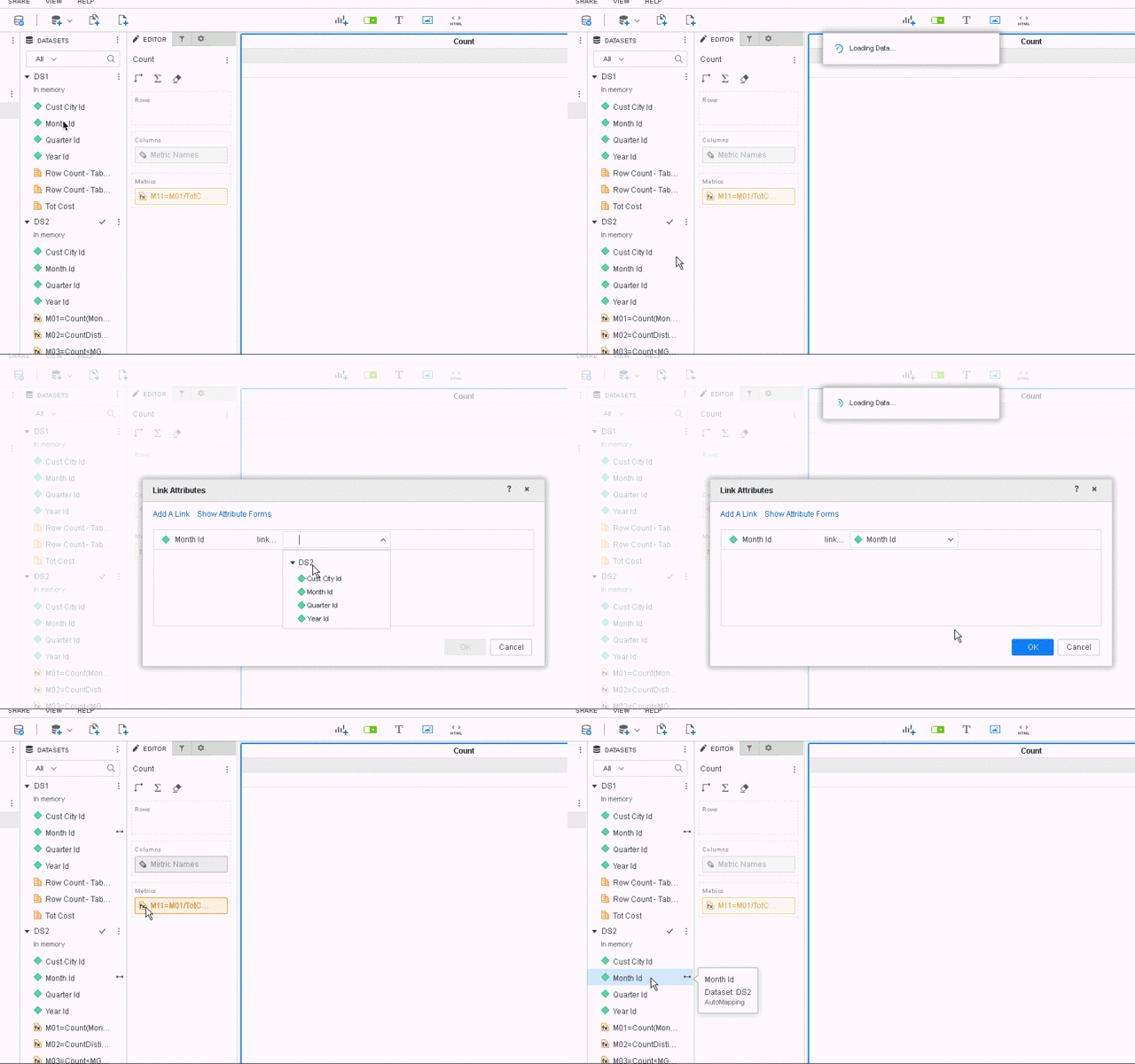
4. Create a derived metric using the formula editor named M01 in DS2.
Expression:
Count([Month Id]@ID){~+}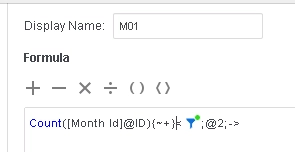
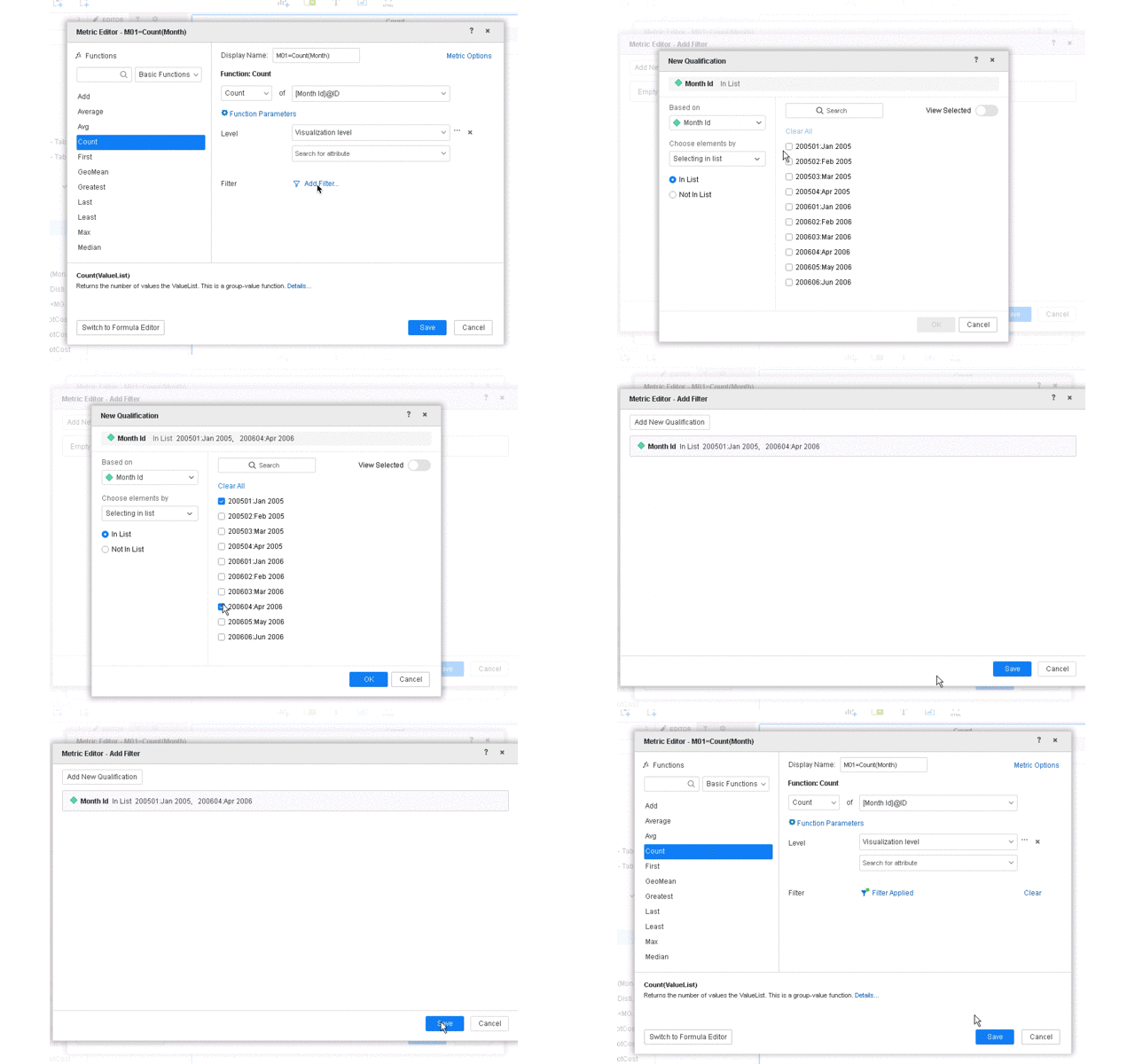
5. Create another derived metric named M11.
Expression:
(M01*10000)/Sum<UseLookupForAttributes=False>([Tot Cost]){~+}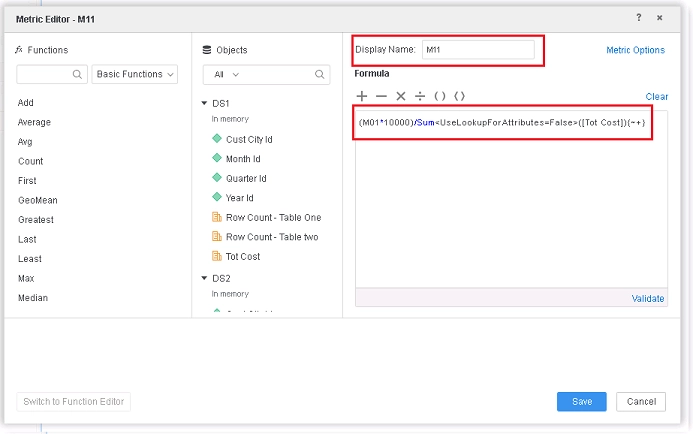
6. Add the derived metric M11 to a grid. The count is incorrect.
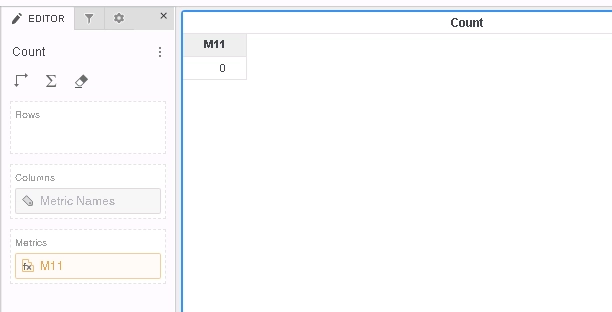
This is a known defect in Strategy 11.0 and earlier. When two attributes are linked, a key attribute is chosen among these attributes. The dataset corresponding to this key attribute is chosen to get the attribute. Now, the metric used may not entirely belong to a given a dataset. Some (or all) of its components may lie in the other dataset in other tables. This causes computational problems.
The Metric Guide points to a specific table as directed by the user. The Engine uses a table depending on other factors (as mentioned above). As a result, the metric cannot be calculated since the desired table was not used.
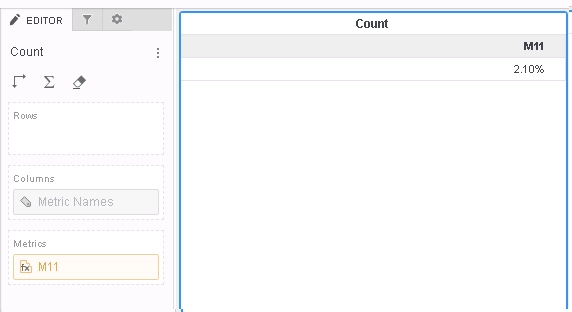
To resolve this defect, upgrade to Strategy 2019 or above. In the new fix, the Metric Guide is used to determine the table from which the metric is selected. It will have the highest priority in table determination. As a result, the metric is now computed correctly.
When upgrading to Strategy 2019 or above, enable the project level setting Data Engine Version to 11. This property can only be enabled through Workstation. For more details on enabling the setting, see Change Data Engine Version.
After the fix is applied, user should see their metric calculated correctly.
The Strategy Internal Reference Number for the issue discussed is KB483186 and DE123579.
