Starting with the release of Strategy ONE (March 2024), dossiers are also known as dashboards.
There is missing data after filtering one visualization by another visualization.
Expected Result:
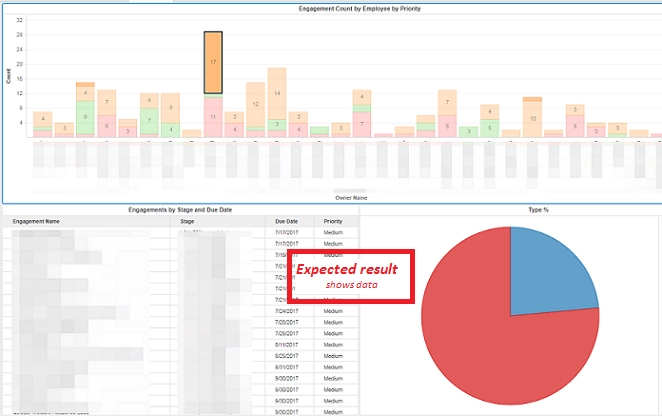
Observed Result:
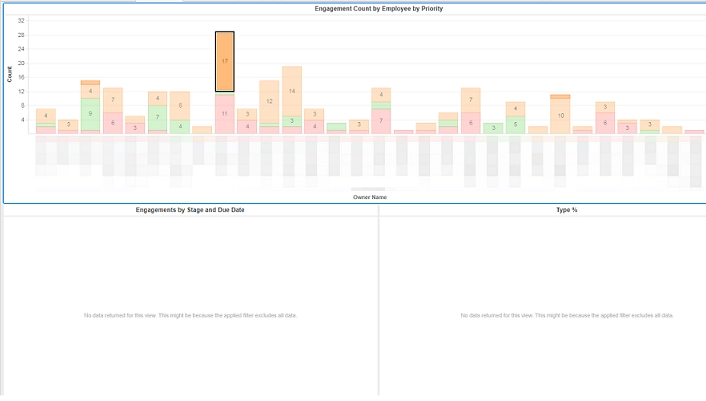
Additionally, the Cube Subsetting Instruction (CSI) shows the wrong/missing filter.
Expected CSI:
select [Engagement Name]@[Engagement*: Engagement Name],
[Due Date]@[Due Date],
[Priority]@[Priority],
[Stage]@[Stage]
from LC Portal Data
with Table Join Tree: [F_LC Portal Data.xlsx137F38F415CA2AAA78B811667490C532]<([Priority]@[Priority] in (Low)
and [Owner Name]@[Engagement*: Owner Name] in ('Ruthie Grimsdale ')
and [Stage]@[Stage] in ('LC5- 100% completed')
and ([Priority]@[Priority] is null or [Priority]@[Priority] in (High, Low, Medium)))>
Observed CSI:
select [Engagement Name]@[Engagement*: Engagement Name],
[Due Date]@[Due Date],
[Priority]@[Priority],
[Stage]@[Stage]
from LC Portal Data
with Table Join Tree: [F_LC Portal Data.xlsx137F38F415CA2AAA78B811667490C532]<([Priority]@[Priority] in (Low)
and [Priority]@[Priority] is null
and [Owner Name]@[Engagement*: Owner Name] in ('Ruthie Grimsdale ')
and [Stage]@[Stage] in ('LC5- 100% completed'))>
-INCOMPLETE-
1. Filtering with Visualization
2. Cube Subsetting Instruction (CSI)
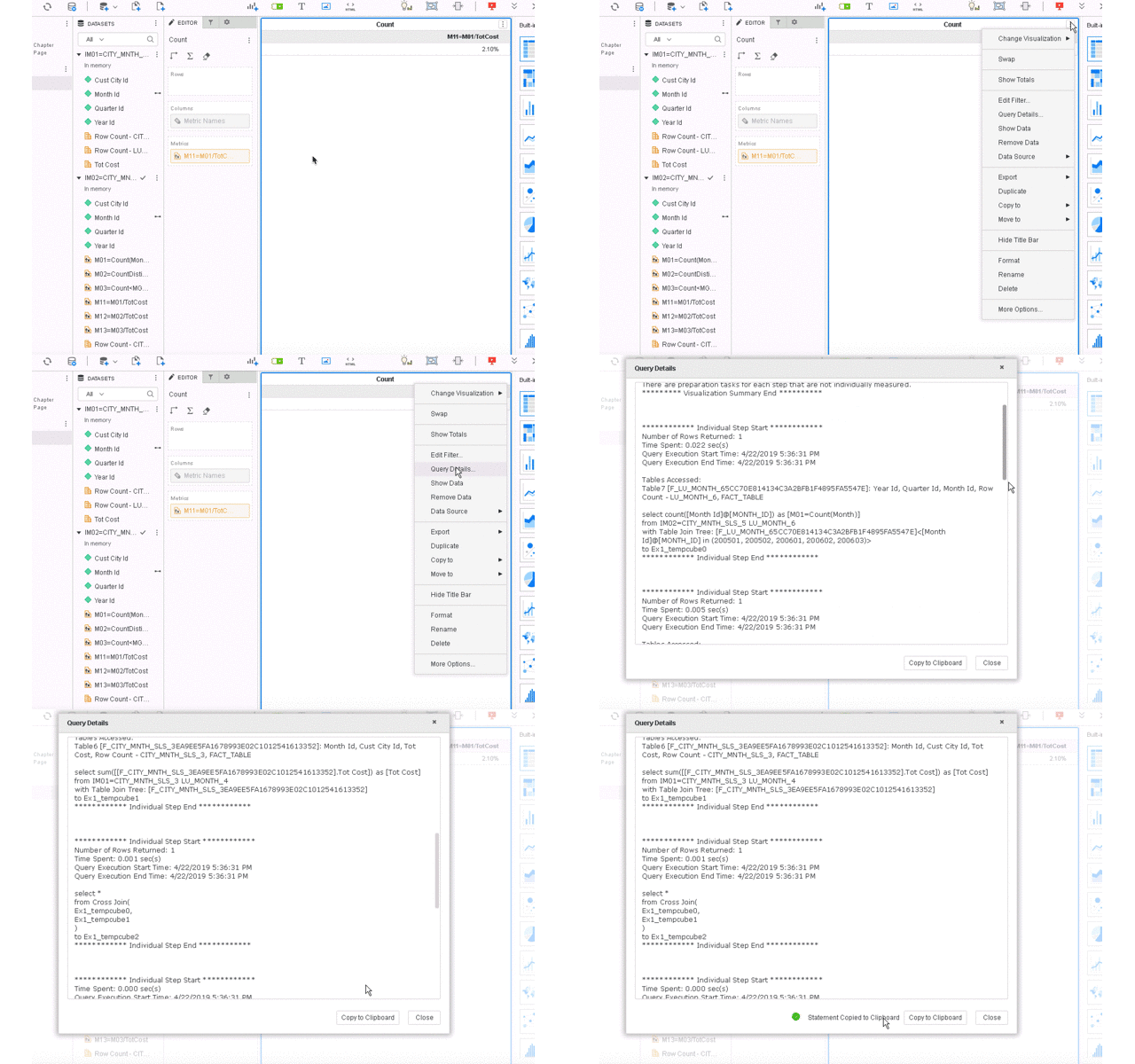
This is a known defect in Strategy 2019 with Data Engine Version 11. The Engine introduced an optimization for filters to improve performance. Consider we have two filters.
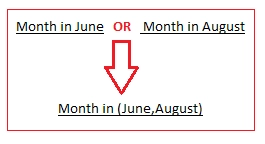
However, in some special cases, filters cannot be handled in the same way. For example:
([Priority]@[Priority] is null OR [Priority]@[Priority] in (High, Low, Medium))
This filter condition cannot be simplified to [Priority]@[Priority] in (null, High, Low, Medium)
In most databases, this could be parsed erroneously as Priority = null would be syntactically incorrect.
Furthermore, 'is null' is a conditional expression not a value like High, Low or Medium.
As a result, some “OR” filters are not applied correctly, which leads to incomplete SQL.
To resolve this defect, upgrade to Strategy 2019 or later. After upgrading, enable the project level setting Data Engine Version to 11. This property can only be enabled through Workstation. For more details on enabling the setting, see Change Data Engine Version.
Some users may notice this change in Strategy 2019 even with Data Engine Version 10.
This is because part of the change also exists in Data Engine Version 10.
If users notice the change with Data Engine Version 10 and prefer the old behavior, please upgrade to Strategy 2019 Update 4 or Strategy 2020.
The Strategy Internal Reference Number for the issue discussed is KB483191 and DE110373.
