SYMPTOM
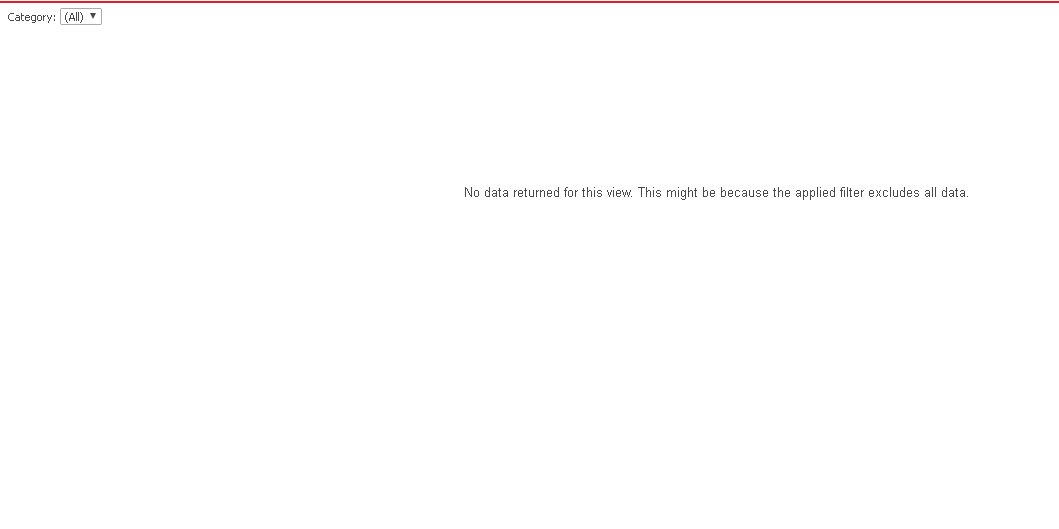
Document with no element attributes in the group by section. The targeted grid will show no value no matter the attribute and the metric in the grid is related to the group by attribute or not.
STEPS TO REPRODUCE:
1. Following examples uses Strategy Tutorial project to demonstrate the problem and solution.
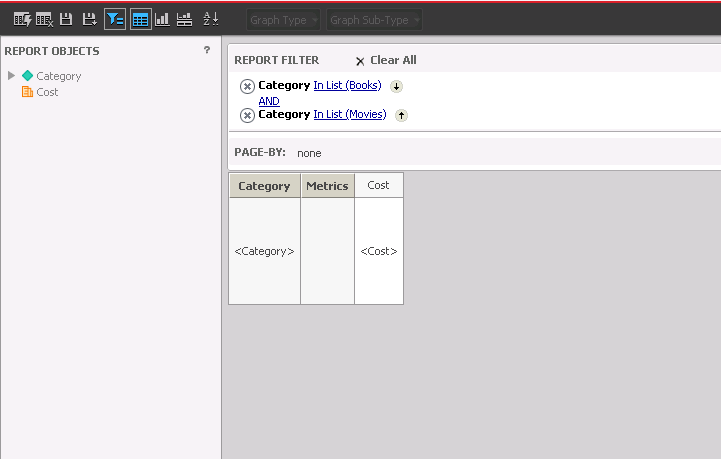
2. Create a new report with Category attribute and Cost metric and a contradictory report filter like Category = “books” and Category = “Movies” to demonstrate that the report does not return any data.
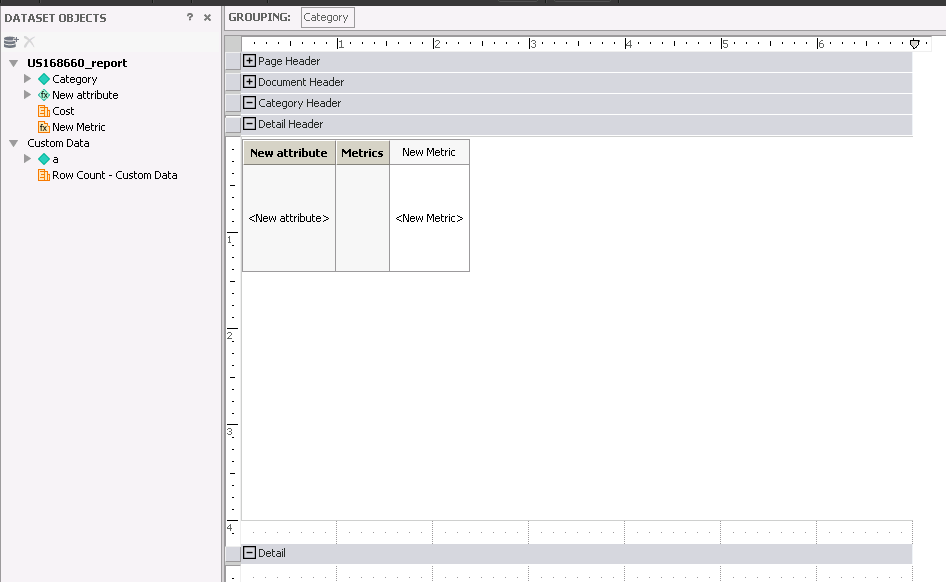
3. Create a document based on the report and add one more dataset with any attribute or metric. Create a Derived Attribute with ID form expression = “DA” and Derived Metric with expression = Max(""){~+}.
4. Put the Derived Attribute and Derived Metric to the grid and Category to the group by section.
5. Run the Document and note that the grid does not show any data even if its contents are not related to Category attribute that is in Group By of the document.
CAUSE
This is a known issue in Strategy 10.8 and before.
ACTION
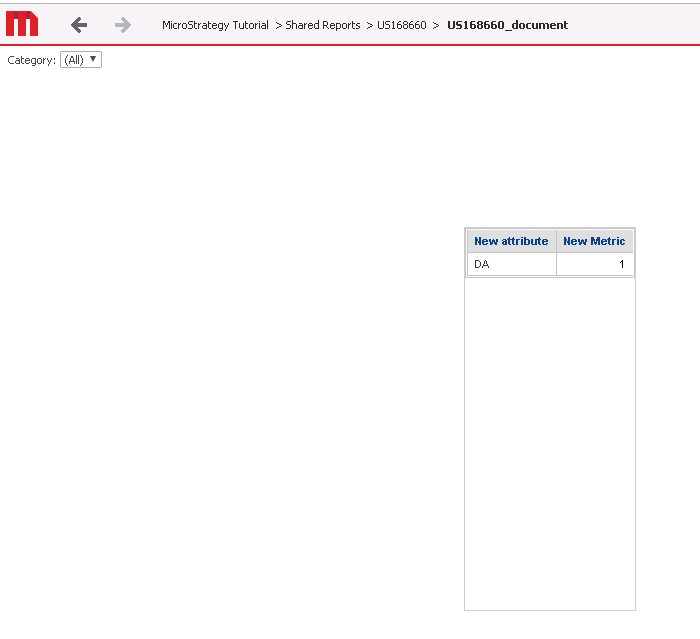
This issue has been addressed in Strategy 10.9.
Now the grid is displayed even if the group by drop down does not have any element and is not related to the grid.
Strategy Internal Reference number for this technical note is KB483326, US87296 and DE131280.
