To better observe and understand this issue, users are encouraged to enable a few logs using Strategy Diagnostics and Performance Logging Tool:
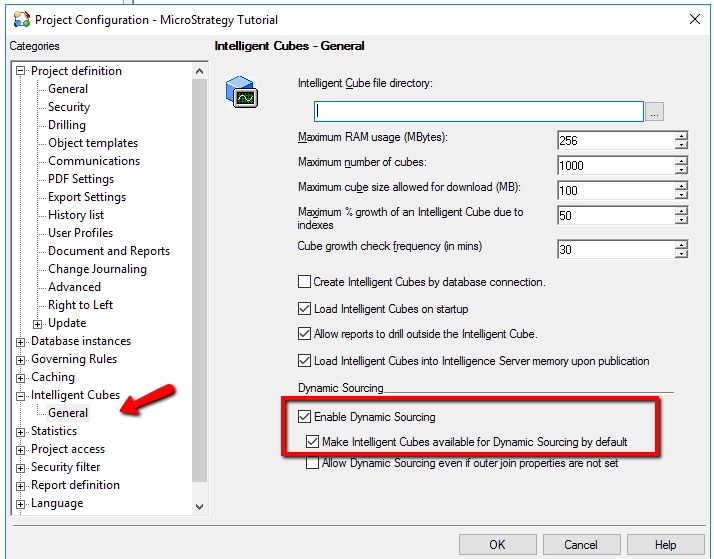
Only projects that have Dynamic Sourcing enabled will be able to automatically access published Intelligent Cubes in regular reports. To ensure your project has it enabled, check:
1. Project Configuration: Intelligence Cubes -> General
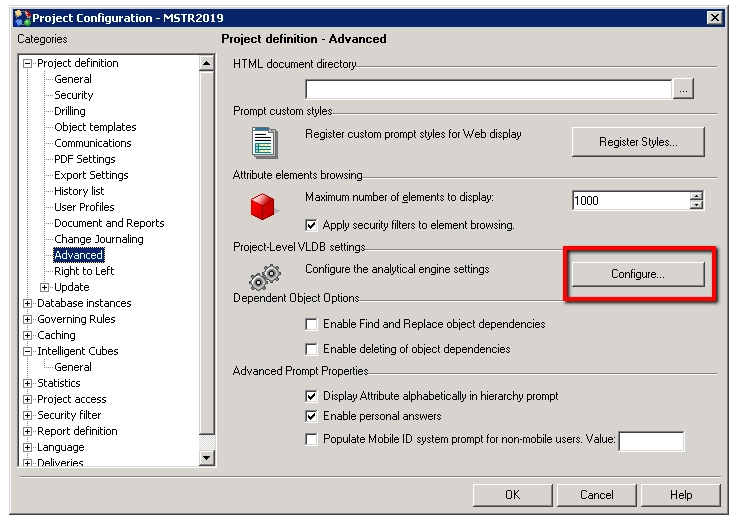
2. Project Configuration: Project definition ->Advanced -> Project Level VLDB settings.
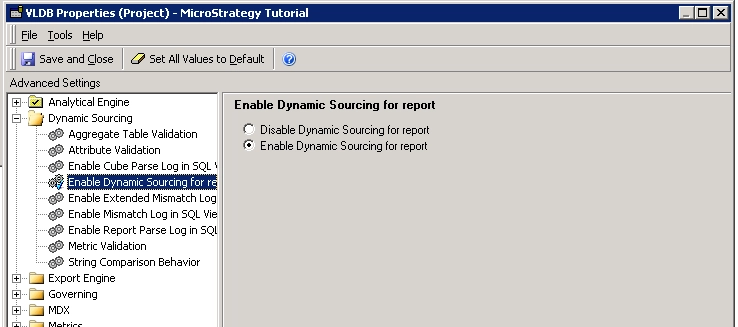
With "Show Advanced Setting" checked under Tools, go to Dynamic Souring -> Enable Dynamic Sourcing for report and make sure it is enabled.
After these options enabled, users can observe the behavior by:
1. Create an OLAP cube with the Customer attribute and publish the cube.
Make sure the Customer attribute contains at least 3 forms: ID, Last Name, First Name
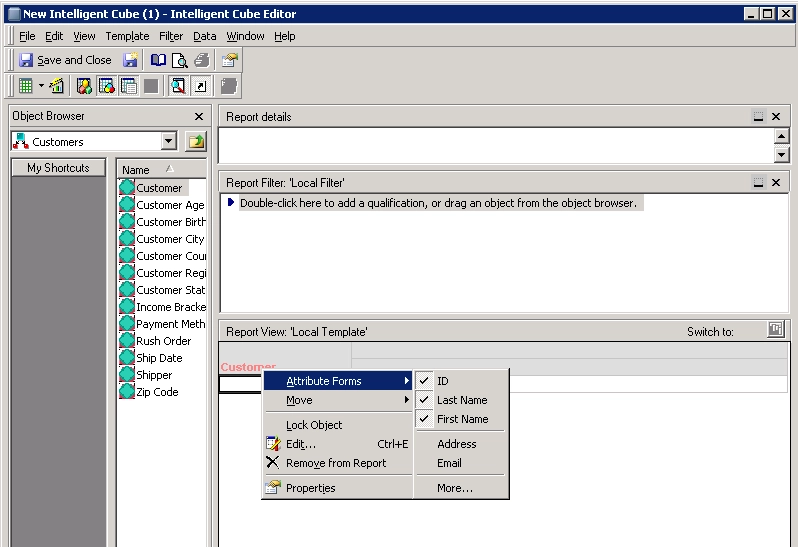
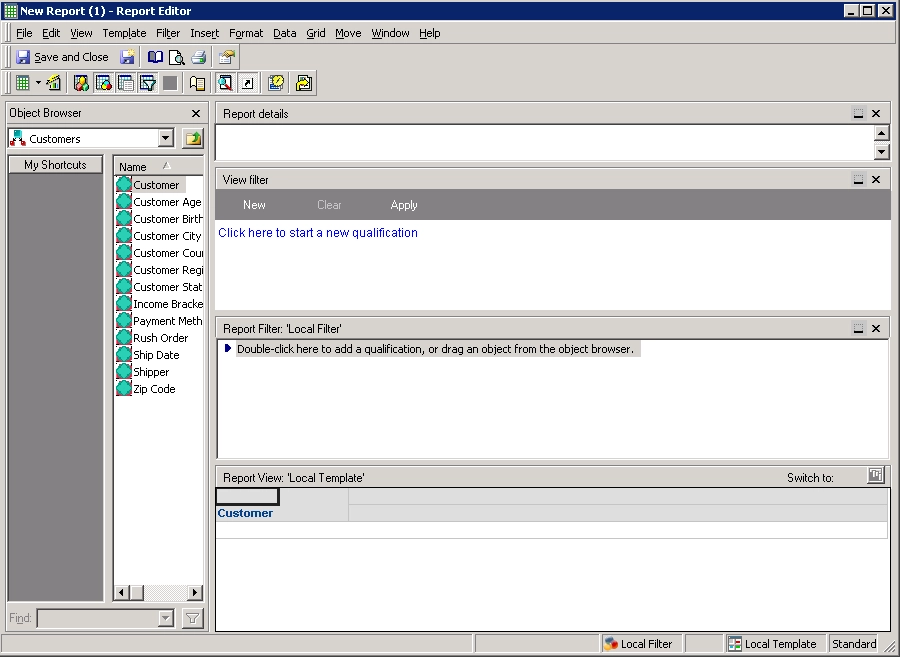
2. Create a regular report and add Customer attribute to the report
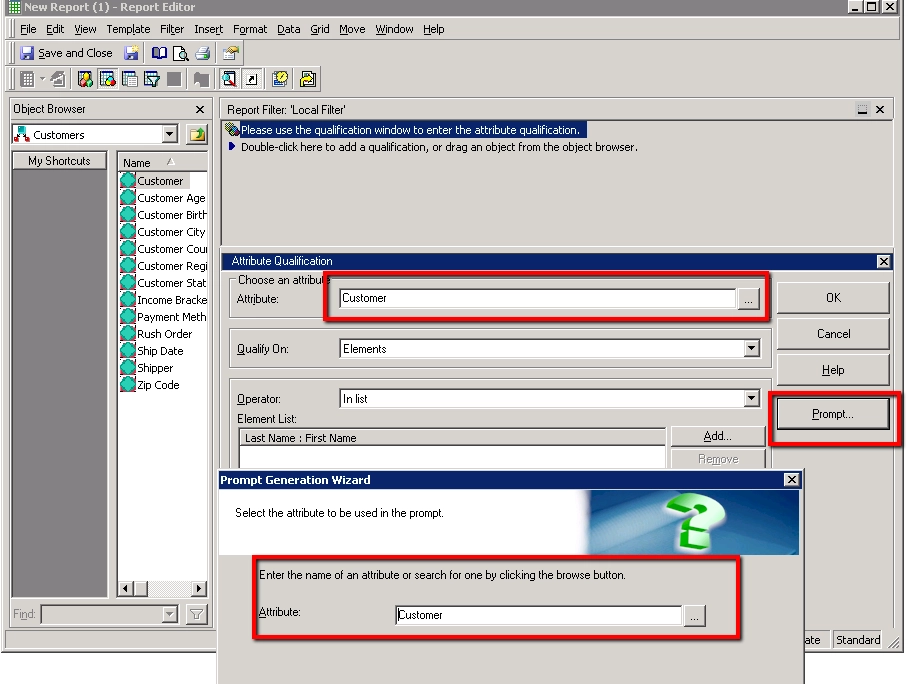
3. Add a Report Filter to use to prompt to choose "Elements of Customer"
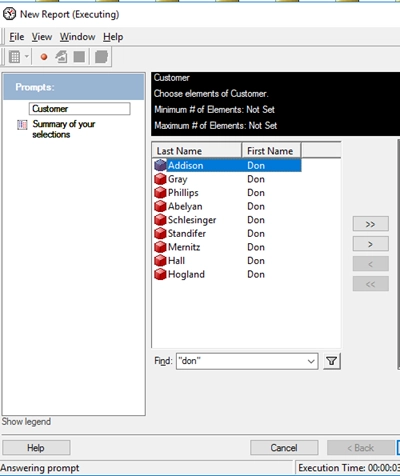
4. Save and execute the report. The user should be prompted and asked to select elements of the Customer attribute.
5. Search "Anna", and it returns all the Customers whose names contain "Anna".
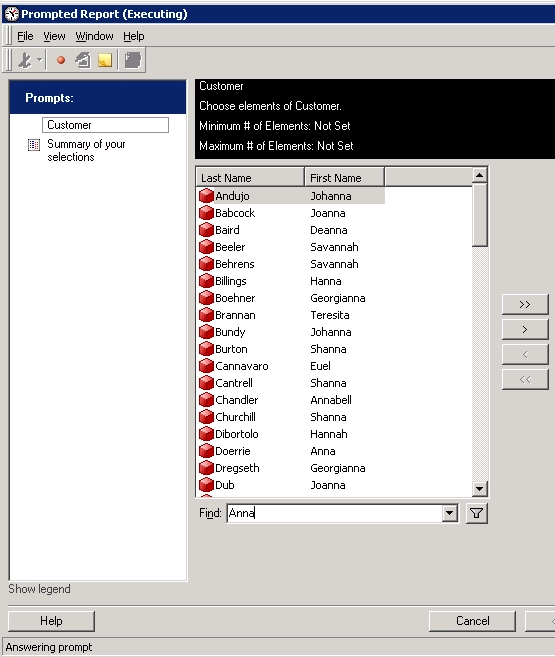
6. Search "Anna James", and it returns all the Customers whose names contain "Anna" or "James"
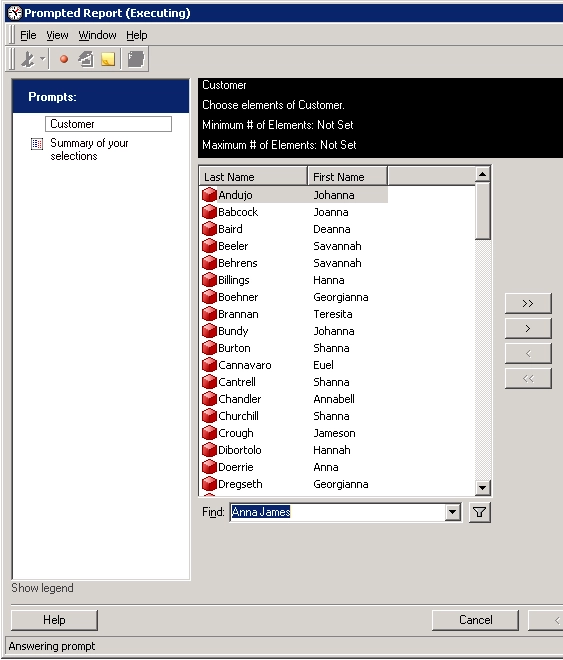
Although the search results are correct, the data retrieved are from different sources.
Open the CSI log and we can find a CSI was generated for "Anna" and retrieved data from a cube:
2019-09-03 16:49:58.542-04:00 [HOST:ip-0AF41784][SERVER:T1188_ip-0AF41784_190903121847574_3352_0001_zezuto][PID:6172][THR:4816][Engine][CSI][UID:54F3D26011D2896560009A8E67019608][SID:61FB853B932CA5484952CC74D0F3B6A5][OID:261C90084BC74F868B1A89BB93E5D232] CSI for report with DSS_ID:261C90084BC74F868B1A89BB93E5D232
Tables Accessed:
Table0	[L_CUSTOMER]:	Customer, 		LOOKUP_TABLE
select	[Customer]@[CUSTOMER_ID],
	[Customer]@[CUST_LAST_NAME],
	[Customer]@[CUST_FIRST_NAME]
from	CustomerCube
with Table Join Tree: 	[L_CUSTOMER]<(upper([Customer]@[CUST_LAST_NAME]) like 'upper(%Anna%)'
 or upper([Customer]@[CUST_FIRST_NAME]) like 'upper(%Anna%)')>
Incremental Element Browsing For CSI - Offset:0 Number Rows:1000. Total number rows is needed.
2019-09-03 16:50:49.939-04:00 [HOST:ip-0AF41784][SERVER:T1188_ip-0AF41784_190903121847574_3352_0001_zezuto][PID:6172][THR:4572][Database Classes][SQL Trace][UID:54F3D26011D2896560009A8E67019608][SID:61FB853B932CA5484952CC74D0F3B6A5][OID:4A9EDEF54D328D71EA2C89A2B62D44A6] Executing SQL. Connection ID: 1. SQL: select	count(distinct a21.CUSTOMER_ID)  WJXBFS1
from	LU_CUSTOMER	a21
where	(upper(a21.CUST_LAST_NAME) like upper(N'%James%')
 or upper(a21.CUST_FIRST_NAME) like upper(N'%James%')
 or upper(a21.CUST_LAST_NAME) like upper(N'%Anna%')
 or upper(a21.CUST_FIRST_NAME) like upper(N'%Anna%'))
This is a known limitation before Strategy 2020.
When the user search "Anna James" on Customer, the Data Engine translates it to "Search Customer whose Firstname = Anna OR Lastname = Anna OR Firstname = James OR Lastname = James". When there are more than 2 conditions joined by OR logic operator, existing Engine logic will not use Dynamic Sourcing.
To resolve this defect, please upgrade to Strategy 2020 or above, and set Data Engine Version setting to 12.
The project level setting Data Engine Version can only be enabled through Workstation. For more details on enabling the setting, see Change Data Engine Version .
When the Data Engine version is set to 12, Data Engine will use Dynamic Sourcing when there is any eligible cube and avoid frequently querying the data warehouse, regardless of how many conditions are joined by OR.
In some situation, especially when the cube size is huge, text search in cube data could be slower than search in the warehouse, so this change could potentially cause performance degradation.
Starting from Strategy 2020 Update 1, an additional fix has been made for Equal operator using double quotes (""). With the fix, now it can also hit the cube when using Equal operator in attribute element search.
To get the fix, enable the project level setting, Data Engine Version, to 2020 or above.