Starting with the release of Strategy ONE (March 2024), dossiers are also known as dashboards.
The following example uses Strategy Tutorial Project.
1. Open Strategy Web with an English user account.
2. Create a new dossier and click “Existing Objects”.
3. Search and add “Category”.
4. Change the Data Access Mode to “Connect Live”.
*Note that once the dataset is created, its Data Access Mode cannot be changed anymore.
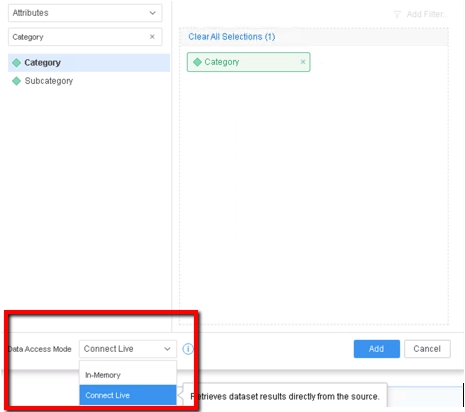
5. Click Add to save the dataset.
6. Right click on attribute “Category” and choose “Create Attribute…”.
7. Name the attribute “DA” and use “Category@DESC” as the attribute form.
8. Save and add to the visualization.
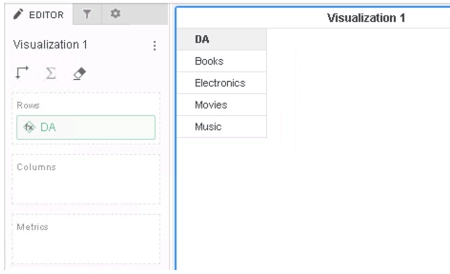
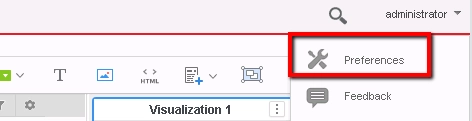
9. Save and close the dossier, then click the account menu at the top right corner, and choose “Preferences”.
10. Change the Language setting to a language different from the original one.

11. Click “Apply” at the end of the page.
12. Log out and Login again with the same account to fully apply the new language setting.
13. Open the created dossier. Value in the derived attribute becomes null and only a blank cell is displayed.
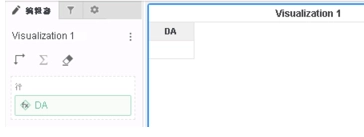
This is a known defect before Strategy 2020.
This issue is caused by derived attribute missing the form when the project language changed. With missing description form, the attribute description value is regarded as null in visualization and only a blank cell is displayed.
To resolve this defect, please upgrade to Strategy 2020 or above.
In Strategy 2020, descrption of the derived attribute will have the value and language language displayed same as when it is created.
If the cube is created in In-Memory Data Access Mode, currently the Engine does not support mapping it to different language, so the issue of empty description still exists.
Strategy Internal Reference number for this technical note is KB483734 and US146230.
