SYMPTOM:
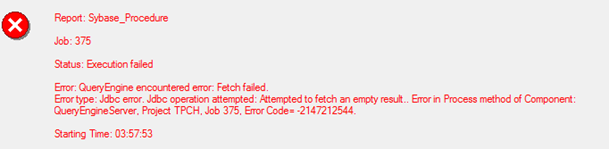
When executing a FFSQL that executes a stored multi-statement stored procedure using JDBC connection, error like “Error: QueryEngine encountered error: Fetch failed. Error type: Jdbc error. Jdbc operation attempted: Attempted to fetch an empty result..” would show up.
Stored Procedure example:
create PROCEDURE Mulstats_input
AS
create table #tmp (id int)
insert into #tmp values (1)
select * from #tmp;
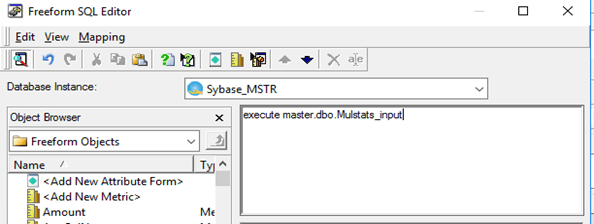
FFSQL report in developer:
CAUSE:
It is a known limitation currently. In order to support this kind of stored procedure, we need another type of statement called CallableStatement, refer:https://docs.oracle.com/javase/tutorial/jdbc/basics/storedprocedures.html , which currently is not available in our product.
WORKAROUND:
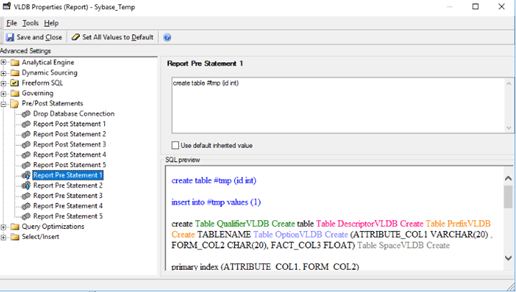
1. User can put the other statements in the report Pre/Post statement. For example:
There are 3 statements here:
Statement 1: create table #tmp (id int)
Statement 2: insert into #tmp values (1)
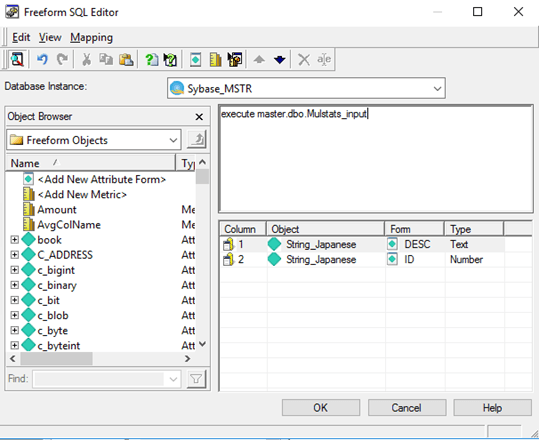
Statement 3: select * from #tmp
We can put the first 2 statements in the Report Pre Statement1 and Report Pre Statement2 separately like following:
Then put the 3rd statement (which would return results) in the report editor:
2. Or User can switch to ODBC connection. This issue would naturally go.
