EducationSoftwareStrategy.com
StrategyCommunity

Knowledge Base

Product

Community

Knowledge Base

TopicsBrowse ArticlesDeveloper Zone

Product

Download SoftwareProduct DocumentationSecurity Hub

Education

Tutorial VideosSolution GalleryEducation courses

Community

GuidelinesGrandmastersEvents
x_social-icon_white.svglinkedin_social-icon_white.svg
Strategy logoCommunity

© Strategy Inc. All Rights Reserved.

LegalTerms of UsePrivacy Policy
  1. Home
  2. Topics

KB484915: Read NULL setting from base metric for Grand Total Metric with Data Engine Version 2021


Min Zhao

Quality Engineer, Principal • MicroStrategy


This article explains a scenario that read NULL setting from base metric for Subtotal Metric to fix the data issue with Data Engine Version 2021

Starting with the release of Strategy ONE (March 2024), dossiers are also known as dashboards.
Description
When the data is incomplete in the Strategy WH Table and there is NULL value for the metric, the Subtotal metric returns incorrect data, as well as the metric value in the Heat Map Visualization. The fix is made with Data Engine Version 2021.
Steps to Reproduce
This procedure is using Strategy Tutorial WH that is shipped with Strategy products.

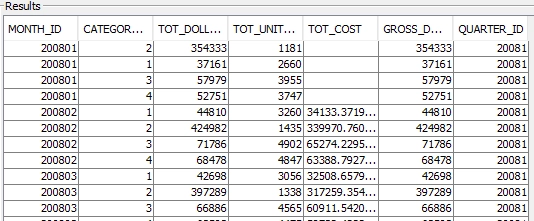
  1. Connect to Strategy Tutorial WH, create table with incomplete data: TOT_COST is NULL when MONTH ID is 200801, 200901, 201001. The SQL syntax may be different depending on Database type.

CREATE TABLE MNTH_QTR_CATEGORY_TEST_SLS AS SELECT * FROM MNTH_QTR_CATEGORY_SLS;
UPDATE MNTH_QTR_CATEGORY_TEST_SLS SET TOT_COST=NULL WHERE MONTH_ID IN (200801,200901,201001);
ka0PW0000001JfcYAE_0EM4W0000026wdg.png
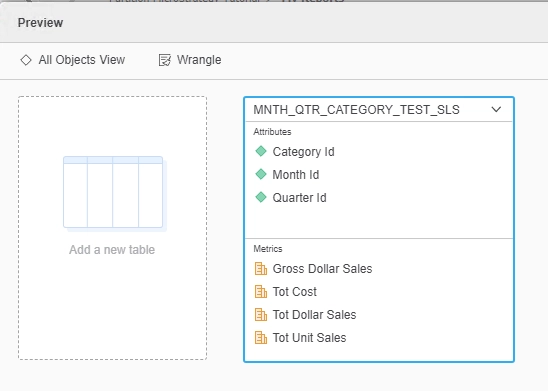
  1. Login to Strategy Web, go to Add External Data -> Databases -> Pick Tables and pick the following table and columns
ka0PW0000001JfcYAE_0EM4W0000026wdh.png
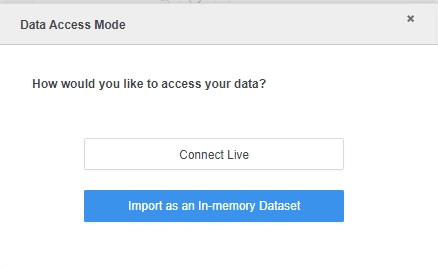
  1. Click Finish to Import as an In-memory Dataset and save as MTDI
ka0PW0000001JfcYAE_0EM4W0000026wdi.png


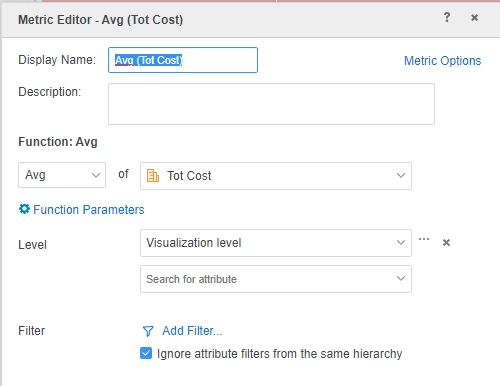
  1. Create dossier based on MTDI, create Derived Metric Avg (Tot Cost): Avg([Tot Cost]){~+}
ka0PW0000001JfcYAE_0EM4W0000026wdj.png


  1. Create Heat Map Visualization with:

Template: Category Id, Quarter Id, Avg (Tot Cost)
Filter: Quarter Id in {20081, 20091, 20101}
Create Grid Visualization with the same template and filter, and enable subtotal
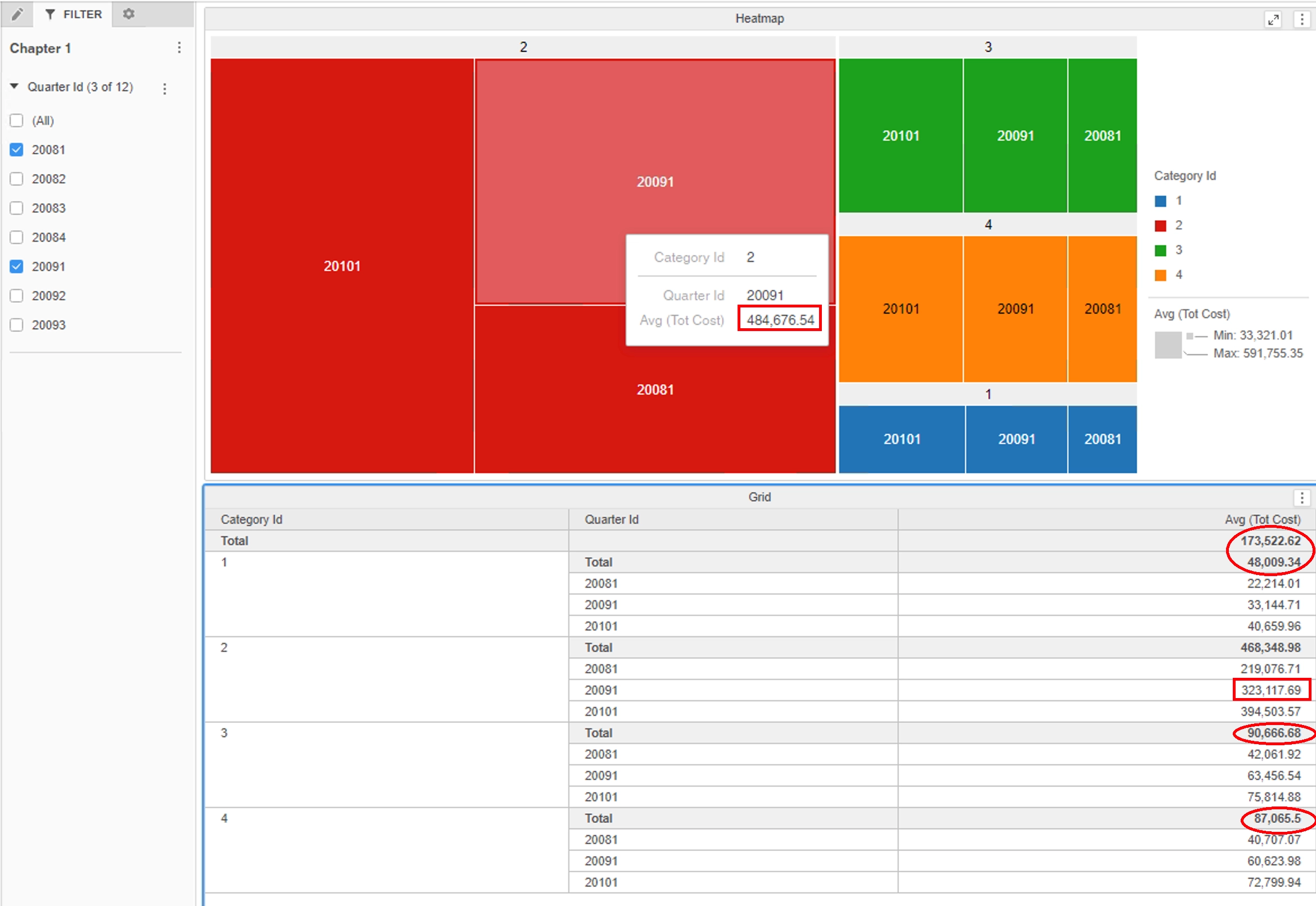
 

  1. Note that the metric value in Heat Map Visualization is different with Grid Visualization
ka0PW0000001JfcYAE_0EM4W0000026wdk.png

Cause:
This is a known issue in Strategy.
The root cause is that subtotal metric does not follow the null check option from the base metric.
Solution:
This issue has been addressed in Strategy 2021.
To pick up the fix, upgrade to Strategy 2021 or above and enable project level setting "Data Engine Version" to 2021 or above. For more details on enabling the setting, refer to Data Engine Version.
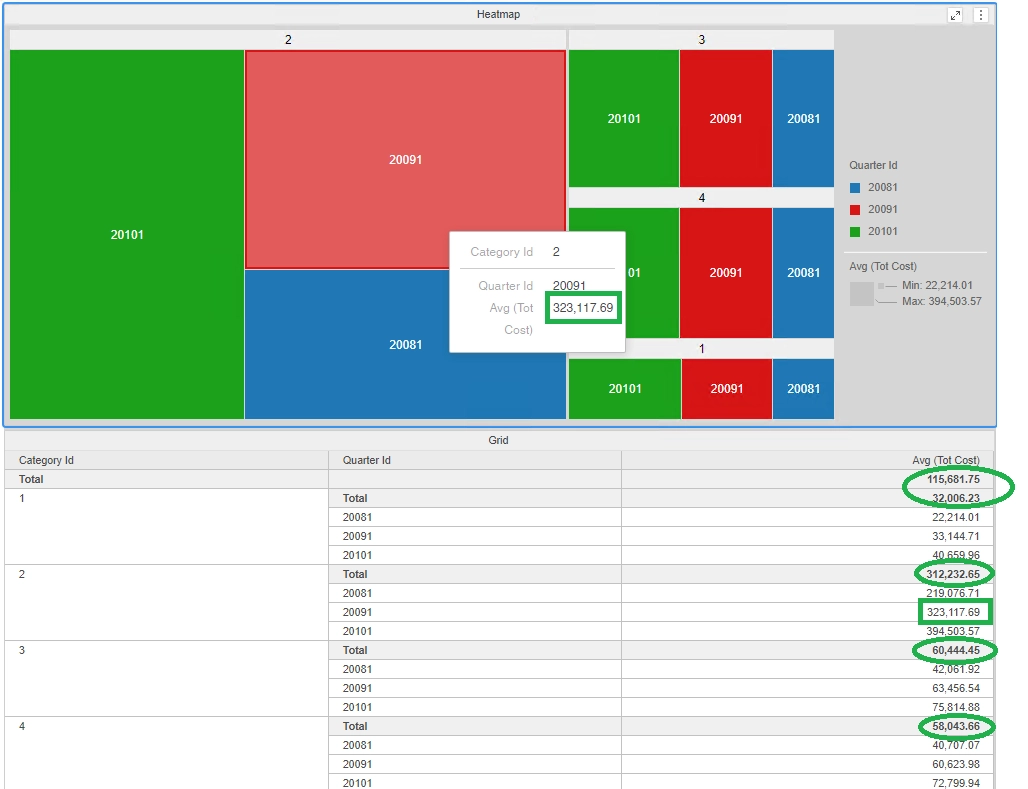
After the fix, the metric value is the same for the Heat Map Visualization and Grid Visualization, and the subtotal value is correct.
ka0PW0000001JfcYAE_0EM4W0000026wdl.png

Strategy internal reference number for this technical note is DE173168.


Comment

0 comments

Details

Knowledge Article

Published:

March 4, 2021

Last Updated:

March 21, 2024