EducationSoftwareStrategy.com
StrategyCommunity

Knowledge Base

Product

Community

Knowledge Base

TopicsBrowse ArticlesDeveloper Zone

Product

Download SoftwareProduct DocumentationSecurity Hub

Education

Tutorial VideosSolution GalleryEducation courses

Community

GuidelinesGrandmastersEvents
x_social-icon_white.svglinkedin_social-icon_white.svg
Strategy logoCommunity

© Strategy Inc. All Rights Reserved.

LegalTerms of UsePrivacy Policy
  1. Home
  2. Topics

KB484918: Fix the data issue when link attributes between Live dataset and In-memory dataset and use filter from both datasets with Data Engine Version 2020


Min Zhao

Quality Engineer, Principal • MicroStrategy


This article explains a scenario that fix the data issue for Visualization in Dossier when link Attributes between Live dataset and In-memory dataset and define filter based on Attributes from both datasets with Data Engine Version 2020.

Starting with the release of Strategy ONE (March 2024), dossiers are also known as dashboards.
Description
Starting from Strategy 10.9 with Data Engine Version 2019, there is no data returned for the Visualization containing Attributes from both datasets and defining Filters based on Attributes from both datasets in a Dossier when there is Attribute Link between Live dataset and In-memory dataset. The data issue is fixed with Data Engine Version 2020.
Steps to Reproduce
This procedure is using Strategy Tutorial WH that is shipped with Strategy products.
  1. Login to Strategy Web, create normal report R01 with: Attribute Country, Regionand Metric Revenue
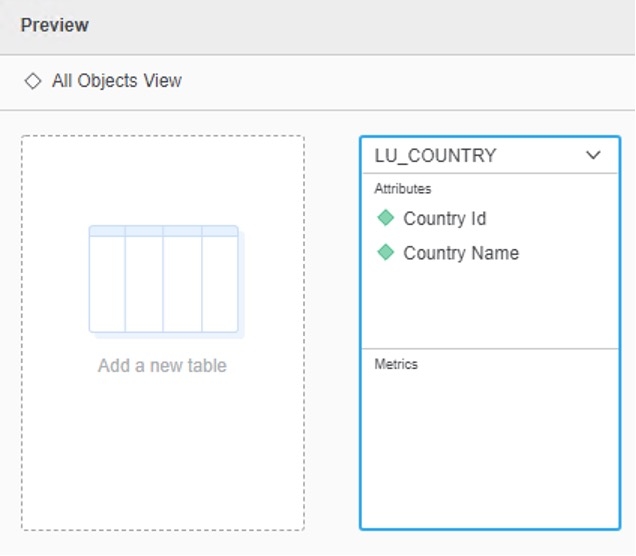
  2. Go to Add External Data -> Databases -> Pick Tables and pick the following table and columns
ka0PW0000001JfhYAE_0EM4W00000270ek.jpeg
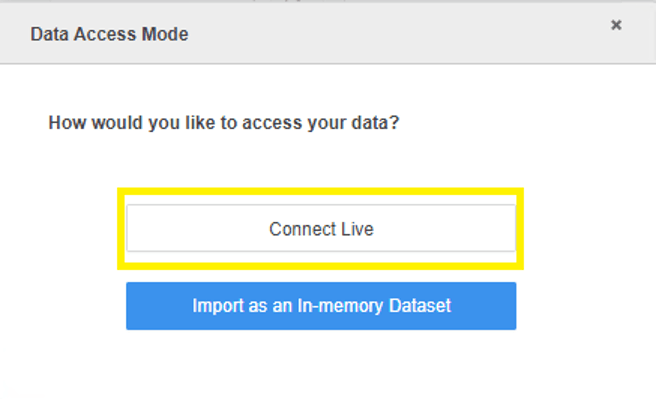
  1. Click Finish to import as Connect Live mode and save as CLDI01
ka0PW0000001JfhYAE_0EM4W00000270ez.jpeg
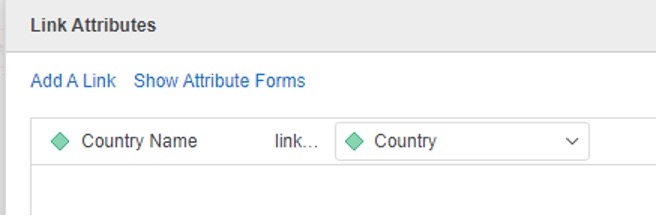
  1. Create Dossier with R01 and CLDI01 as datasets, link Attribute Country Name in dataset CLDI01 to Country in R01
ka0PW0000001JfhYAE_0EM4W00000270fO.jpeg
  1. Add into Visualization: Country Id, Region, Revenue
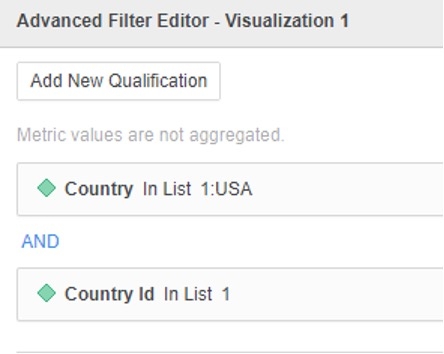
  2. Add into Filter: Country in {1:USA} AND Country Id in {1}
ka0PW0000001JfhYAE_0EM4W00000270fY.jpeg
  1. No data return for the Visualization.
ka0PW0000001JfhYAE_0EM4W00000270fi.jpeg
  1. View Query Details, the filter is applied on Linked Attribute which does not exist in the dataset.

************   Individual Step Start   ************
Number of Rows Returned: 0
Time Spent: 0.009 sec(s)
Query Execution Start Time: 3/19/2021 4:53:01 PM
Query Execution End Time: 3/19/2021 4:53:01 PM
select   [Country Id]@[COUNTRY_ID],
            ([Country Name]@[COUNTRY_NAME]) as ([DA.ID=Country.DESC]@[ID])
from     CL01:LU_COUNTRY_2
where  <DA.ID=Country.DESC> in (Ex10_tempcube1)
to         Ex10_tempcube5
************   Individual Step End     ************
Cause:
This is a known issue starting from Strategy 10.9 with Data Engine Version 2019 or above.
Solution:
This issue has been addressed in Strategy 2021 Update 1.
To pick up the fix, upgrade to Strategy 2021 Update 1 or above and enable project level setting "Data Engine Version" to 2020 or above. For more details on enabling the setting, refer to Data Engine Version.
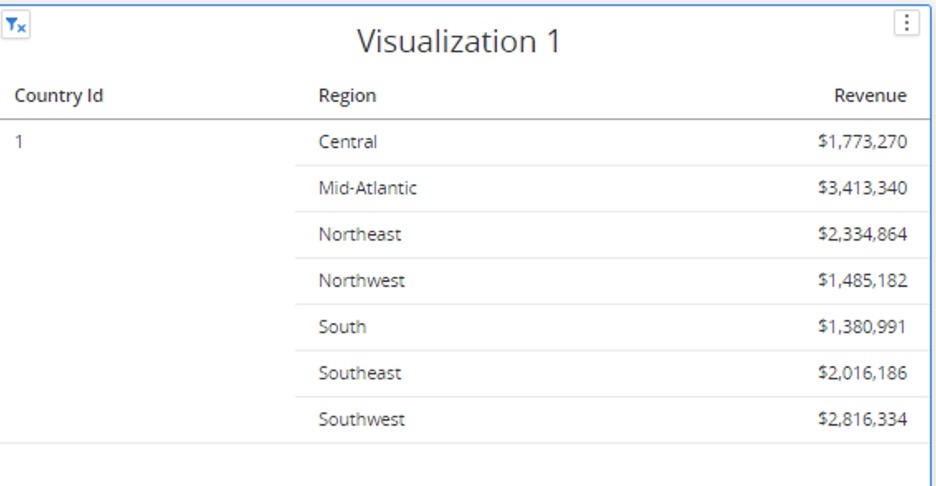
After the fix, the data is returned.
ka0PW0000001JfhYAE_0EM4W00000270g2.jpeg

Check Query Details, filter is applied to the Linked Attribute which exist in the dataset.
************   Individual Step Start   ************
Number of Rows Returned: 1
Time Spent: 0.002 sec(s)
Query Execution Start Time: 3/22/2021 11:40:33 AM
Query Execution End Time: 3/22/2021 11:40:33 AM
select   [Country Id]@[COUNTRY_ID],
            [DA.ID=Country.DESC]@[ID]
from     Ex10_tempcube5
where  <DA.ID=Country.DESC> in (Ex10_tempcube1)
to         Ex10_tempcube6
************   Individual Step End     ************
Strategy internal reference number for this technical note is DE193691.


Comment

0 comments

Details

Knowledge Article

Published:

March 4, 2021

Last Updated:

March 21, 2024