Starting with the release of Strategy ONE (March 2024), dossiers are also known as dashboards.
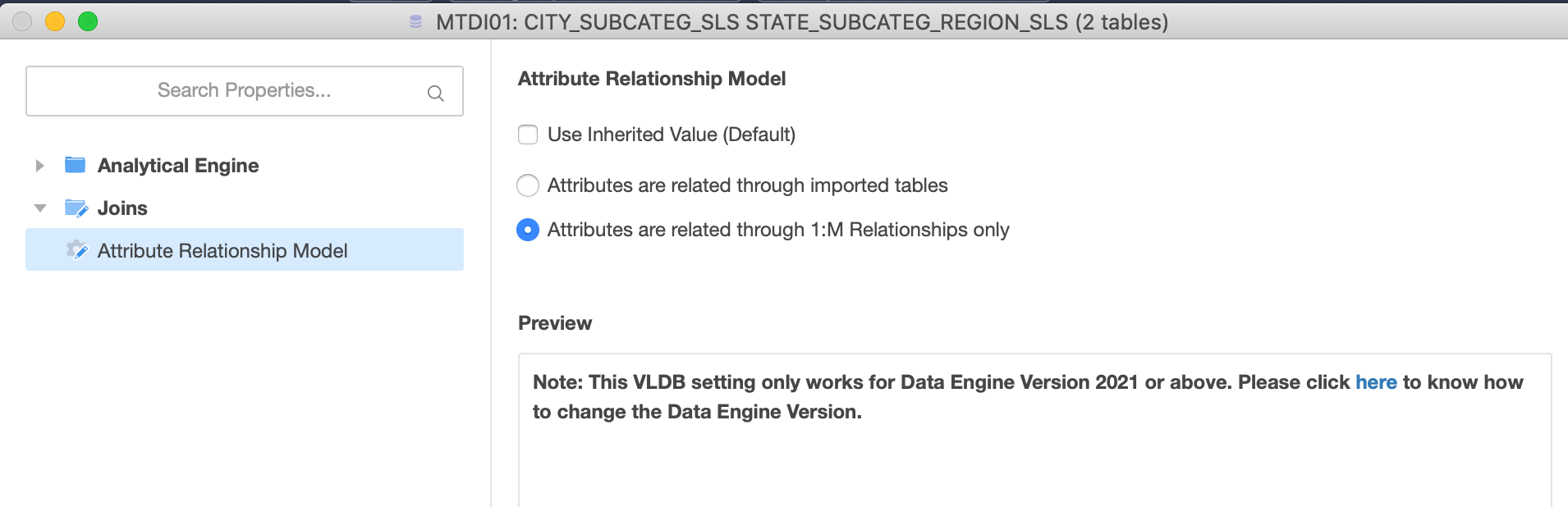
Name: Attribute Relationship Model
Options:
- "Attributes are related through imported tables" (Default)
- "Attributes are related through 1:M Relationships only"
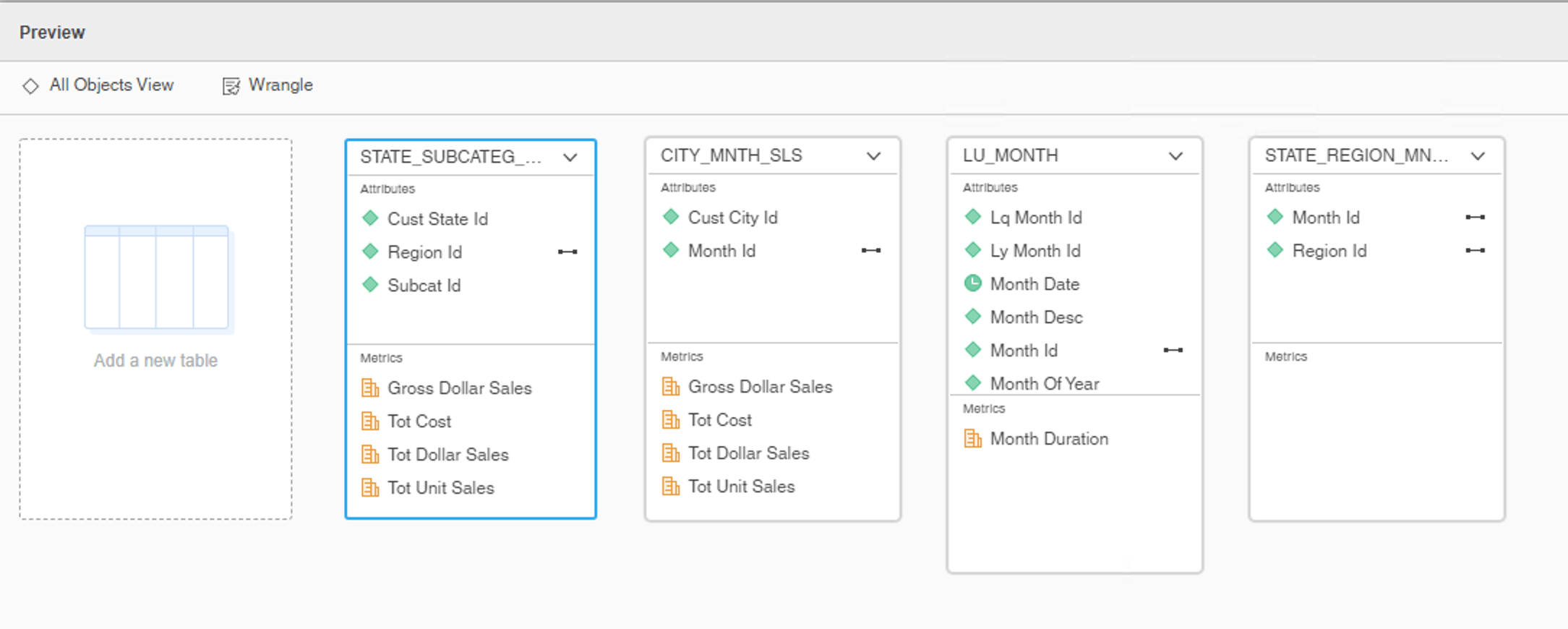
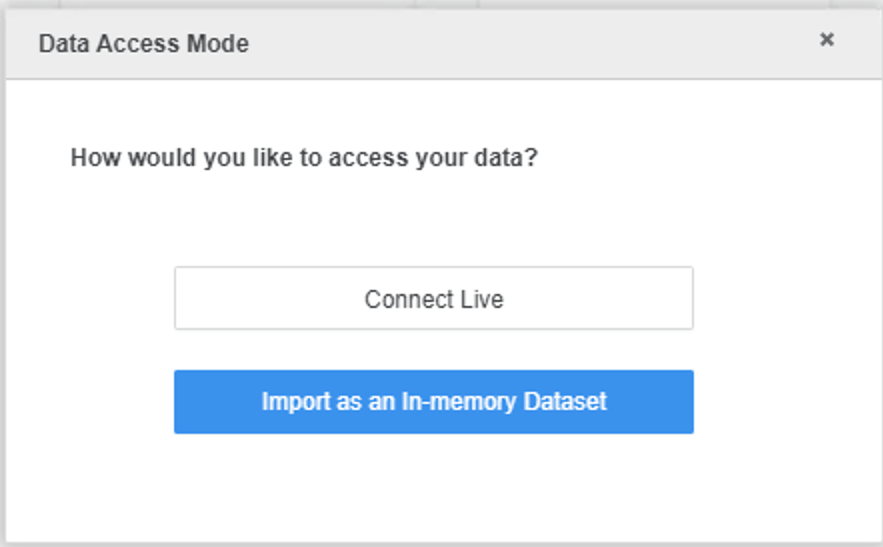
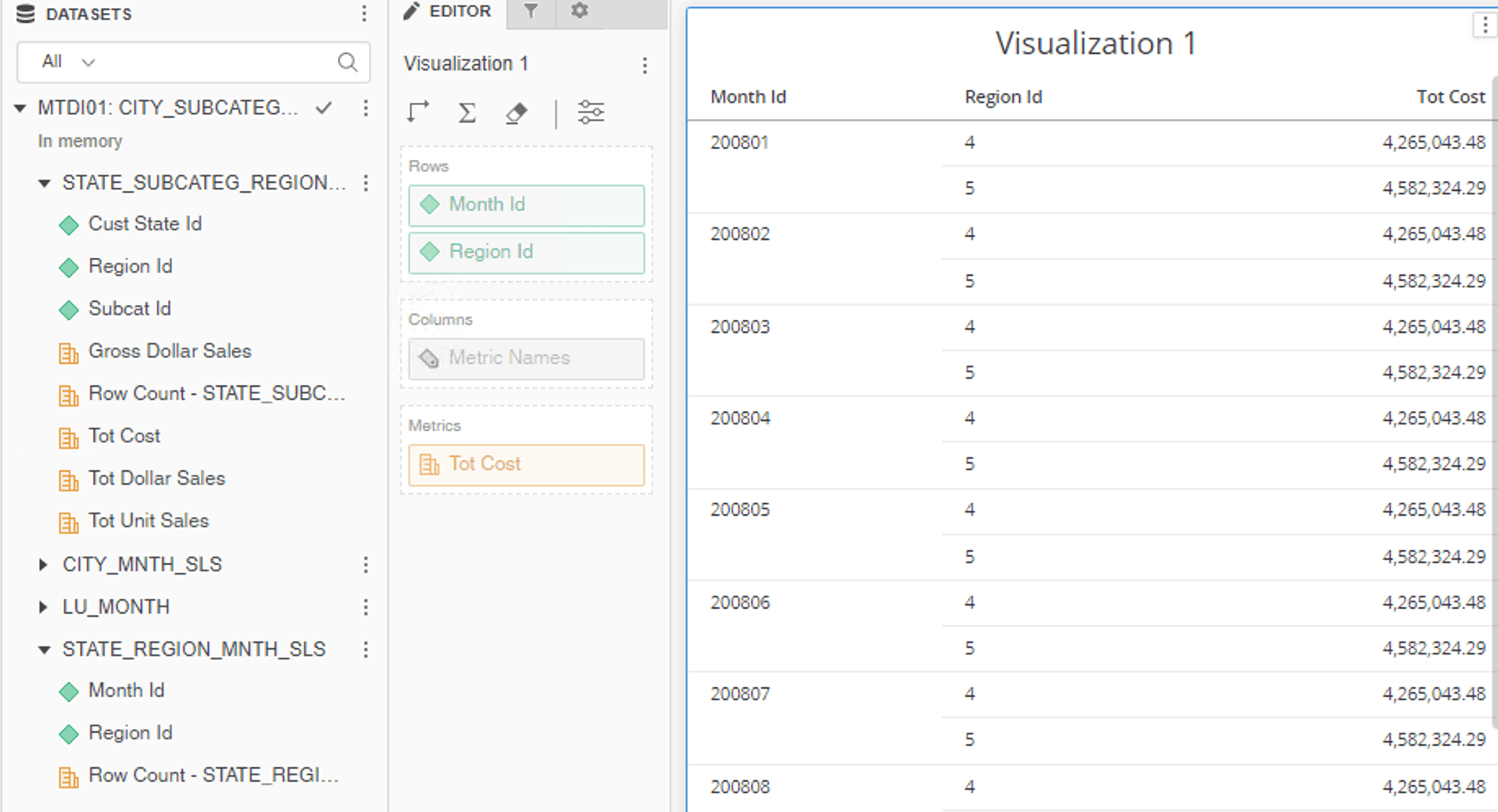
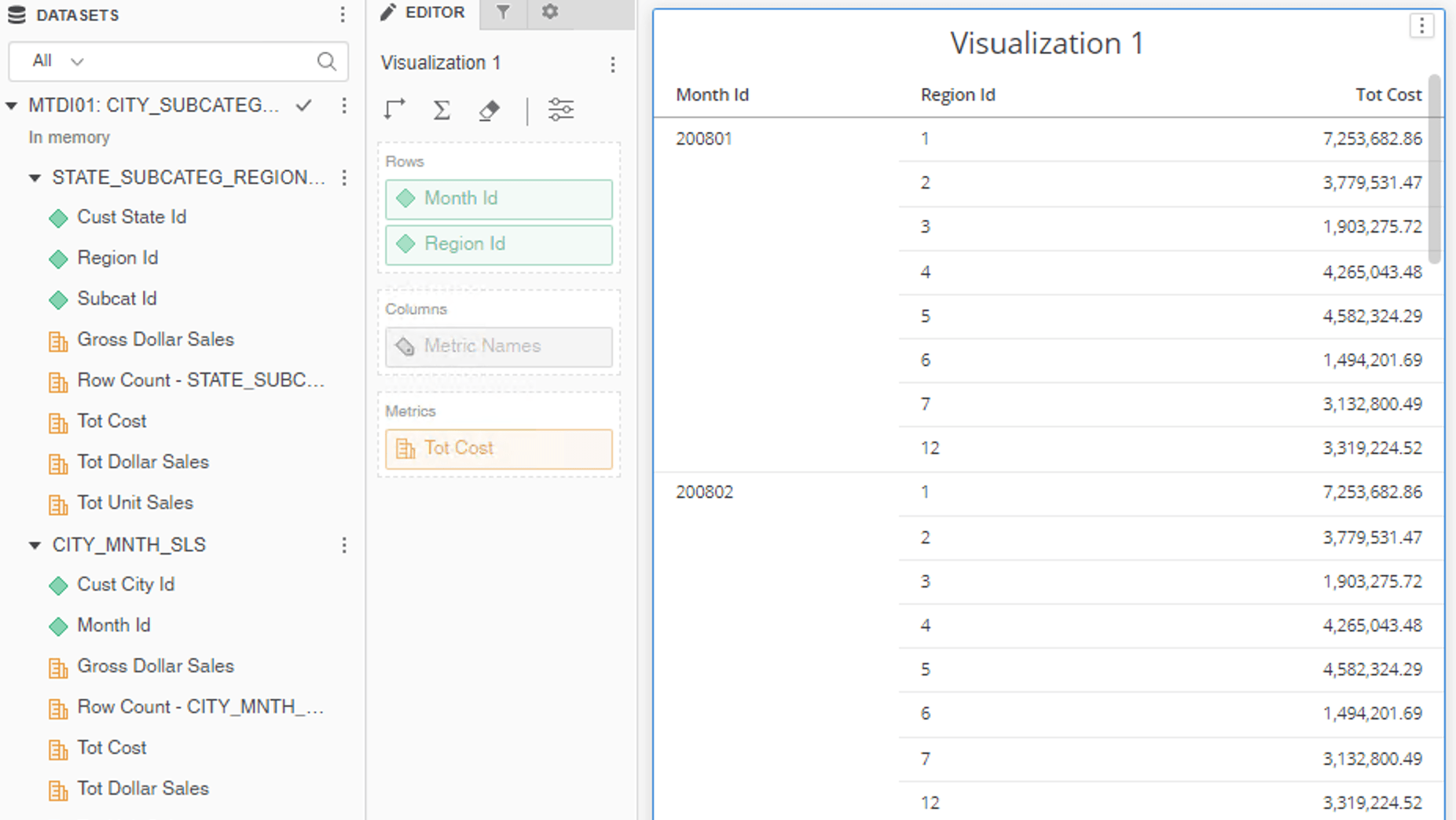
************ Individual Step Start ************
Number of Rows Returned: 288
Time Spent: 0.050 sec(s)
Query Execution Start Time: 9/2/2021 2:45:41 PM
Query Execution End Time: 9/2/2021 2:45:41 PM
Tables Accessed:
Table15 [F_STATE_SUBCATEG_REGION_SLS3E86222588124E8AB50A8111692EADC1]: Region Id, Subcat Id, Cust State Id, Gross Dollar Sales, Tot Dollar Sales, Tot Unit Sales, Row Count - STATE_SUBCATEG_REGION_SLS, Tot Cost, FACT_TABLE
Table18 [F_STATE_REGION_MNTH_SLS8F97F2464B954BE08DD6A388ACE35635]: Region Id, Month Id, Row Count - STATE_REGION_MNTH_SLS, FACT_TABLE
Alternative CSI:
select [Region Id]@[REGION_ID],
sum([[F_STATE_SUBCATEG_REGION_SLS3E86222588124E8AB50A8111692EADC1].Tot Cost])@{[Region Id]} as [Tot Cost]
with Table Join Tree: [F_STATE_SUBCATEG_REGION_SLS3E86222588124E8AB50A8111692EADC1]
Save As TempTable10000
select distinct [Month Id]@[MONTH_ID],
[Region Id]@[REGION_ID],
sum([Table10000.Tot Cost])@{[Region Id],[Month Id]} as [Tot Cost]
with Table Join Tree: TempTable10000
Join (Set of distinct Tuple([Region Id]@[REGION_ID], [Month Id]@[MONTH_ID]) where Tuple([Region Id]@[REGION_ID], [Month Id]@[MONTH_ID]) in [F_STATE_REGION_MNTH_SLS8F97F2464B954BE08DD6A388ACE35635]) with output level Tuple([Region Id]@[REGION_ID], [Month Id]@[MONTH_ID])
************ Individual Step End ************
************ Individual Step Start ************
Number of Rows Returned: 384
Time Spent: 0.062 sec(s)
Query Execution Start Time: 9/2/2021 9:55:03 AM
Query Execution End Time: 9/2/2021 9:55:03 AM
Tables Accessed:
Table6 [L_MONTH_ID]: Month Id, LOOKUP_TABLE
Table15 [F_STATE_SUBCATEG_REGION_SLS3E86222588124E8AB50A8111692EADC1]: Region Id, Subcat Id, Cust State Id, Gross Dollar Sales, Tot Dollar Sales, Tot Unit Sales, Row Count - STATE_SUBCATEG_REGION_SLS, Tot Cost, FACT_TABLE
select [Region Id]@[REGION_ID],
[Month Id]@[MONTH_ID],
sum([[F_STATE_SUBCATEG_REGION_SLS3E86222588124E8AB50A8111692EADC1].Tot Cost])@{[Region Id]} as [Tot Cost]
from MTDI01: CITY_SUBCATEG_SLS STATE_SUBCATEG_REGION_SLS (2 tables)
with Table Join Tree: [F_STATE_SUBCATEG_REGION_SLS3E86222588124E8AB50A8111692EADC1]
CrossJoin [L_MONTH_ID] with output level Tuple([Cust State Id]@[CUST_STATE_ID], [Subcat Id]@[SUBCAT_ID], [Region Id]@[REGION_ID], [Month Id]@[MONTH_ID])
************ Individual Step End ************
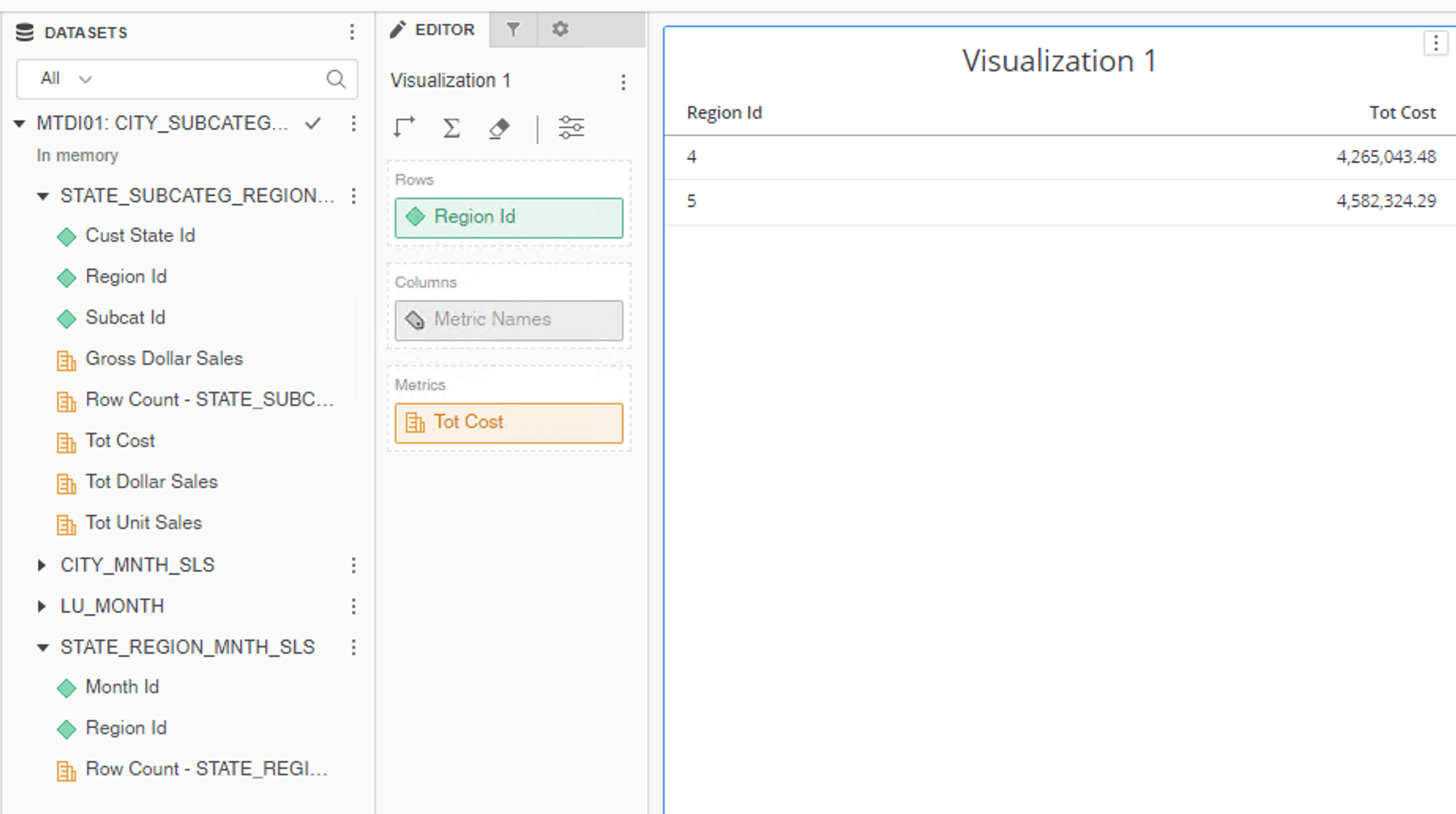
Same report would have failed if it was built in Project Schema:

************ Individual Step Start ************
Number of Rows Returned: 2
Time Spent: 0.033 sec(s)
Query Execution Start Time: 9/2/2021 3:54:36 PM
Query Execution End Time: 9/2/2021 3:54:36 PM
Tables Accessed:
Table15 [F_STATE_SUBCATEG_REGION_SLS3E86222588124E8AB50A8111692EADC1]: Region Id, Subcat Id, Cust State Id, Gross Dollar Sales, Tot Dollar Sales, Tot Unit Sales, Row Count - STATE_SUBCATEG_REGION_SLS, Tot Cost, FACT_TABLE
Table18 [F_STATE_REGION_MNTH_SLS8F97F2464B954BE08DD6A388ACE35635]: Region Id, Month Id, Row Count - STATE_REGION_MNTH_SLS, FACT_TABLE
select [Region Id]@[REGION_ID],
sum([[F_STATE_SUBCATEG_REGION_SLS3E86222588124E8AB50A8111692EADC1].Tot Cost])@{[Region Id]} as [Tot Cost]
from MTDI01: CITY_SUBCATEG_SLS STATE_SUBCATEG_REGION_SLS (2 tables)
with Table Join Tree: [F_STATE_SUBCATEG_REGION_SLS3E86222588124E8AB50A8111692EADC1]
Join (Set of distinct Tuple([Region Id]@[REGION_ID]) where Tuple([Region Id]@[REGION_ID]) in [F_STATE_REGION_MNTH_SLS8F97F2464B954BE08DD6A388ACE35635]<[Month Id]@[MONTH_ID] in (200801)>) with output level Tuple([Cust State Id]@[CUST_STATE_ID], [Subcat Id]@[SUBCAT_ID], [Region Id]@[REGION_ID])
************ Individual Step End ************
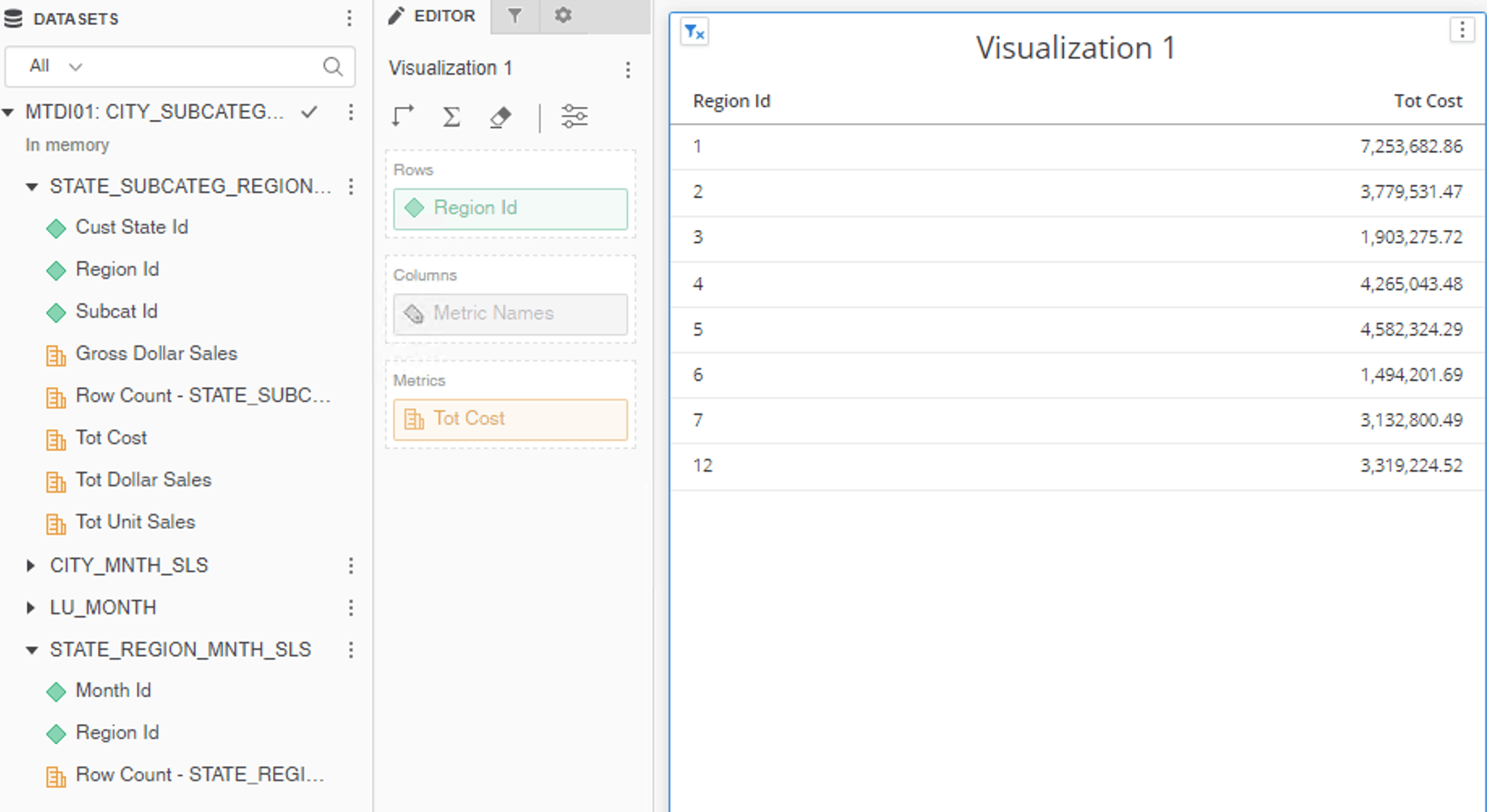
************ Individual Step Start ************
Number of Rows Returned: 8
Time Spent: 0.004 sec(s)
Query Execution Start Time: 9/2/2021 4:48:43 PM
Query Execution End Time: 9/2/2021 4:48:43 PM
Tables Accessed:
Table15 [F_STATE_SUBCATEG_REGION_SLS3E86222588124E8AB50A8111692EADC1]: Region Id, Subcat Id, Cust State Id, Gross Dollar Sales, Tot Dollar Sales, Tot Unit Sales, Row Count - STATE_SUBCATEG_REGION_SLS, Tot Cost, FACT_TABLE
select [Region Id]@[REGION_ID],
sum([[F_STATE_SUBCATEG_REGION_SLS3E86222588124E8AB50A8111692EADC1].Tot Cost])@{[Region Id]} as [Tot Cost]
from MTDI01: CITY_SUBCATEG_SLS STATE_SUBCATEG_REGION_SLS (2 tables)
with Table Join Tree: [F_STATE_SUBCATEG_REGION_SLS3E86222588124E8AB50A8111692EADC1]
************ Individual Step End ************
Same report would have failed if it was built in Project Schema:

