Starting in Strategy ONE Update 12, Strategy ships ServiceNow ODBC connectors to connect ServiceNow as data source when importing data into Strategy Workstation and Web.
However, this version (1.7.4.1006) of the ODBC driver cannot access a ServiceNow instance using refresh token only. Therefore, Strategy removed refresh token authentication when creating a ServiceNow connection.
After upgrading to Strategy ONE Update 12, existing JDBC connections are automatically converted to ODBC. Errors or warnings appear if you are using refresh token authentication mode.
The authentication mode section is blocked out if your previous connections were using refresh token mode. The error shown below appears when you attempt to connect the instance.
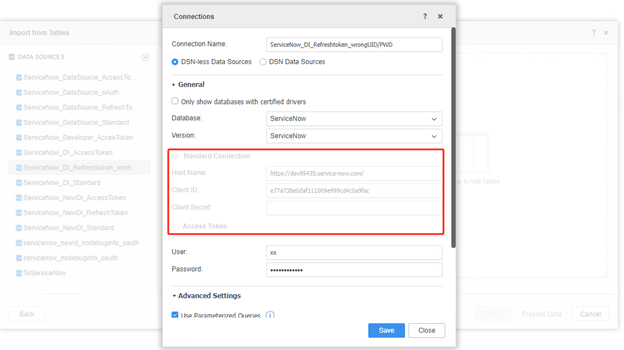
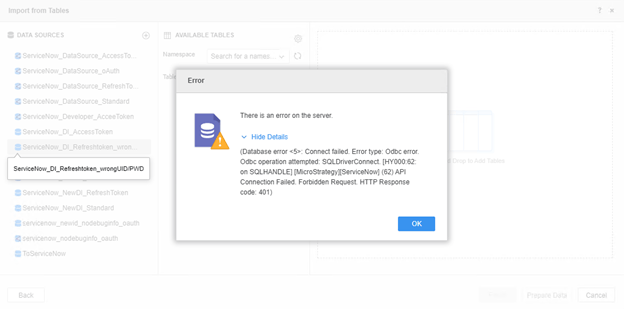
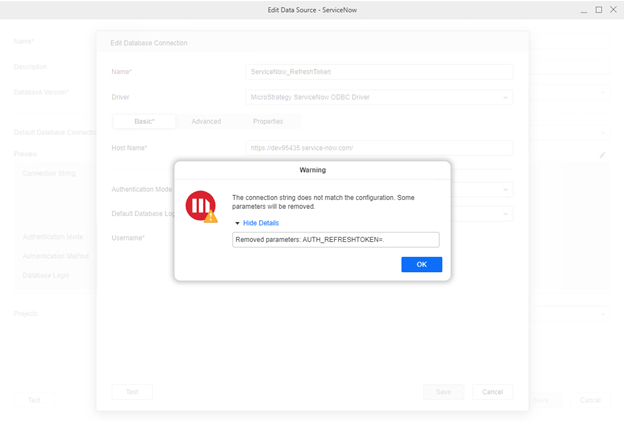
The Authentication Mode is mapped to Standard. The error shown below appears when you attempt to edit the connection.
There is no refresh token authentication mode when you create a new connection to ServiceNow.
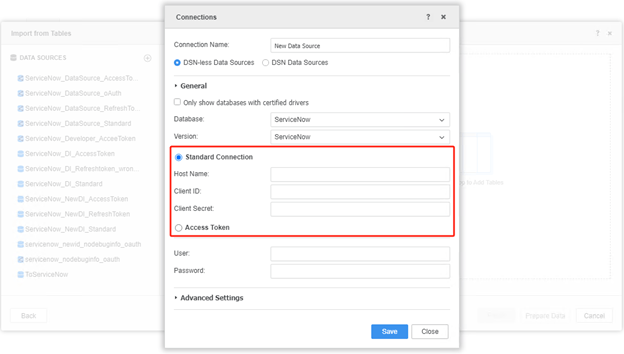
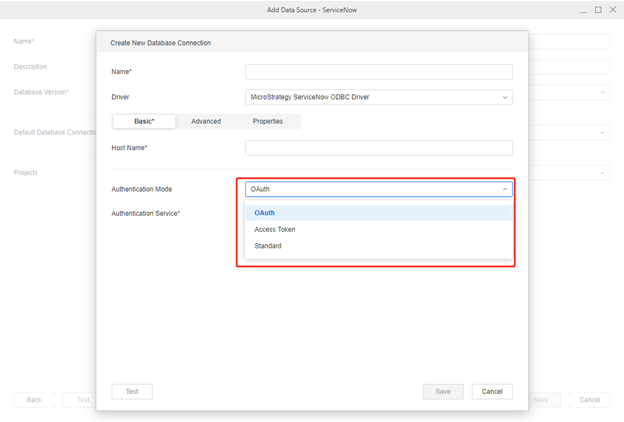
Recreate the connection with "Standard", "Access Token", "oAuth" authentication mode when you encounter the error.
