Starting in Strategy ONE (December 2024), you can enable an option to automatically exclude objects users lack execute permissions for from visualizations and reports. See the following examples of where this functionality takes effect and its limitations. For more information on enabling and disabling this setting, see Edit Project-Level Settings.
A user has full access to all objects used in a dashboard and another user has partial access and therefore does not have execute access to some objects. These objects are used in a dashboard. If the dashboard is running with the Permissive object handling for users without execute access option disabled, the dashboard displays an error for the partial-access user and the entire dashboard execution fails. If the Permissive object handling for users without execute access option is enabled, the partial-access user can see some of the data on the dashboard.
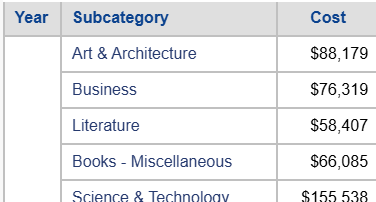
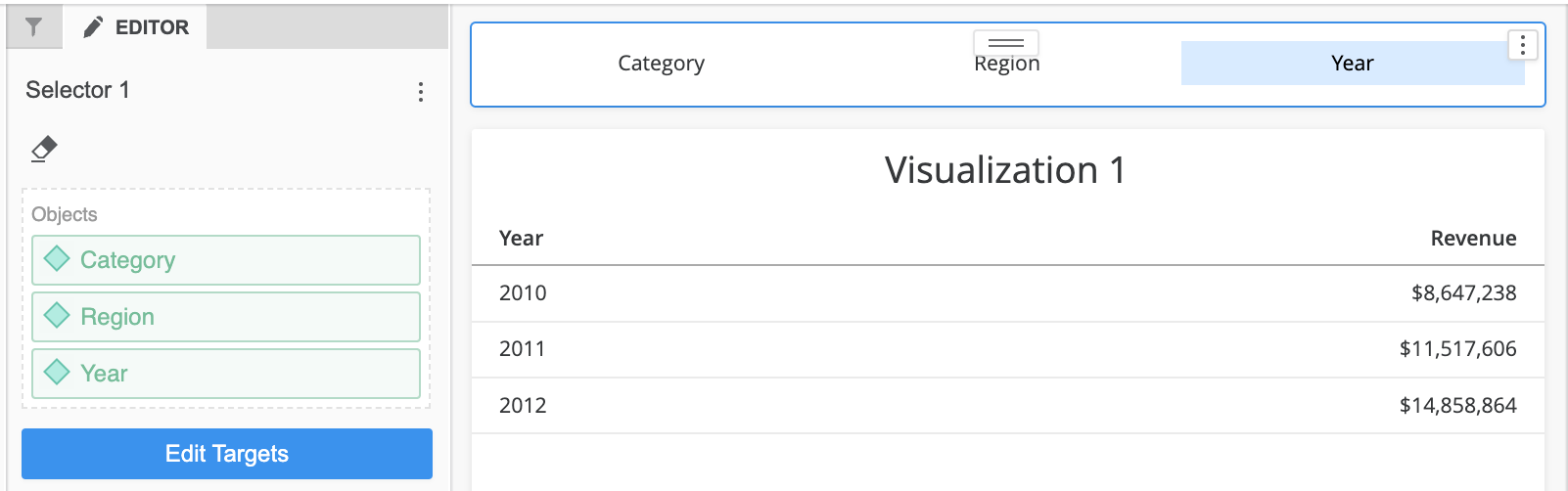
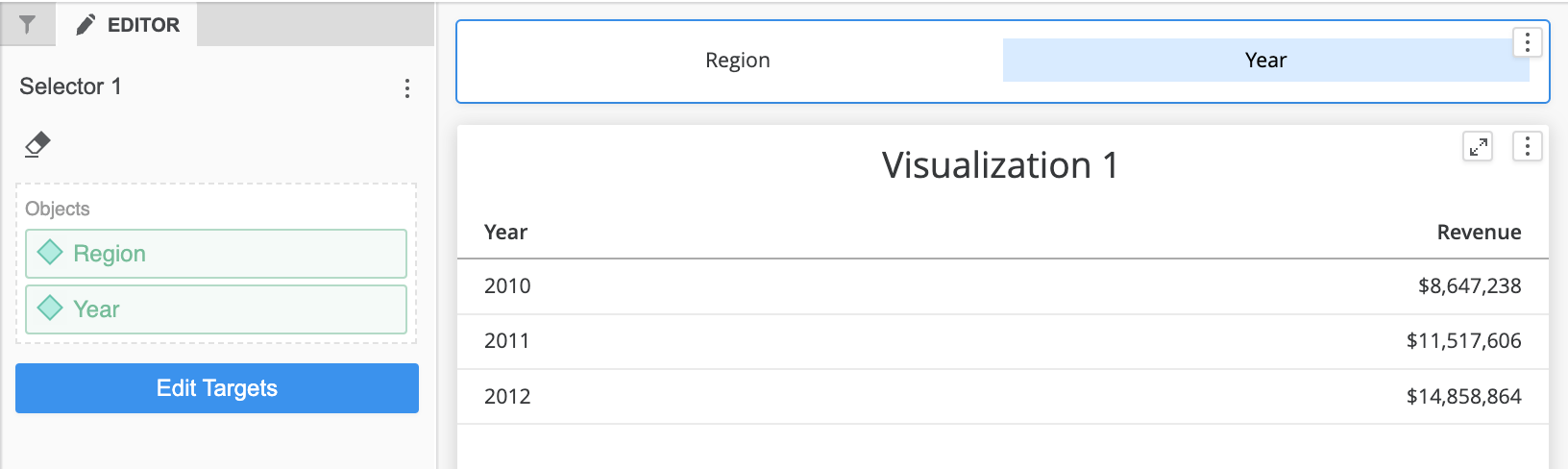
See the following examples of a dashboard for a full-access vs partial-access user. In the following examples, the full-access user has access to the Category object and the partial-access user does not.
Full-access user view:
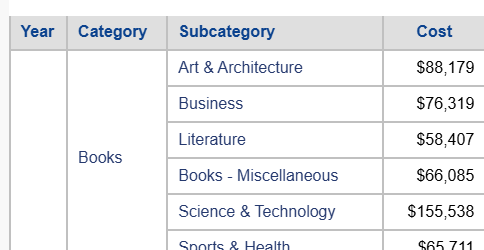
Partial-access user view:
Note the Category column is removed.
Full-access user view:
Partial-access user view:
Note Category is not an option in the selector.
When this option is enabled, objects do not execute for partial-access users in the following additional dashboard and report functionality and locations:
Non-executable object(s) used in text boxes, images, HTML containers, and shapes: The permissive behavior does not handle non-executable objects (except for metrics) used in text boxes, images, HTML containers, and shapes. If a non-executable object is used in dynamic text (except for metrics) or expressions for conditionally displaying an object, the entire dashboard fails.
Note: Starting in Strategy One (April 2025), this limitation is addressed.
Binary loading failure on the older Strategy Library iOS app: When permissive behavior is enabled from Workstation, the option applies to reports and dashboards on the Library iOS app for Strategy ONE (December 2024). If you run a report or dashboard on an older app version, the execution fails with a Binary Loading Failure error.
Feature does not work on previous Strategy Mobile iOS and Android app versions: When the option is enabled and a partial-access user runs reports and dashboards from the Strategy Mobile for Phone app for iOS or Android, the behavior acts as if the permissive behavior is disabled.
Download a dashboard with non-executable object(s): A .mstr file can be executed locally with a default power user. Therefore, it is not safe to download a dashboard with a non-executable object(s) and when the permissive behavior is enabled from Workstation, a server error displays when a partial-access user tries downloading the dashboard.
Feature does not work in report on Strategy Web: When the option is enabled and a partial-access user reports from Strategy Web, the behavior acts as if the permissive behavior is disabled.
