Although Strategy supports deploying the Strategy Web Server on IIS, Strategy does not currently support deploying the Community Connector Server on IIS.
As such, the following 401 Unauthorized error will appear when deploying a Community Connector if you are using a JSP Community Connector Server to connect to ASP Strategy Web.
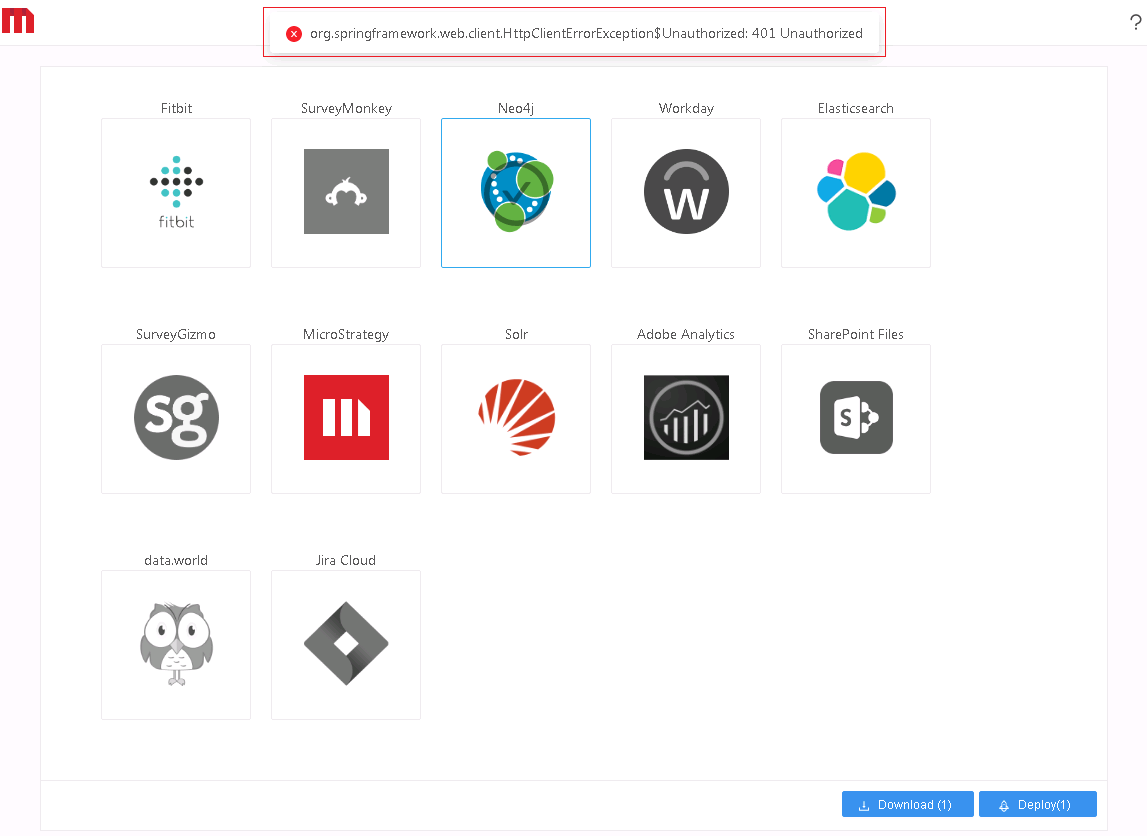
The reason this error appears is due to the limitation of two different containers, ASP and JSP. These two containers have different authentication workflows. At the moment, Strategy only supports anonymous authentication mode for ASP Strategy Web when it connects to the a JSP Community Connector Server. However, by default, ASP Strategy Web uses Windows Authentication.
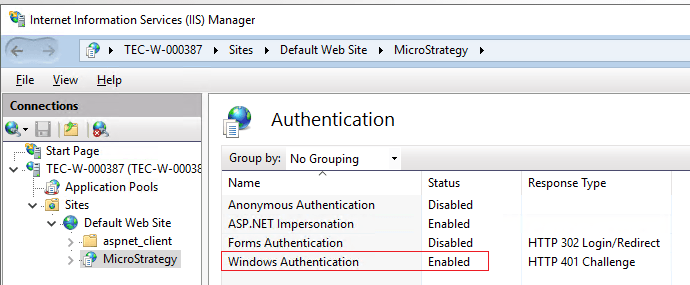
To avoid the 401 Unauthorized error, enable Anonymous Authentication mode for ASP Strategy Web.
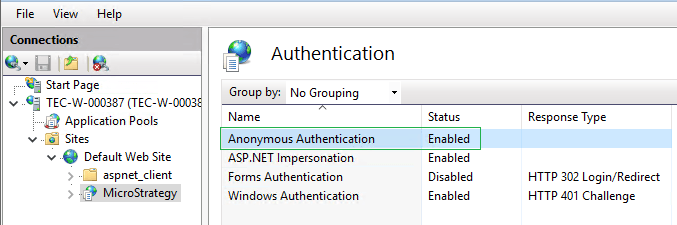
If you have enabled Anonymous Authentication mode and are still receiving this error, see
KB483543: How to Deploy Community Connectors on a MicroStrategy IIS Web Server with a 401 Unauthorized Error.
