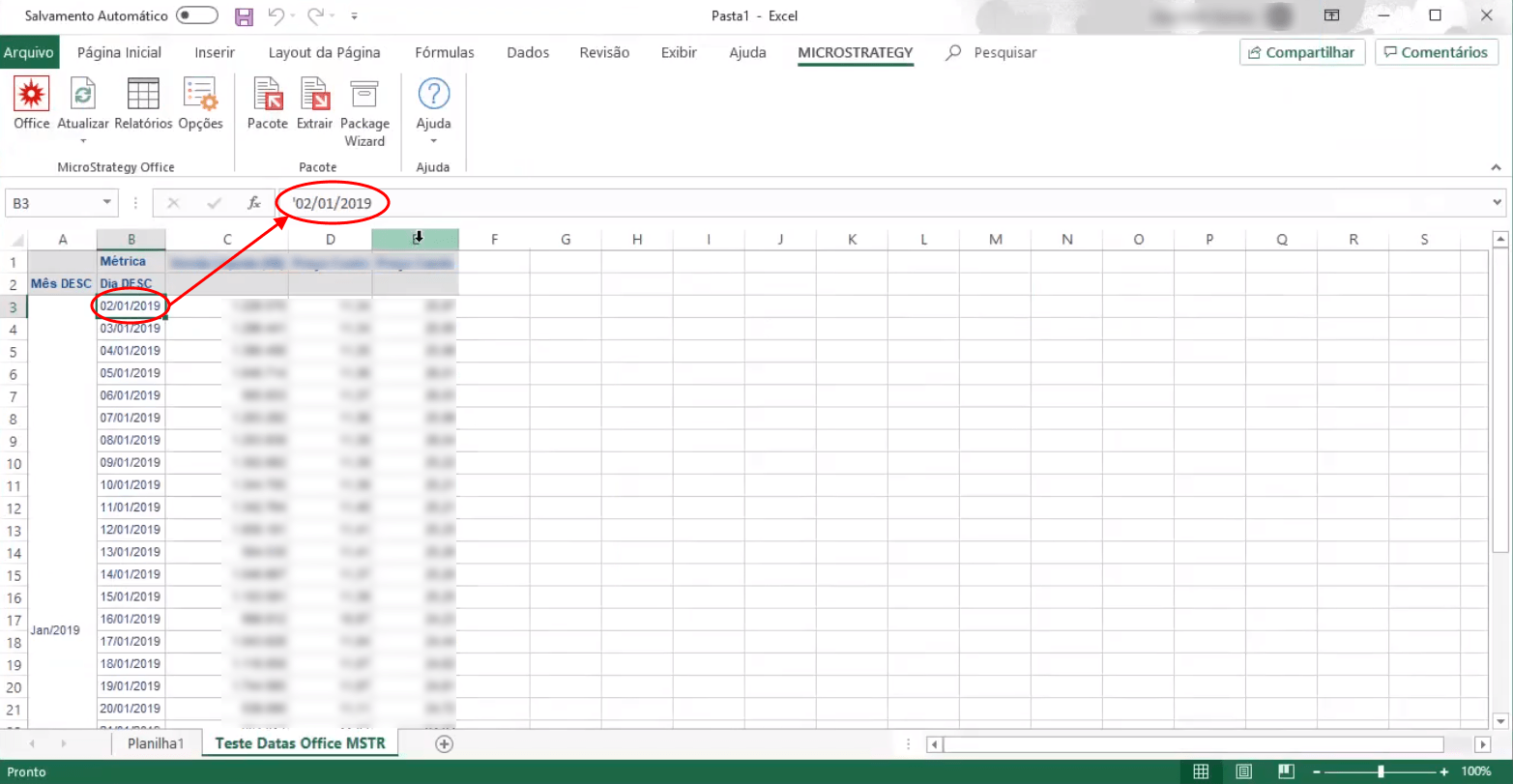
Accessing a report with date attributes in Strategy Office causes cells containing attribute elements to have an apostrophe prefix in the formula field.
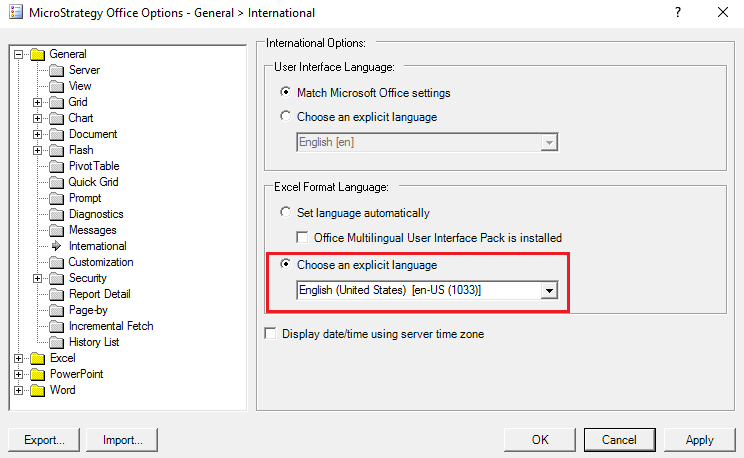
A possible reason for this is that there is a language differences between Microsoft Office and the report containing the date attribute elements.
For example, if your Strategy environment language is set to the default (English) and your Microsoft Office language is set to a different language, say Portuguese, the apostrophe prefix will display in the cell formulas in Excel.
To remove the apostrophe prefixes, use the following steps: