Starting with the release of Strategy ONE (March 2024), dossiers are also known as dashboards.
SYMPTOM:
Filter details are not preserved as expected after a Report Service document is exported to PDF file as shown below:
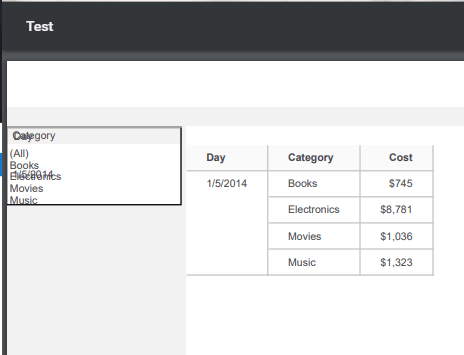
STEPS TO REPRODUCE:
1. Create a Visual Insight (VI) Dashboard with Category and Day attributes, and Cost metric.
2. Add two filter to the VI Dashboard using Day (drop down) and Category (checkbox).

3. Convert the VI Dashboard to Report Services document.
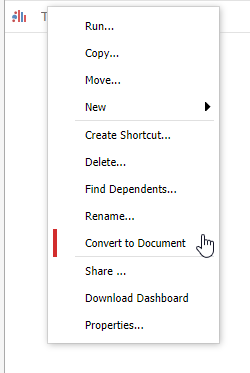
4. Select a day for "Day", and keep "All" checked for "Category."

5. Export to PDF and notice that the filter is not displayed correctly as shown in SYMPTOM section.

CAUSE:
This is a limitation of PDF Export Engine with Strategy 10.5 and older. A new Export Engine is introduced with Strategy 10.6 and newer where additional feature is supported for Dossier. However, Report Services document continues using the older PDF Export Engine where this limitation persists. For more information about New PDF Export Engine, refer to:
KB323707: Common Troubleshooting questions for the new export engine in MicroStrategy 10.6 and higher versions
KB440131: How to to connect the New Export Engine to a specific Kafka server in MicroStrategy 10.6
ACTION:
Take advantage of the new PDF Export Engine for Dossier introduced with 10.6 and newer.
KB442615
