EducationSoftwareStrategy.com
StrategyCommunity

Knowledge Base

Product

Community

Knowledge Base

TopicsBrowse ArticlesDeveloper Zone

Product

Download SoftwareProduct DocumentationSecurity Hub

Education

Tutorial VideosSolution GalleryEducation courses

Community

GuidelinesGrandmastersEvents
x_social-icon_white.svglinkedin_social-icon_white.svg
Strategy logoCommunity

© Strategy Inc. All Rights Reserved.

LegalTerms of UsePrivacy Policy
  1. Home
  2. Topics

KB485929: “HTTP Status 403 – Forbidden” error when trying to access MicroStrategy Library using Kerberos after upgrading to MicroStrategy 2021 Update 8


Stefanie Polleri

Senior Cloud Support Engineer III • MicroStrategy


This article describes a behaviour within MicroStrategy, whereby login to MicroStrategy Library fails using Kerberos or Integrated authentication after upgrading to 2021 Update 8.

Symptom


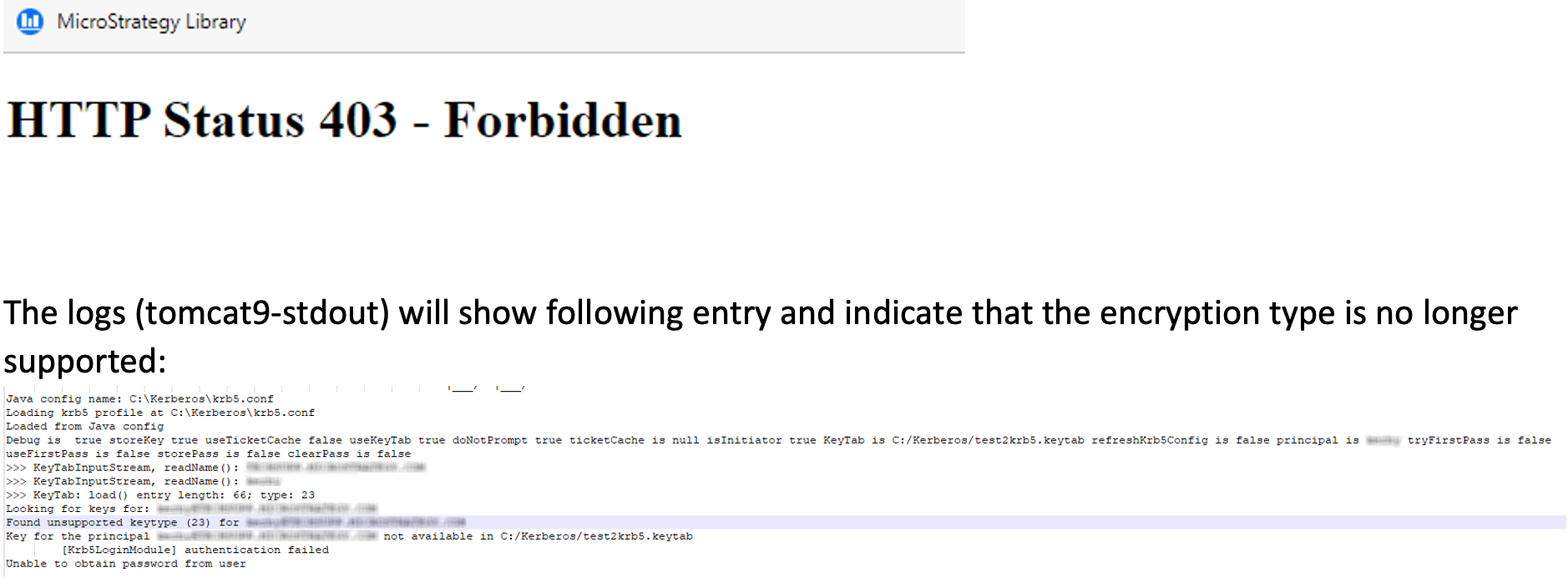
This issue occurs when Kerberos or Integrated authentication are enabled as the default authentication mode and RC4-HMAC-NT encryption is used in the generated keytab file for the principal:
ka04W000000rZL5QAM_0EM4W000006zbhH.jpeg


Cause


Starting with Strategy 2021 Update 8, JDK is upgraded to 11.0.17. In JDK 11.0.17, the RC4_HMAC encryption for Kerberos authentication is deprecated and disabled by default. As a result, you may not be able to log into Strategy Web/Library using Kerberos authentication. 
 

Action


Please review KB485827: Kerberos Login Fails After Upgrading to MicroStrategy 2021 Update 8 . This article describes workarounds you can implement to resolve this issue.


Comment

0 comments

Details

Knowledge Article

Published:

February 20, 2023

Last Updated:

November 16, 2023