Troubleshooting
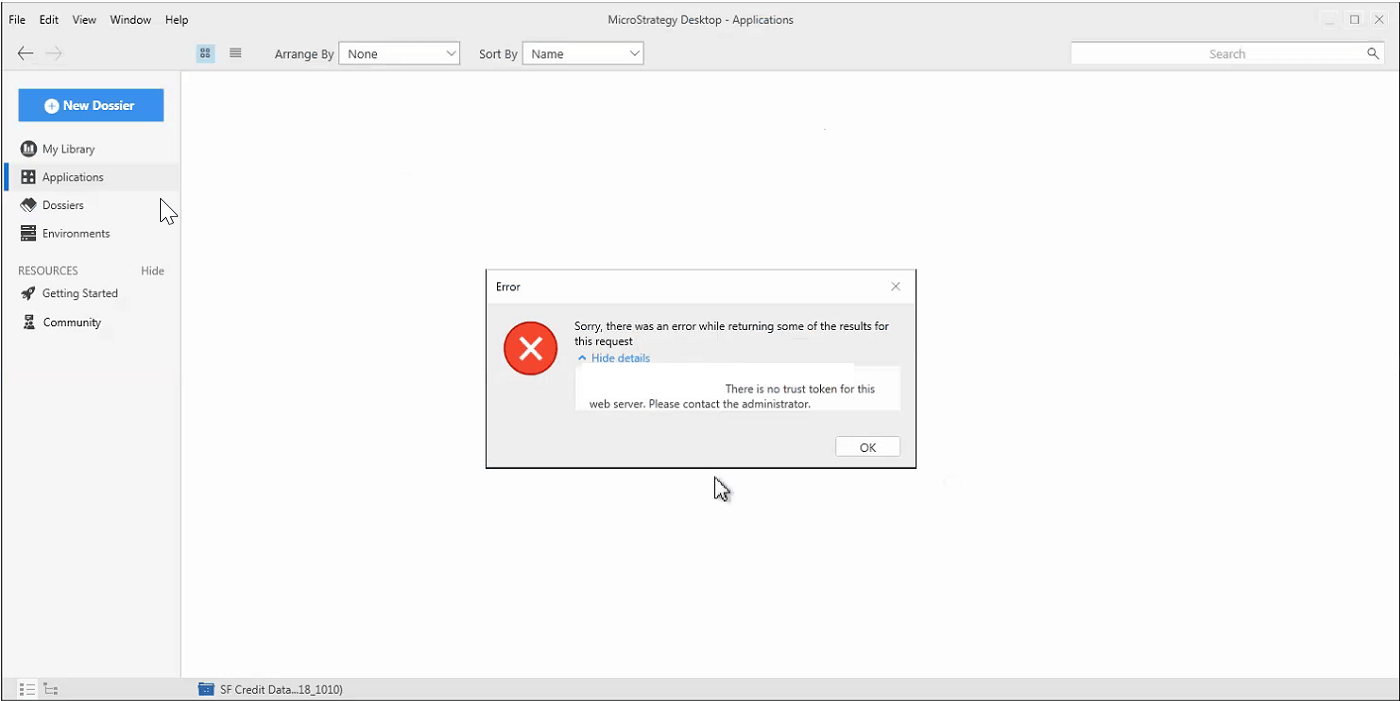
When trying to access projects in Desktop 10.10, users are unable to connect and yield error: "There is no trust token for this web server. Please contact administrator"
Within Strategy Desktop 10.10, some of our users are unable to connect to projects after successfully connecting to Strategy Desktop. The users receive the error, “Sorry there was an error while returning some of the results for this request. There is no trust token for this web server. Please contact the administrator." View the image below to see the error that the connection yields.
Steps to reproduce
Why is this happening?
A possible cause for this error message is the use of asymmetric clustering on the intelligence server nodes. Asymmetric clustering is not supported by Strategy Library in versions 10.10 and earlier, as discussed in the following documentation:https://community.strategy.com/article/New-in-MicroStrategy-Library-10-11-Support-of-asymmetric-Intelligence-Server-clusters?language=en_US.
Status
ACKNOWLEDGED IN-PROGRESS SOLVED (Version: Strategy 10.11)
Next Steps
Upgrade to 10.11 to take advantage of the fix.
Have other questions? Feel free to start a discussion or reach out to your Support liaison to open a case!
Want to upgrade to Strategy 2019? Visit the Strategy website!
