EducationSoftwareStrategy.com
StrategyCommunity

Knowledge Base

Product

Community

Knowledge Base

TopicsBrowse ArticlesDeveloper Zone

Product

Download SoftwareProduct DocumentationSecurity Hub

Education

Tutorial VideosSolution GalleryEducation courses

Community

GuidelinesGrandmastersEvents
x_social-icon_white.svglinkedin_social-icon_white.svg
Strategy logoCommunity

© Strategy Inc. All Rights Reserved.

LegalTerms of UsePrivacy Policy
  1. Home
  2. Topics

KB484200: How to detect if an HTTPS connection is being used for MicroStrategy for Office


Julia Sroka

Consultant • Strategy


This article explains how to detect if a secure connection is being used in MicroStrategy for Office.

To use the Strategy for Office add-in, the Web server must be configured to use an HTTPS connection. 
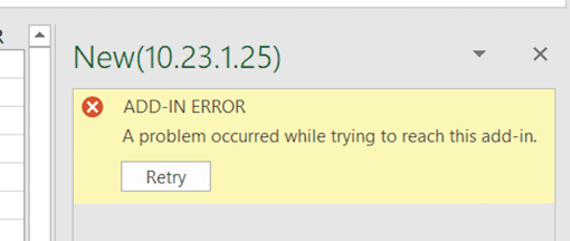
Otherwise, you may get the following error:
A problem occurred while trying to reach this add-in.
ka02R000000g7NuQAI_0EM2R0000019djR.jpeg

To detect a HTTPS connection, open your manifest file and confirm the Library URL being used. 
Please note that Strategy for Office requires a secure connection (HTTPS) in addition to a valid certificate. For details, see KB484201: How to detect if a certificate is valid for MicroStrategy for Office. 


Comment

0 comments

Details

Knowledge Article

Published:

April 21, 2020

Last Updated:

April 21, 2020