EducationSoftwareStrategy.com
StrategyCommunity

Knowledge Base

Product

Community

Knowledge Base

TopicsBrowse ArticlesDeveloper Zone

Product

Download SoftwareProduct DocumentationSecurity Hub

Education

Tutorial VideosSolution GalleryEducation courses

Community

GuidelinesGrandmastersEvents
x_social-icon_white.svglinkedin_social-icon_white.svg
Strategy logoCommunity

© Strategy Inc. All Rights Reserved.

LegalTerms of UsePrivacy Policy
  1. Home
  2. Topics

KB442518: How to read the DssErrors log when the Intelligent Server reached the physical memory limit as set by the Memory Contract Management (MCM)


Community Admin

• Strategy


Memory Contract Manager (MCM):
 
The memory contract manager is a consolidated memory management component within Strategy Intelligence Server 9.x that grants or denies memory from different tasks within Strategy Intelligence Server. Users can refer to the following Strategy Knowledge Base technical note for a detailed explanation of the design of the MCM governor:
 

  • KB7295: What is the Memory Contract Manager in MicroStrategy Intelligence Server 10.x and later? PART1


  • ​KB7295: What is the Memory Contract Manager in MicroStrategy Intelligence Server 10.x and later? PART2


If the Intelligence Server process is maxed out on memory usage and simply cannot handle the request due to no memory being available to the I-server the process get shutdown.
More information about what is going on in the background can be found in the DssErrors log.  
1.  Start of Info Dump - Indicates that MCM is running on RIM

ka04W000000ObBZQA0_0EM44000000Rcuh.png

2. Latest Intelligence Server memory request

ka04W000000ObBZQA0_0EM44000000Rcum.png

we see "AvailableTotal=0" which indicates that the Intelligence Server process is maxed out on memory usage and simply cannot handle the request due to no memory being available to the I-server
 
3. Memory Oscillator (Internal MSTR tracker of PB)
 

ka04W000000ObBZQA0_0EM44000000Rcuw.png

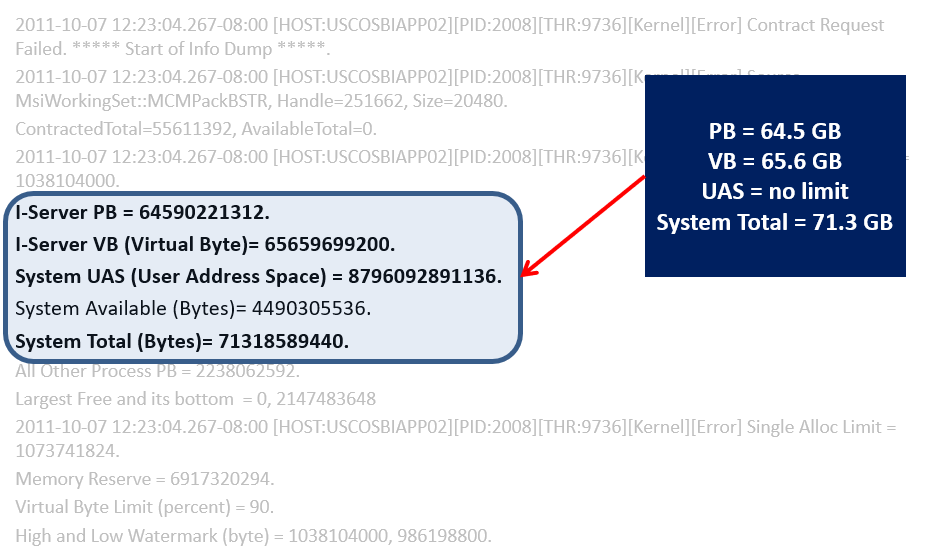
4. MCM information

ka04W000000ObBZQA0_0EM44000000Rcv1.png

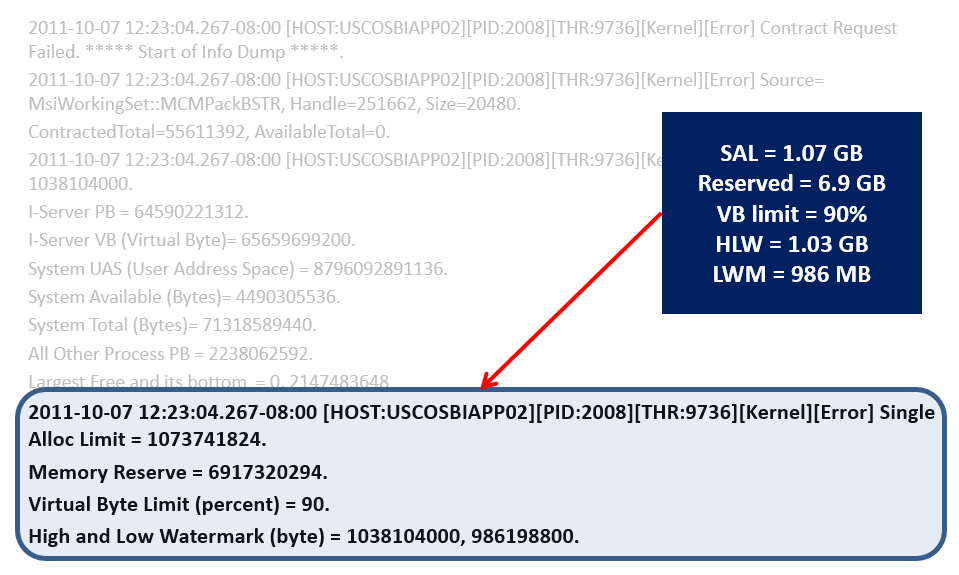
5. MCM additional information

ka04W000000ObBZQA0_0EM44000000Rcv6.png

6. System Total greater than Virtual Bytes
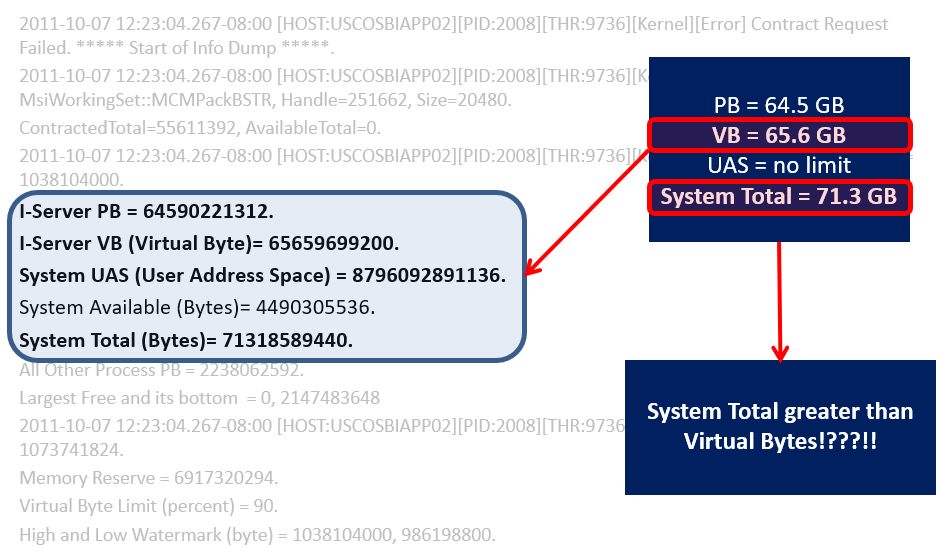
ka04W000000ObBZQA0_0EM44000000RcvB.png

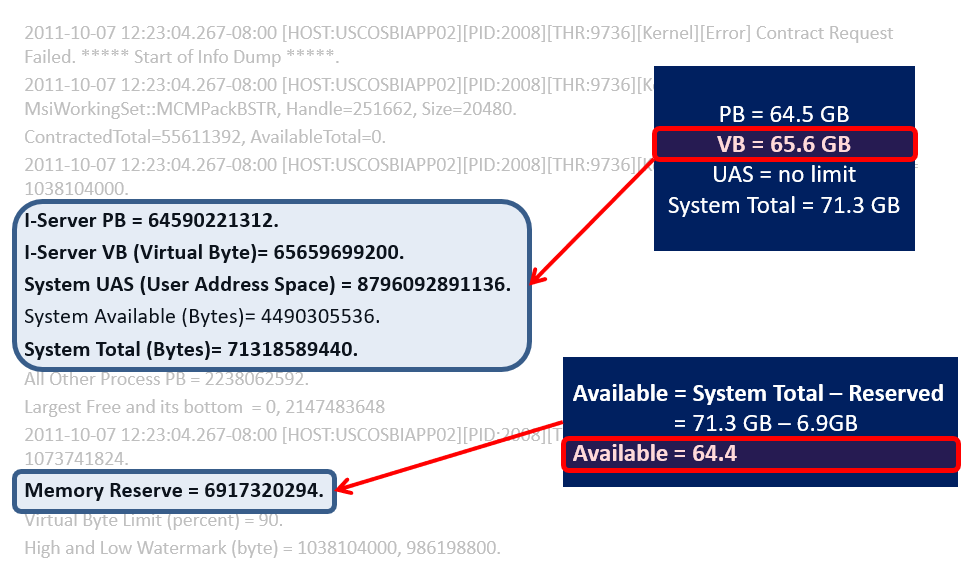
7. Memory reserved

ka04W000000ObBZQA0_0EM44000000RcvL.png

8. COMMIT LIMIT HAS BEEN HIT

ka04W000000ObBZQA0_0EM44000000RcvQ.png

  KB442518


Comment

0 comments

Details

Knowledge Article

Published:

December 31, 2018

Last Updated:

January 2, 2019