Java Authentication and Authorization Service (JAAS) properties are required by J2EE application servers to handle Kerberos Integrated authentication for deployed applications such as Strategy Web or Mobile server.
Most application servers accept JAAS properties to be provided through a jaas.conf file which is specified through a JVM startup parameter and containing the syntax and parameters required for the specific JDK/JRE as outlined in KB33276: How to set up Kerberos authentication in Tomcat 7.x/8.x for MicroStrategy Web.
WebSphere allows to specify JAAS parameters through the user interface of the WebSphere console as follows.
The following steps are based on an example jaas.conf file for Strategy Web 10.11 running on WebSphere 8.5 using IBM JDK 1.8:
com.Strategy.web {
              com.ibm.security.auth.module.Krb5LoginModule required
              principal="user_principal_name@DOMAIN.REALM.COM"
              useDefaultKeytab=true
              credsType=both
              debug=true;
};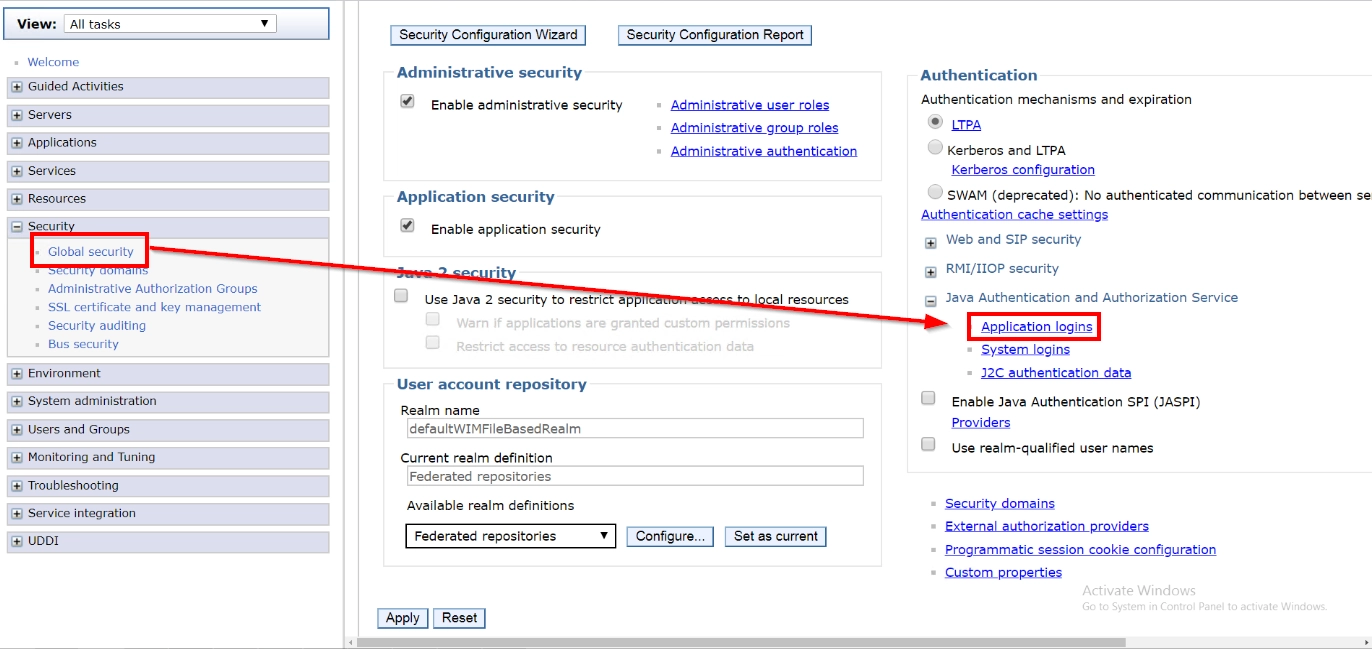
2. Click on New
3. For alias, type com.Strategy.web (in pre-10.11 Strategy releases, the alias would be com.ibm.security.jgss.krb5.initiate)
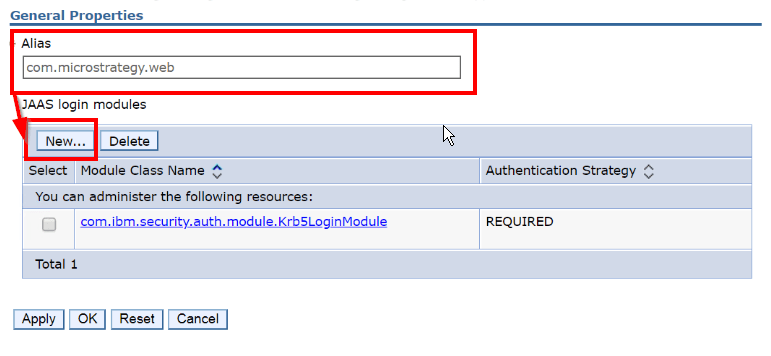
4. For module class and options, use the following (note: upper/lower case matters):
Module class: com.ibm.security.auth.module.Krb5LoginModule
Authentication Strategy: required
Custom properties:
Name: principal > Value: user_principal_name@DOMAIN.REALM.COM
Name: useDefaultKeytab > Value: true
Name: credsType > Value: both
Name: debug > Value: true
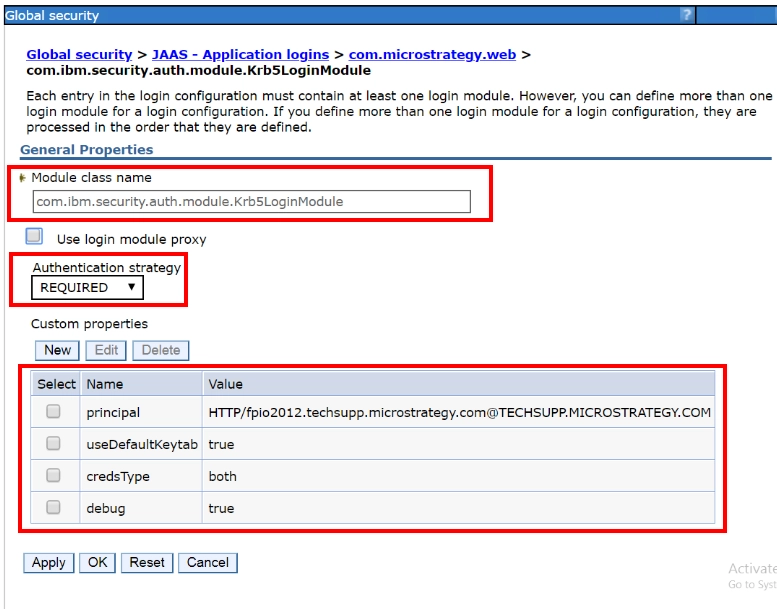
5. Save and restart WebSphere
Knowledge Base article ID: KB441681
