SYMPTOM:
When executing large reports in Strategy Office, users may see the following error message after 90-120 seconds:
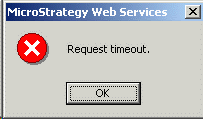
Request timeout.
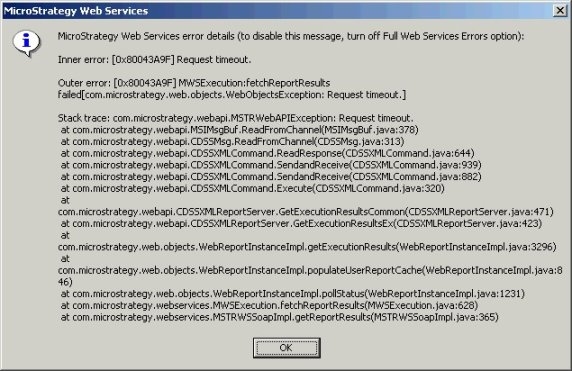
After enabling the "Full Web Services errors" option, the error appears as follows. This option is set in the Strategy Office clients, under Options > General > Diagnostics > Full Web Services errors. The full message can also be found in the Web Services log, which is located in Program Files\MicroStrategy\Web Services\MWSJavaLog**********.log.
Note: The exact stack trace that may be shown in an error window, or in the Web Services log may be different, but it will always end in a request timeout.
for example [0x80043a9f] Request Timeout or EXCEPTION 0x80043a9f:
The user increases all of the timeout governors in Web Services, the Office client, and Microsoft Internet Information Services (IIS), and; the issue persists but is now more sporadic.
For example, if all timeout settings are raised to one hour, users may still see the timeout error message after two minutes.
Users may also notice that the Office client behaves normally for a period of time after restarting IIS, but once the issue occurs, all subsequent requests for large data sets will return the same error.
Note: Consult the following Strategy Knowledge Base document "KB11690: What are the request timeout settings for MicroStrategy Office?" for more detail on the timeout governors that are relevant to Strategy Office:
CAUSE:
Strategy Technical Support has observed this behavior when the versions of Web Services and the Office client do not match. For example, if the Web Server machine is hosting Web Services 8.1.0, and the end-users are working with the Strategy Office client version 8.1.1, this behavior may occur.
ACTION:
Upgrade the Strategy Web and Web Services components to the same version as the Office client.
Strategy does not generally recommend running components with different versions in a single production system. There may be situations in which it is necessary to do so, but Strategy cannot guarantee the correct functioning of all components when trying to inter-operate with different versions.
