While troubleshooting MDX related issue sometimes is necessary to track the interaction between Strategy objects and MDX data source objects. To get that information, Strategy has available a log file called Rowset Log file that stores MDX data structure transferred from external sources to Strategy. For additional information regarding this log file, refer to the article shown below:
KB417934: How to log details of OLAP Cube importing for troubleshooting in MicroStrategy Desktop 10.x
However, when troubleshooting Metadata-only related issues there is a quick way to access the Strategy Metadata structure without Rowset Log file or MDX connection to the external data source. In order to perform this operation, follow the steps below:
Note: Use of MDX Cube catalog should be avoided since the application will try to read the actual structure from the external MDX source.
1. Connect to Strategy Project Source
2. Connect to Project
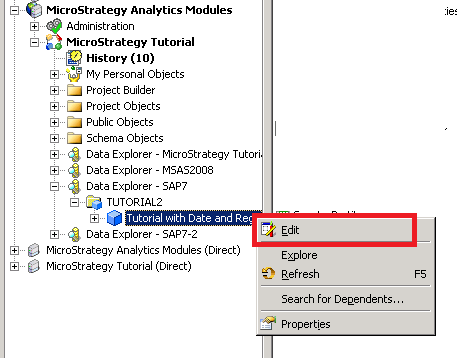
3. Under the Folder List structure, identify MDX source that will be reviewed.
4. Expand Data Explorer folder
5. Right-click on MDX Cube imported > Select Edit
6. MDX cube Editor will be launched