EducationSoftwareStrategy.com
StrategyCommunity

Knowledge Base

Product

Community

Knowledge Base

TopicsBrowse ArticlesDeveloper Zone

Product

Download SoftwareProduct DocumentationSecurity Hub

Education

Tutorial VideosSolution GalleryEducation courses

Community

GuidelinesGrandmastersEvents
x_social-icon_white.svglinkedin_social-icon_white.svg
Strategy logoCommunity

© Strategy Inc. All Rights Reserved.

LegalTerms of UsePrivacy Policy
  1. Home
  2. Topics

KB15612: How to create an adaptive metric that will choose different metrics for calculation based on an attribute value in MicroStrategy Developer 9.4.x - 10.x.


Stefan Zepeda

Salesforce Solutions Architect • Strategy


This technical note lists the steps to create an adaptive metric, that will choose different metrics for calculation based on an attribute value in MicroStrategy Developer 9.4.x - 10.x.

Consider the following scenario using the Strategy Tutorial project. A user wants to calculate the 'Revenue' value when the attribute 'Category' displays the value 'Books' but wants to display the 'Profit' value when Category displays any other value.
 
The user must create an adaptive metric that decides which metric to apply depending on the value of the attribute. To achieve this, follow the steps below:
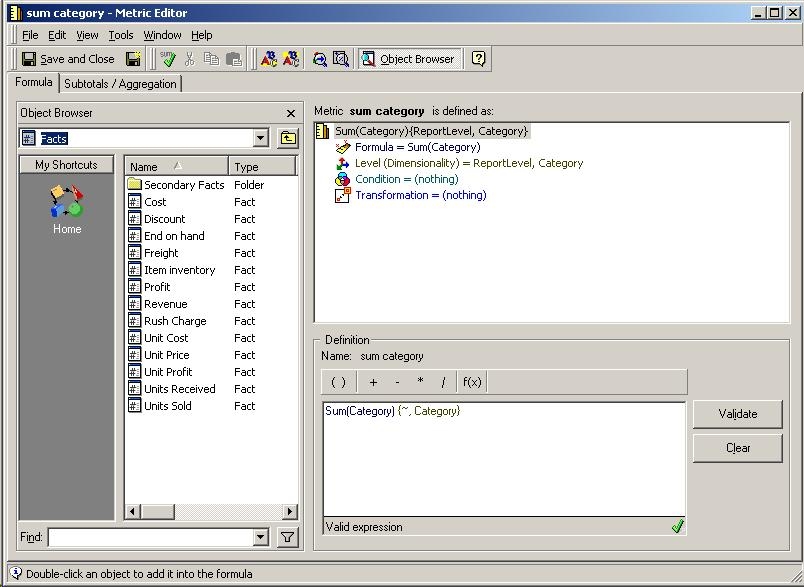
 

  • Create a new metric with the following definition:
ka04W000001IqGaQAK_0EM440000002FGq.jpeg
  •  
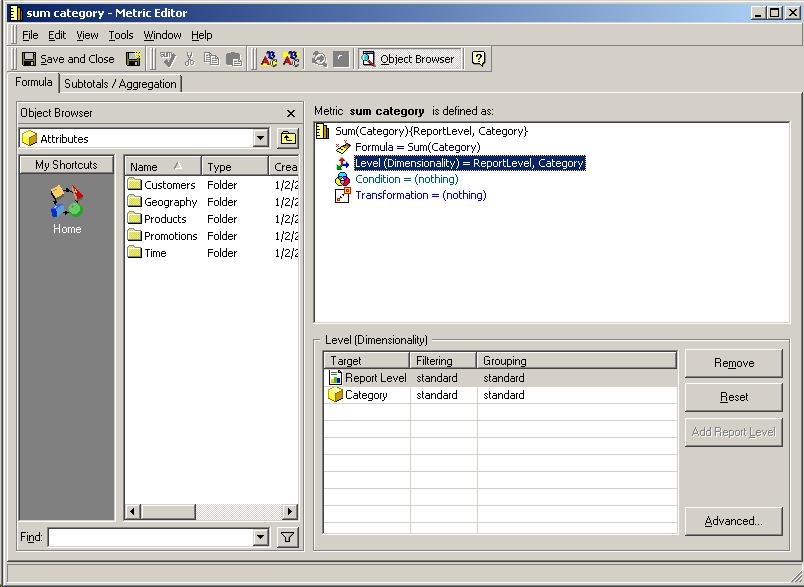
    Sum(Category) {~, Category}
  • Add the level of Category to the metric using standard / standard for filtering and grouping as shown below::
ka04W000001IqGaQAK_0EM440000002FGp.jpeg
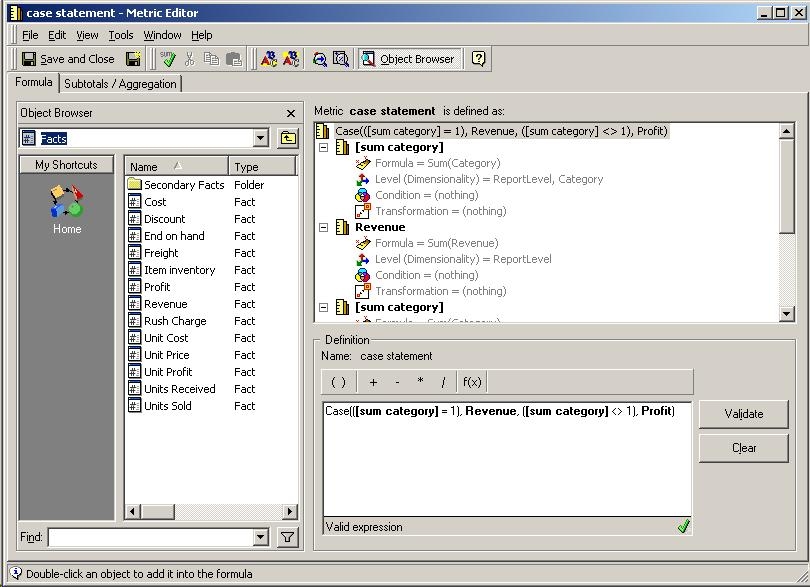
  • Create a second metric with the following case statement to select the appropriate metric based on the conditions of the attribute:
ka04W000001IqGaQAK_0EM440000002FGr.jpeg
  •  
    Case(( = 1), Revenue, ( <> 1), Profit)
  • The case statement could have been expanded to use a third metric for specific values of the attribute 'Category' by adding a new case to the statement as:
    Case(( = 1), Revenue, ( = 2), Profit,( = 3), )

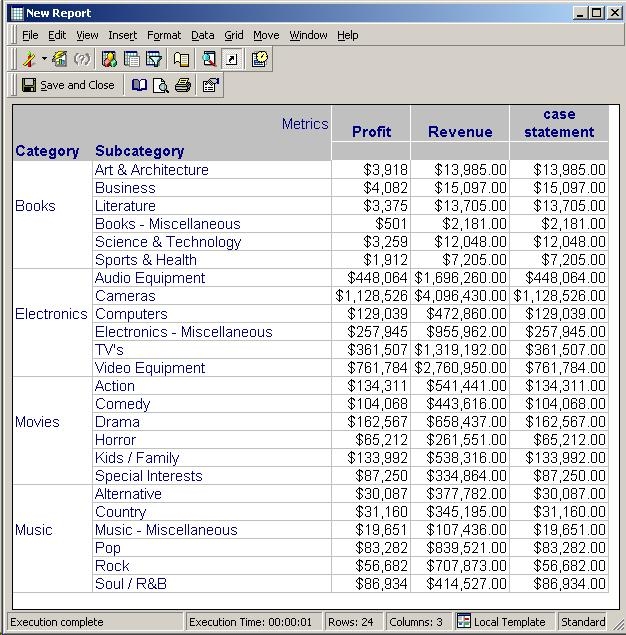
If the user adds the metric to a report and executes the report, the results will appear as follows:
 

ka04W000001IqGaQAK_0EM440000002FGs.jpeg

 
Notice that the 'case statement' metric calculates the Revenue value when the attribute 'Category' displays 'Books' and calculates the 'Profit' value for any other elements of 'Category.'
 
For more information on adaptive metrics, refer to the following Strategy Knowledge Base technical note:
 
KB11067: What is an adaptive metric in MicroStrategy?


Comment

0 comments

Details

Knowledge Article

Published:

April 24, 2017

Last Updated:

April 24, 2017