SYMPTOM:
When a user tries to access a History List message in Strategy Web or Strategy Office 10.x in a clustered environment, the cached report cannot be opened and the following error occurs:

Cache report result not found in server report cache. It may be deleted by server administrator
This error occurs whenever the Strategy Intelligence Server cannot obtain the cache files locally or from another server in the cluster.
CAUSE:
One of the project configuration options available for caching reports in a clustered environment is through a shared location in one of the machines, as shown below:
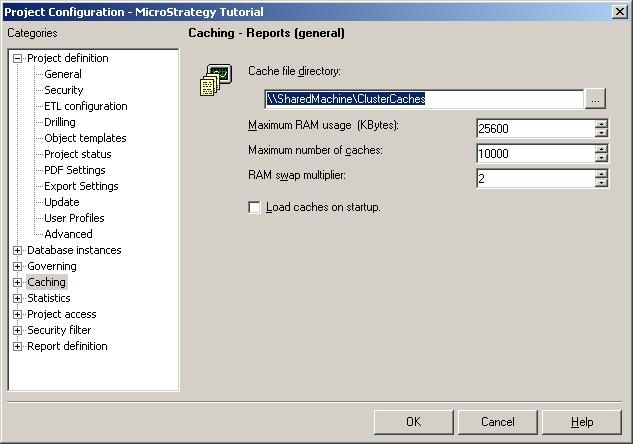
With this configuration, if one of the clustered servers does not have write permissions to the shared location for cache files, the cache files will not be backed up to the shared location. When the user tries to retrieve a History List message with which the cache is associated, the shared location is searched, but the cache file is not found and the error message is displayed.
ACTION:
Administrators should ensure that when the shared file locations are set up, that the appropriate permissions are assigned to the shared locations. As an example, administrators may need to grant share permissions to the shared cache file folder, as shown below:

Since all the cache files will now be written to the shared location correctly, any user should be able to retrieve the History List messages. For details on the steps needed to set up a clustered Intelligence Server environment, refer to the following technical note:
