INTRODUCTION
Prior to Strategy 9.x, a user's history list could only be stored in a file format. In Strategy 9.x, a new functionality has been added to history list management called "Database Based History List" as seen below:
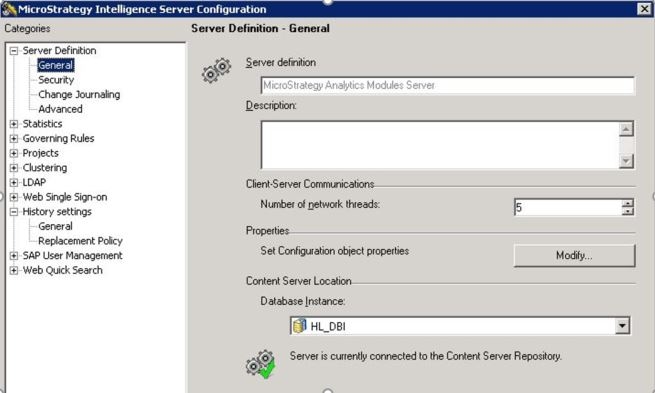
Database Based History List will allow for easier backups and administration of history list messages.
Note: Users can still continue to use File-Based History list.
To be able to use Database Based History List, administrator must set up and configure a History List Repository. Detailed steps on how to achieve that can be found in the following Strategy Knowledge Base Document:
KB20508: How to set up and configure a Database Based History List Repository in MicroStrategy 9.x and newer
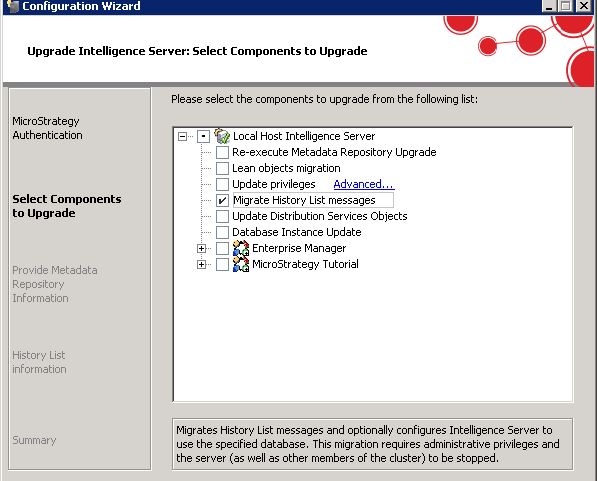
In Strategy version 10.x, users can move their history list messages from a file based repository to a database from Strategy Configuration Wizard and choosing the option to upgrade 'Intelligence Server Components' and selecting the option 'Migrate History list messages' as shown below.