INTRODUCTION
With the introduction of database based History List, users may wish to migrate their Inbox files to a database based system. mstrhlmgtr, a utility introduced in Strategy 9.x can be used to migrate Inbox files between file based and database based systems.
Note: The migration to history list database can also be performed from Strategy Configuration Wizard.
USAGE
mstrhlmgtr -i:inboxdirectory -n:DSN -u:userID -p:password
mstrhlmgtr -i:/home/test/8.x_Inbox -n:Orion_History_List -u:UNAME -p:PASSWORD -l:C:\8.x_Inbox -k
mstrhlmgtr -i:/home/test/8.x_Inbox -n:Orion_History_List -u:UNAME -p:PASSWORD -l:C:\8.x_Inbox -k
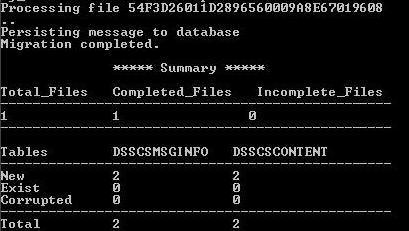

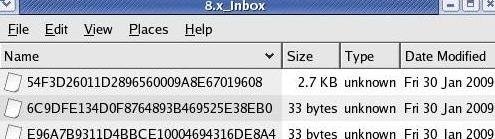
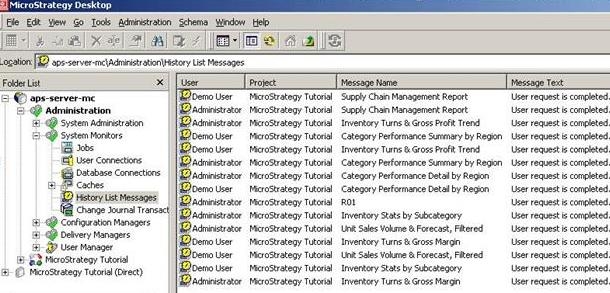
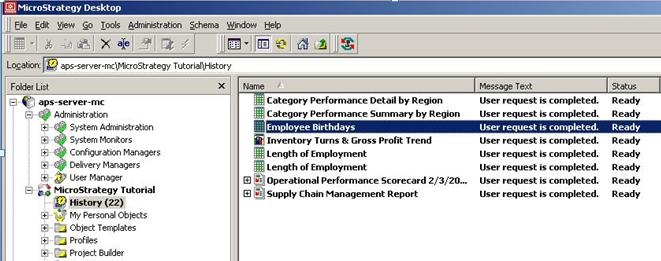
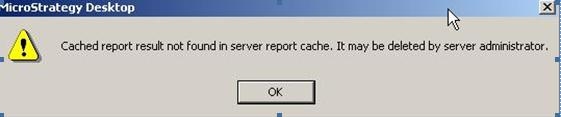
Note: For the above History list messages to be useful and generate any data, their respective caches must exist on the same machine where the Inbox files are located (in the case of file based Inbox) otherwise upon requesting the History list message, users will see the following error message:
For information on database based History List and History List Messages Monitor, refer to the following Strategy Knowledge Base Document:
KB20506: What is Database Based History List in MicroStrategy 9.4.x - 10.x
KB20507: New Feature in MicroStrategy 9.x: History List Messages Monitor
For steps on how to migrate Strategy Intelligence Server 9.x Inbox files between file based and database based system in a Windows environment, refer to the following Strategy Knowledge Base Document:KB20511: How to migrate history list messages from file-based to database-based history list using the History List Migrator Utility in Windows
