PREREQUISITE:
Before using Windows Authentication in Strategy Web, Mobile, or Office 9.x, the Administrator must link Strategy users to a Windows user account. Once the Strategy users are linked to a Windows user account, follow the steps below to setup Windows Authentication for a Strategy Web, Mobile, or Web Services 9.x server using Microsoft IIS 7.x.
ACTION:
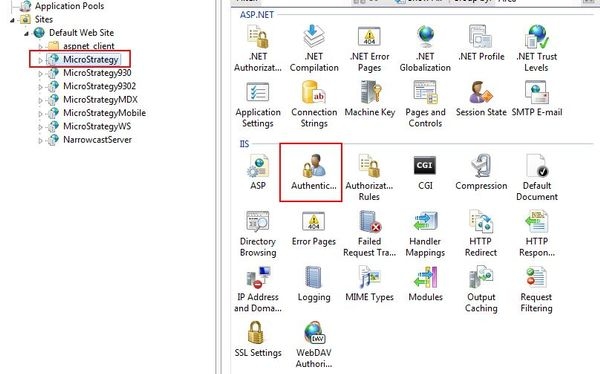
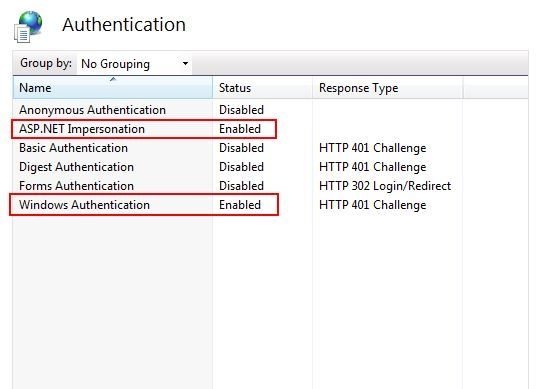
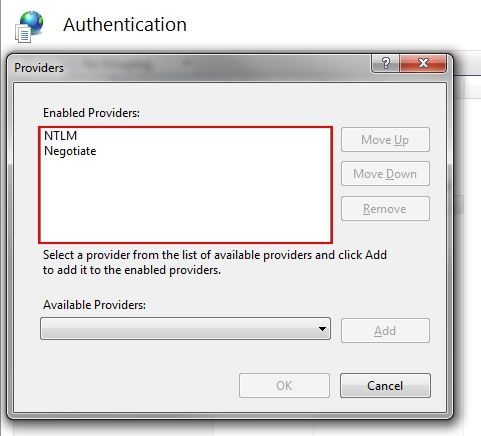
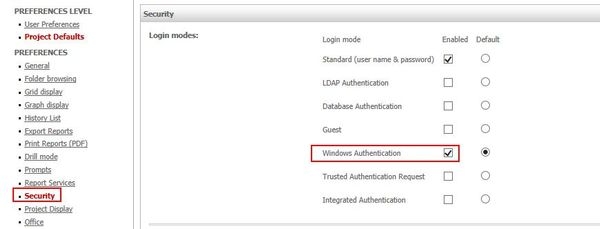
For Strategy Web 9.x and 10.x only:
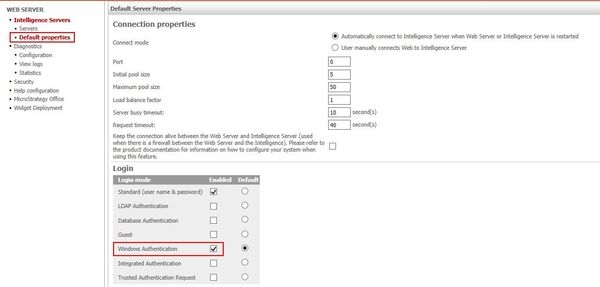
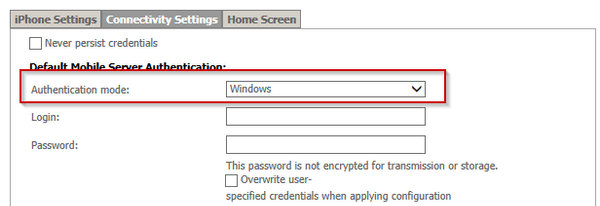
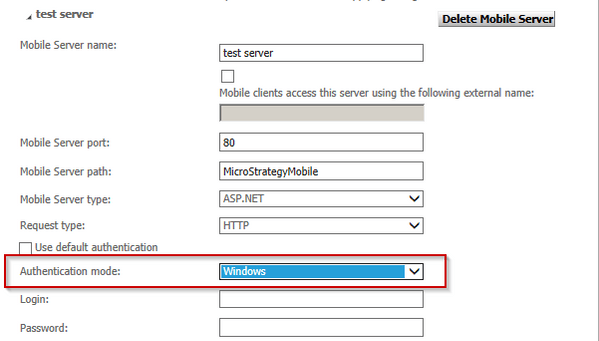
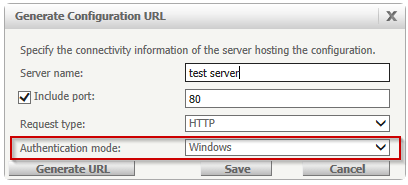
For Strategy Mobile 9.x and 10.x only:
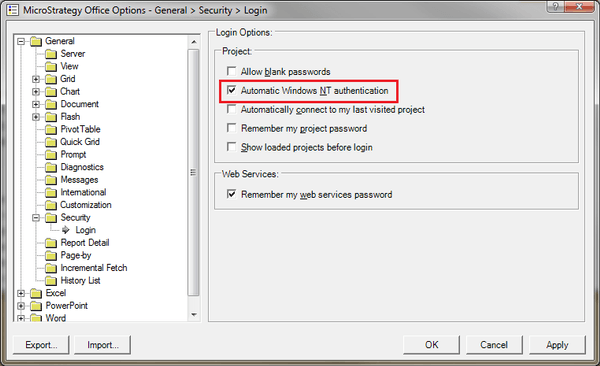
For Strategy Office 9.x and 10.x only:
<ProjectSource>
   <ProjectSourceName>Strategy Tutorial</ProjectSourceName>
   <ServerName>localhost</ServerName>
   <AuthMode>MWSNTCredential</AuthMode>
   <PortNumber>0</PortNumber>
   <MaxPooledConnections>100</MaxPooledConnections>
</ProjectSource>
Third Party Software Installation Warning:
The third-party product(s) discussed in this technical note is manufactured by vendors independent of Strategy. Strategy makes no warranty, express, implied or otherwise, regarding this product, including its performance or reliability.
KB02014
