SUMMARY:
This technical note describes a change made to the database connection types that merged the options for the Native Client Driver with the default ODBC driver for Microsoft SQL Server 2008 and 2008 R2 starting in new installations of Strategy 9.4.1
SYMPTOM:
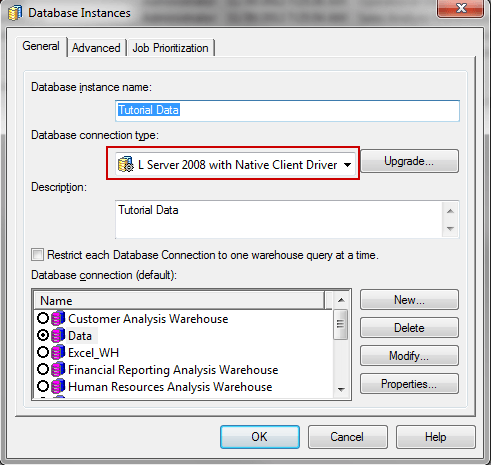
When creating a new database instance in Strategy 9.4.1 or higher, users are unable to find and choose the SQL Server 2008 with Native Client Driver database connection type. This is assumed to be necessary as starting in Microsoft SQL Server 2008 the datatypes DATE, DATETIME, and DATETIME2 are supported as noted in KB40734 only through use of the Native Client Driver. The expected option for Database Connection Type seen in previous versions and in the technical note above look like the below:
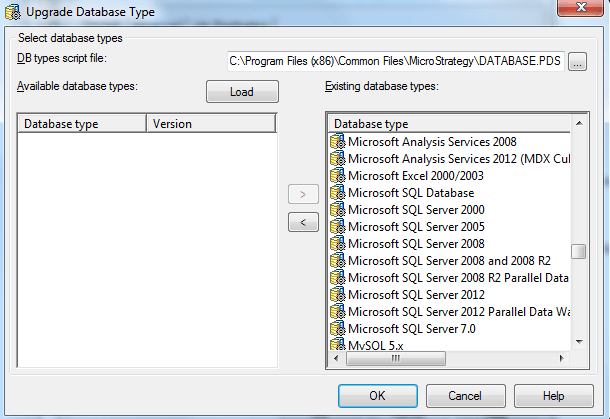
However, the option for Microsoft SQL Server 2008 with Native Client Driver is not available as a database connection type even after reloading the available database types, like shown below:
CAUSE:
This is working as designed. Starting in Strategy 9.4.1, the database connection types for Microsoft SQL Server 2008, 2008 R2, and with Native Client Driver were merged into one. Users are no longer required to select a separate database connection type when using the Native Client Driver.
The reason for this change was to avoid scenarios where the wrong database connection type would be selected on a non-Windows Intelligence Server or when not using the appropriate driver on Windows. The new combined database connection type has full support for detecting all datatypes that are supported through any SQL Server drivers. This eliminates the need to check and confirm that driver choice and Database connection type line up in the system. However, the additional datatypes will only function correctly on reports if the correct driver is installed and used per the platform and datatype requirements. This means that if support for Date, Datetime, Datetime2 datatypes is necessary then the Native Client Driver must still be installed and used per KB40734.
ACTION:
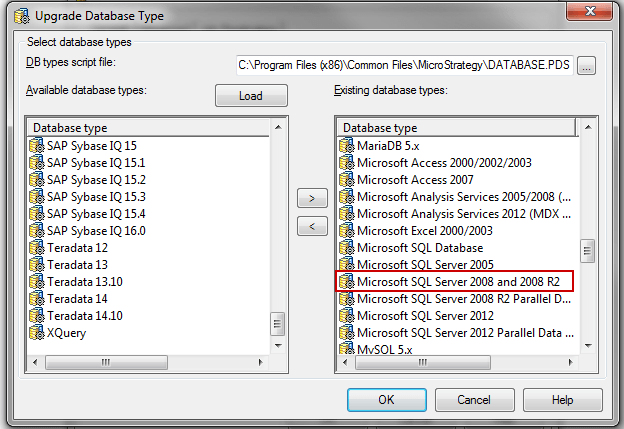
Select the database connection type “Microsoft SQL Server 2008 and 2008 R2”, like shown below.