SUMMARY:
This document discusses a question regarding scheduling System Manager workflows.
QUESTION :
Is it possible to set up a System Manager workflow to execute on a schedule following the steps in KB46508: How to set up a System Manager workflow to execute on a schedule in MicroStrategy 9.x. without explicitly specifying the user account that the workflow will run under?
ANSWER:
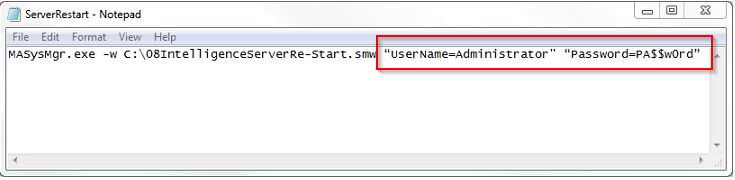
Yes. When creating the .bat file that references the System manager workflow as described in KB46508: How to set up a System Manager workflow to execute on a schedule in MicroStrategy 9.x , the user has the option to explicitly specify the user account that the workflow will run under as seen in the screenshot below:
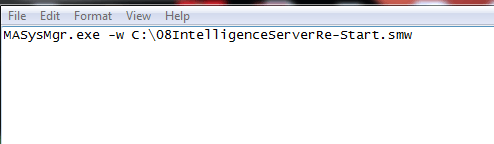
However, the Username and Password fields are not mandatory and can be omitted from the .bat file as seen below:
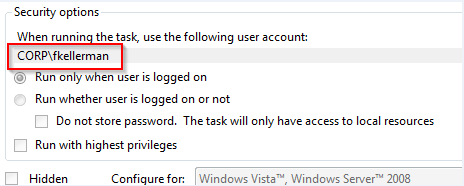
If the Username and Password fields are omitted, then by default the workflow will run under the user account who is running the .bat file. For example, if Windows Scheduler is used to schedule the .bat file then the workflow will be run by the NT user account specified in Windows Scheduler:
WARNING:
The third-party product(s) discussed in this technical note is manufactured by vendors independent of Strategy. Strategy makes no warranty, express, implied or otherwise, regarding this product, including its performance or reliability.
