EducationSoftwareStrategy.com
StrategyCommunity

Knowledge Base

Product

Community

Knowledge Base

TopicsBrowse ArticlesDeveloper Zone

Product

Download SoftwareProduct DocumentationSecurity Hub

Education

Tutorial VideosSolution GalleryEducation courses

Community

GuidelinesGrandmastersEvents
x_social-icon_white.svglinkedin_social-icon_white.svg
Strategy logoCommunity

© Strategy Inc. All Rights Reserved.

LegalTerms of UsePrivacy Policy
  1. Home
  2. Topics

KB237215: Navigation Bars do not pass selections when using Edit Links to pass selector values in MicroStrategy Mobile 9.4.1 iOS Update 4


Community Admin

• Strategy


Navigation Bars do not pass selections when using Edit Links to pass selector values in MicroStrategy Mobile 9.4.1 iOS Update 4.

SYMPTOM:
In Strategy Mobile 9.4.1, documents can be linked together via a Navigation Link Bar, as per tech note KB44588. This feature is similar to Edit Links, thus it is also possible to pass selector values. However, in Strategy Mobile 9.4.1 iOS Update 4, users will be able to pass selector values from the source document to a target document, but not back to the source document.
For example, after running the initial document, or source document, a user changes the default selector value to a different one. Then, the user navigates to a target document; at this point the passing of selector values will pass the correct value. However, navigating back to the initial document, the selector will revert back to the default selector value, instead.
At this point, making a new selection on the initial document and navigating to a target document again, the newest selection is not passed to the target document. The user will again see the default selector value.
 
STEPS TO REPRODUCE:
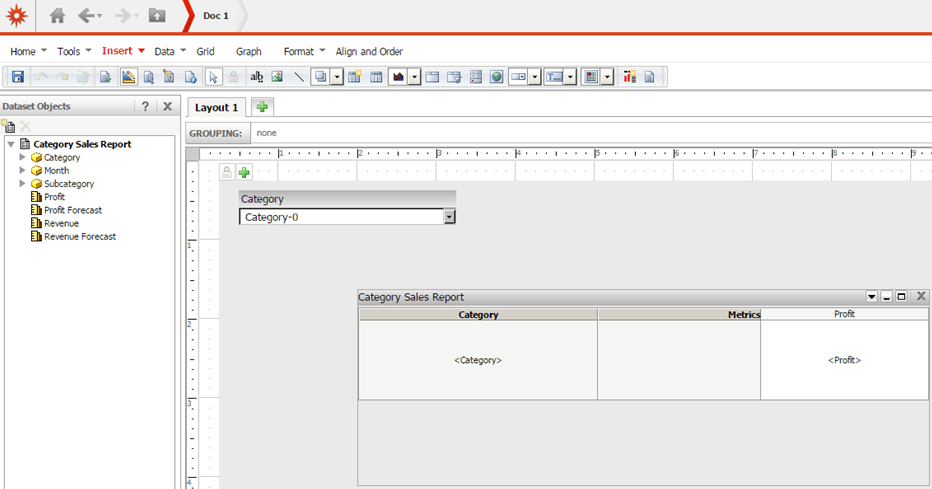
  • Create two report services documents in the Shared Reports folder using Strategy Web 9.4.1, each with one selector on Category, targeting a grid. Call them Doc 1 and Doc 2.
ka04W000001481DQAQ_0EM4400000029zG.jpeg
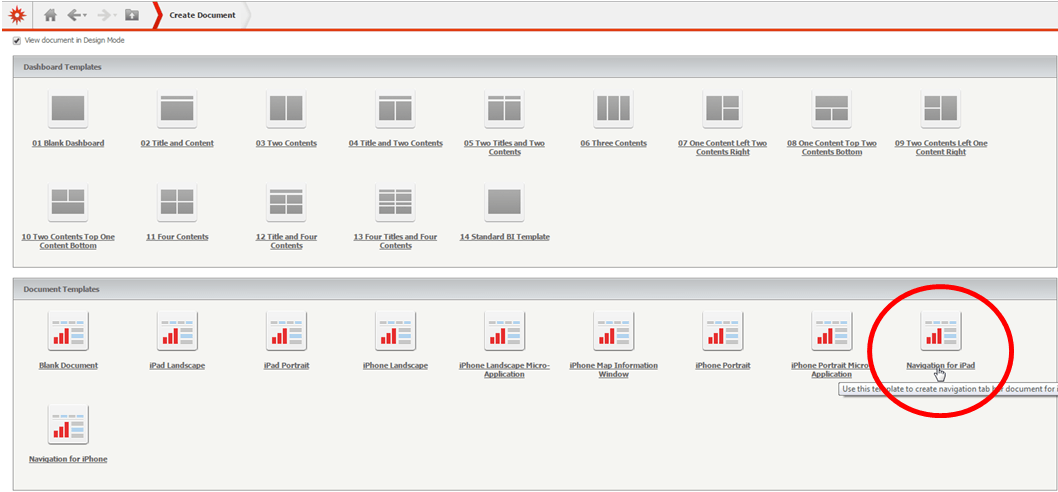
  • Create a navigation bar document for iPad using the template shown below.
ka04W000001481DQAQ_0EM4400000029zR.jpeg
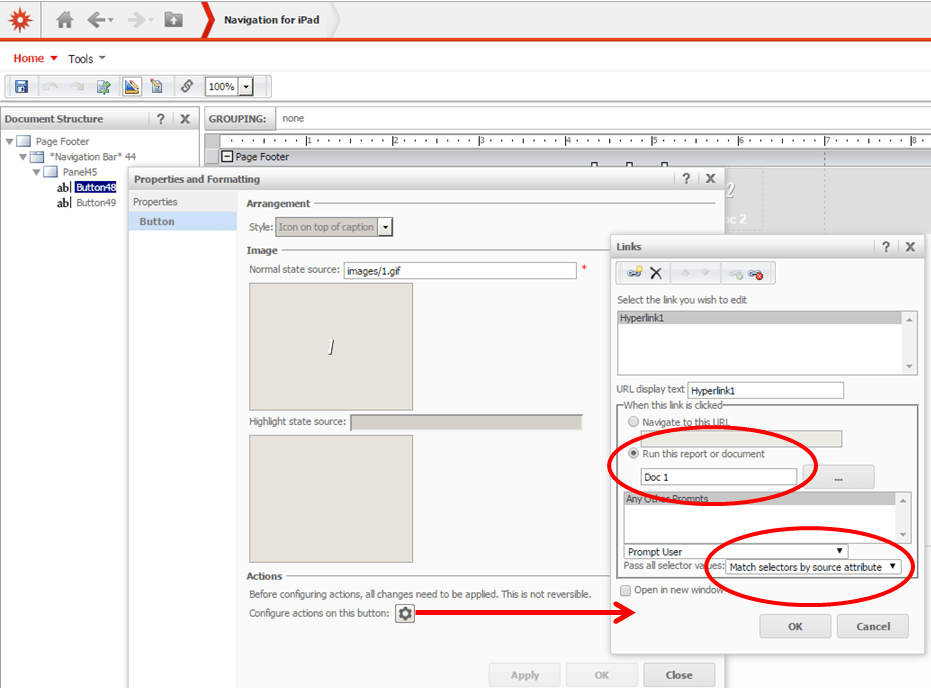
  • Using the Edit links functionality for each button, set Doc 1 and Doc 2 to run when the buttons are clicked.
  • In the Edit links window, set the "Pass all selector values" option to "Match by source attribute", as shown below.
ka04W000001481DQAQ_0EM4400000029zU.jpeg
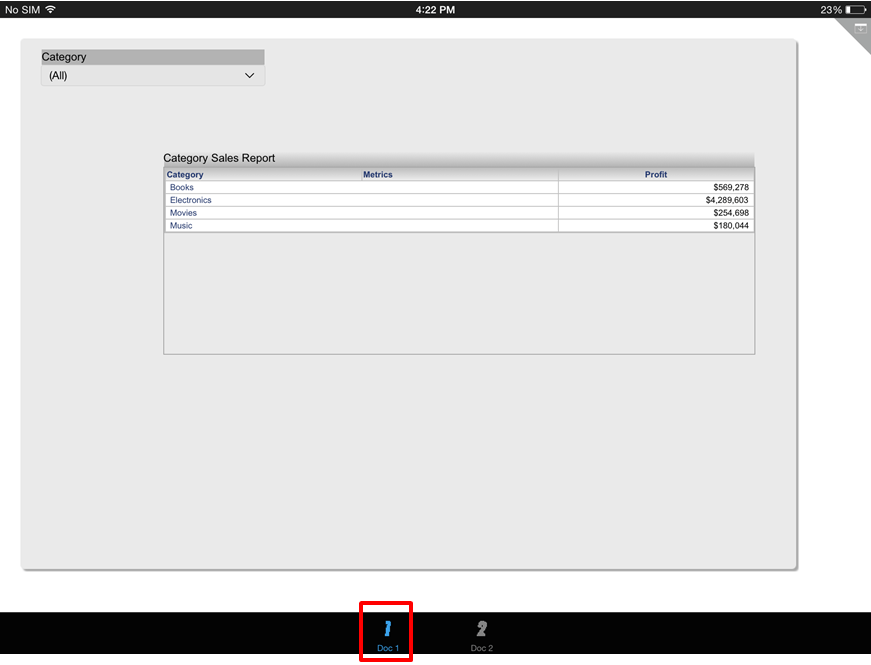
  • Run this document on Strategy Mobile 9.4.1 iOS Update 4 on an iPad and notice that in Doc 1, Category is set by default to "All", as shown below.
ka04W000001481DQAQ_0EM4400000029zO.jpeg
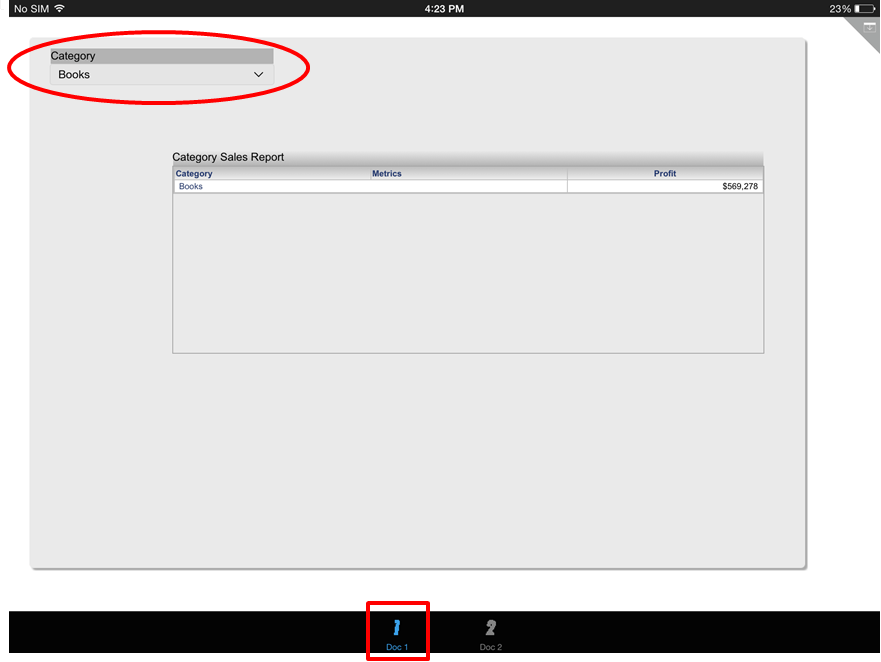
  • Set the selector to "Books" and navigate to Doc 2 using the navigation buttons at the bottom.
ka04W000001481DQAQ_0EM4400000029zT.jpeg
  • Note that the selector value was passed correctly and Doc 2 displays "Books" as well.
ka04W000001481DQAQ_0EM4400000029zS.jpeg
  • Now navigate back to Doc 1 without changing the selection. Notice the selector has lost its selection and is now set back to "All".
ka04W000001481DQAQ_0EM4400000029zQ.jpeg
  • Make a selection for Doc 1 again.
ka04W000001481DQAQ_0EM4400000029zT.jpeg
  • Navigate to Doc 2. Notice the selector value is no longer passed and always displays the default selection of "All".
ka04W000001481DQAQ_0EM4400000029zW.jpeg

 
CAUSE:
This is a known issue in Strategy Mobile 9.4.1 iOS Update 4.
ACTION:
This issue was addressed since Strategy iOS client 10.4, please update to that version or above to take advantage of this fix.
The Strategy Internal Reference Number for the issue discussed in this technical note is 1014267.


Comment

0 comments

Details

Knowledge Article

Published:

April 7, 2017

Last Updated:

April 7, 2017