EducationSoftwareStrategy.com
StrategyCommunity

Knowledge Base

Product

Community

Knowledge Base

TopicsBrowse ArticlesDeveloper Zone

Product

Download SoftwareProduct DocumentationSecurity Hub

Education

Tutorial VideosSolution GalleryEducation courses

Community

GuidelinesGrandmastersEvents
x_social-icon_white.svglinkedin_social-icon_white.svg
Strategy logoCommunity

© Strategy Inc. All Rights Reserved.

LegalTerms of UsePrivacy Policy
  1. Home
  2. Topics

KB279897: Is it possible to pass non ID form as value prompt answer like valuePromptAnswers={Month1@Sort_ID} in MicroStrategy 10.x?


Community Admin

• Strategy


Non ID form values can be passed as value prompt answers like valuePromptAnswers={Month1@Sort_ID}.

QUESTION:
Is it possible to use non ID form when passing value prompt answers like valuePromptAnswers={Month1@Sort_ID}?
 
STEPS TO VERIFY:
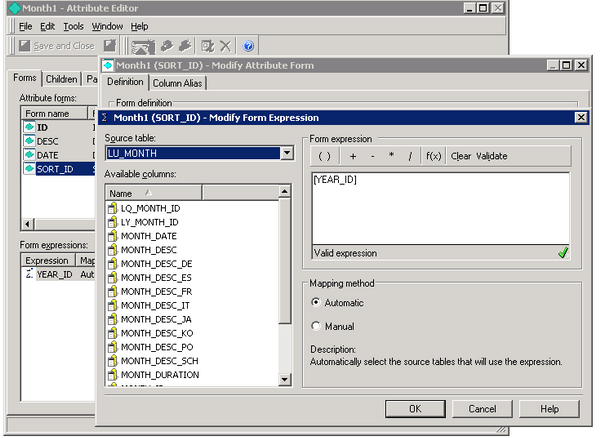
1. Create a new attribute month1 with a third form Sort_ID based on Year_ID
ka04W00000148ctQAA_0EM440000002V6x.jpeg

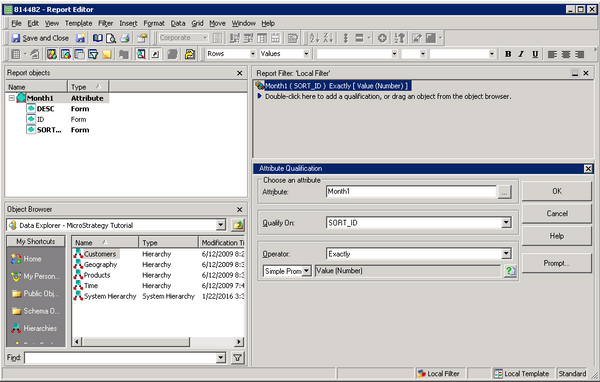
2. Create a report containing value prompt per KB15734 based on Month1@Sort_ID
ka04W00000148ctQAA_0EM440000002V6u.jpeg

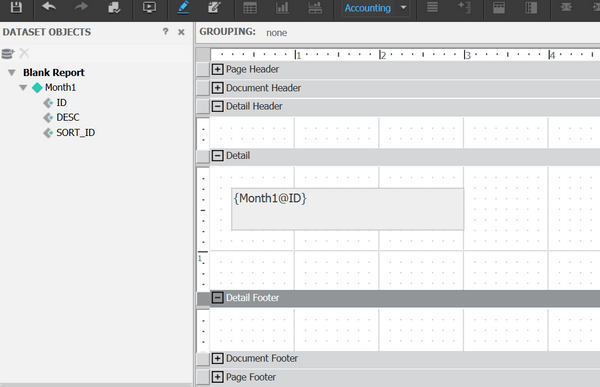
3. Create a document with Month1@ID in detail section.
ka04W00000148ctQAA_0EM440000002V6w.jpeg

4. Edit links on Month1 text box to link to report in step2:
http://10.27.73.98/MicroStrategy/asp/Main.aspx?Server=10.27.73.98&Project=MicroStrategy+Tutorial&Port=0&evt=4001&src=Main.aspx.4001&reportViewMode=1&reportID=BD9247794972DA96D5443EAF0F15E934&valuePromptAnswers={Month1@Sort_ID}&uid=administrator&pwd=
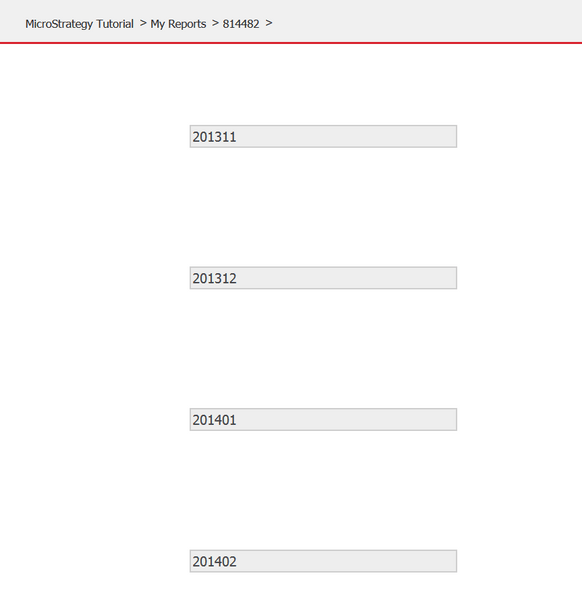
5. Run document and click on any text like 201401
ka04W00000148ctQAA_0EM440000002V6z.jpeg

6. Target report will return all months in year 2014
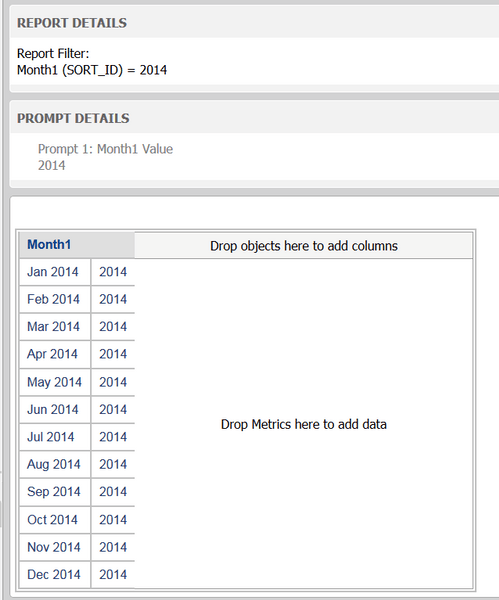


ka04W00000148ctQAA_0EM440000002V70.jpeg


CONCLUSION:
Non ID form can be passed as value prompt answers like valuePromptAnswers={Month1@Sort_ID}


Comment

0 comments

Details

Knowledge Article

Published:

July 12, 2017

Last Updated:

July 12, 2017