EducationSoftwareStrategy.com
StrategyCommunity

Knowledge Base

Product

Community

Knowledge Base

TopicsBrowse ArticlesDeveloper Zone

Product

Download SoftwareProduct DocumentationSecurity Hub

Education

Tutorial VideosSolution GalleryEducation courses

Community

GuidelinesGrandmastersEvents
x_social-icon_white.svglinkedin_social-icon_white.svg
Strategy logoCommunity

© Strategy Inc. All Rights Reserved.

LegalTerms of UsePrivacy Policy
  1. Home
  2. Topics

KB313853: Cannot insert attributes into page-by using Quick Search more than one time for Internet Explorer in MicroStrategy Web.


Community Admin

• Strategy


REPRODUCTION STEPS
1. Enable quick search per KB41443
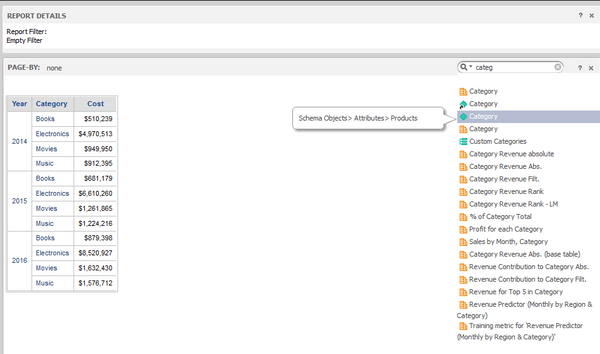
2. Create a simple report with Year Category Cost
3. Enable page-by axis under "Tools" menu
4. Add attribute via search box in page-by axis
ka04W000000OftEQAS_0EM4400000025S7.jpeg

5. After adding one attribute, user is not able to search another one in Internet Explorer. The feature works in Firefox and Chrome browser.
 
 
CAUSE:
This is a known issue of Strategy Web.
 
ACTION:
Currently this issue is still being reviewed for feasibility by our Technology team and it is not scoped for any upcoming scheduled Strategy release.


Comment

0 comments

Details

Knowledge Article

Published:

June 13, 2017

Last Updated:

June 13, 2017