SYMPTOM:
On a Windows machine where VPN software is assigning dynamic MAC addresses, Strategy will be required to be re-activated after restarting the machine.
CAUSE:
After the machine has been restarted one of several Strategy components will scan the machine's hardware configuration to see if the MAC address used during the activation is present. If it is not, the installation will deactivate. With some VPN software, the MAC address will be changed each time the machine is restarted causing the installation to be deactivated.
Please refer to the following Strategy Knowledge Base technical note below for more details on server activation:
KB14333: What are the circumstances under which MicroStrategy Server Activation is required?
ACTION:
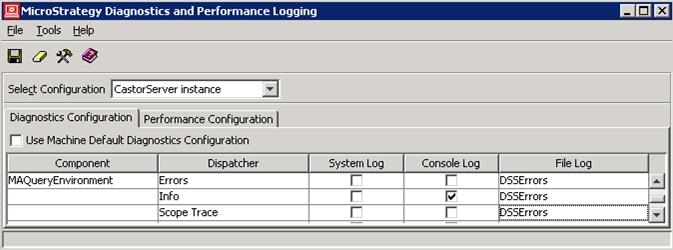
With the VPN devices viewing them through the "Network Connections" menu through the "Control Panel" is not possible and will only show the physical devices. Enabling the MAQueryEnvironment trace will help find the exact name that the VPN device that the MAC address is being changed. To prevent this from happening in the future, follow the steps below to disable the VPN device.