SYMPTOM:
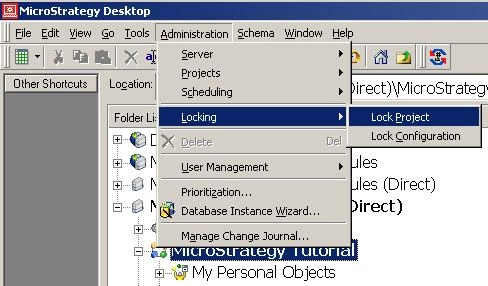
For any project, when Lock Project is selected as shown below:
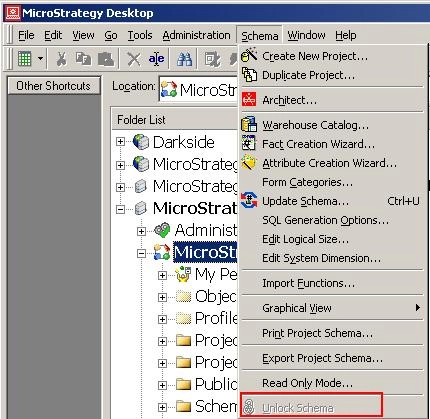
The project's Lock Schema option is disabled as shown below:
CAUSE:
This is working as designed. When Lock Project is selected, all the objects, including Schema Objects, are locked. Thus Lock Schema option is disabled.
ACTION:
Unlock the project then Lock Schema option will be available. Check KB12274 for the details of difference between Lock Project and Lock Schema.KB12274: Differences between Schema Lock, Lock Project and Lock Configuration in MicroStrategy Desktop 8.1.x and 9.0.x
