SYMPTOM:
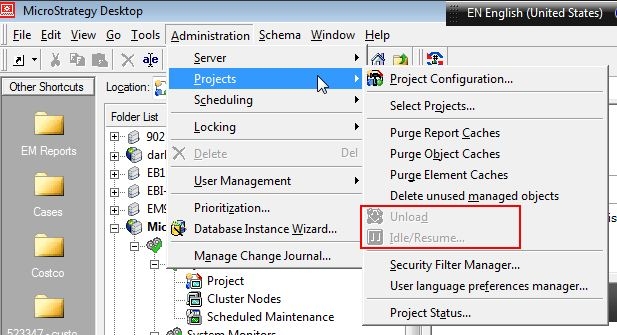
Even when the Administrator user will full privileges logs into a Project, the options "Unload" and "Idle/Resume" are found grayed out and unavailable in Strategy Desktop 9.x.
CAUSE:
Intelligence Server installation has not been activated yet or has been deactivated. For more information about Server activation, please go to: https://licensing.microstrategy.com/
ACTION:
Activate the Intelligence Server installation by following the Technical Notes:
KB31252: How to activate a server installation in MicroStrategy
KB35076: In MicroStrategy Desktop 10.x, the Unload option is grayed out when trying to unload a project
