SYMPTOM:
When accessing the Strategy Web Administrator page in Strategy Web 9.4.1 and abovr, the following error message is displayed:
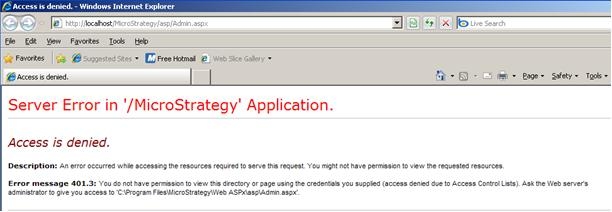
Server Error in '/Strategy' Application.

Access is denied.

Description: An error occurred while accessing the resources required to serve this request. You might not have permission to view the requesting resources.

Error message 401.3: You do not have permission to view this directory or page using the credentials you supplied (access denied due to  Access Control List). Ask the Web server's administrator to give you access to '~:\Program Files\Strategy\Web ASPx\asp\Admin.aspx'.
ACTION:
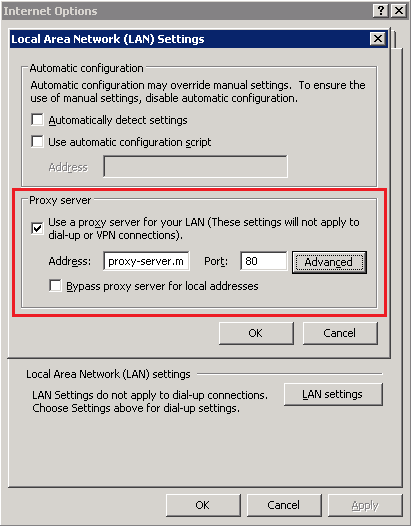
To resolve this issue, uncheck the 'Use a proxy server for your LAN' option in the Internet Options settings.
NOTE:
Also, refer to the following article for a similar scenario:
KB32737: 'An error occured while accessing the resources required to serve this request.' error occurs when accessing the Web Admin page in MicroStrategy We
