SYMPTOM:
One step in troubleshooting issues with e-mails not getting sent from Strategy Narrowcast Server 8.x is to check if e-mails can be sent manually via the command line. This process uses telnet and is explained in the following Strategy Knowledge Base technical note:
KB11482: How to deliver an e-mail manually for SMTP troubleshooting purposes?
During this test, the following error occurs when specifying the recipient e-mail address:
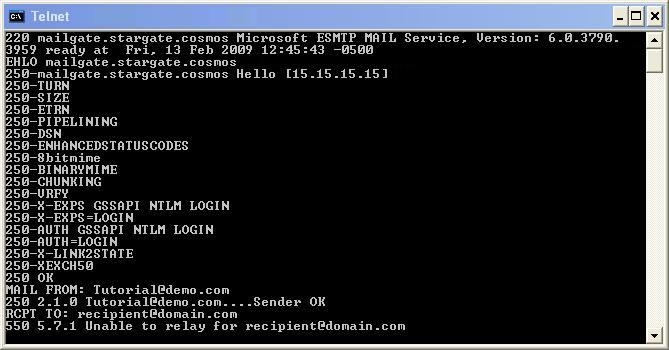
Unable to relay for <e-mail address>
CAUSE:
Many SMTP exchange servers impose restrictions on which domains are allowd to send outgoing e-mails. This error means that the SMTP exchange server will not allow the specified domain to relay outgoing messages.
ACTION:
Use a recipient e-mail address within the domain of the SMTP exchange server. If the error message persists, or the original domain must be used, contact the SMTP exchange server administrator for further assistance.
KB411701
