EducationSoftwareStrategy.com
StrategyCommunity

Knowledge Base

Product

Community

Knowledge Base

TopicsBrowse ArticlesDeveloper Zone

Product

Download SoftwareProduct DocumentationSecurity Hub

Education

Tutorial VideosSolution GalleryEducation courses

Community

GuidelinesGrandmastersEvents
x_social-icon_white.svglinkedin_social-icon_white.svg
Strategy logoCommunity

© Strategy Inc. All Rights Reserved.

LegalTerms of UsePrivacy Policy
  1. Home
  2. Topics

KB42552: How to construct URL API to run a Report Services document with assigned layout in MicroStrategy Web


Community Admin

• Strategy


The following example demonstrates how to construct URL API to run a Report Services document with assigned layout in MicroStrategy Web.

The following example demonstrates how to construct URL API to run a Report Services document with assigned layout in Strategy Web 9.4.x-10.x:


http:///MicroStrategy/asp/Main.aspx?
evt=2048001
&src=Main.aspx.2048001
&documentID=9B64FC2540D96A137F4C7BBDE70EF090
&evt=2048093
&src=Main.aspx.rwd.rwframe.rwb.2048093
&SectionKey=K61
&evtorder=2048001%2c2048093
&2048001=1
&2048093=1
 
NOTE:
Two events are executed using URL API in whole progress. Refer to the following section in Strategy Developer Zone (MSDZ) to understand how to execute multiple events using the URL API and how to construct the URL syntax in J2EE version:
Executing Multiple Events Using the URL API
 
All the parameters below are required, but have been broken down into sections to make it more comprehensive:
 
The parameters below are required to execute a document:

evt=2048001
&src=Main.aspx.2048001
&documentID=

The parameters below are required to assign a layout:

&evt=2048093
&src=Main.aspx.rwd.rwframe.rwb.2048093
&SectionKey=

 
The parameters below are used to determine the execution order when using multiple events: 

&evtorder=2048001%2c2048093
&2048001=1
&2048093=1

 
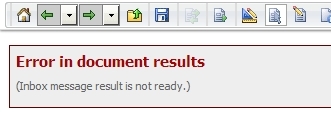
The order is important because the target document needs to execute first, then switch layouts. If the order of the parameters is incorrect, you may receive an "Inbox message result is not ready." error, like shown below:

ka04W00000148EcQAI_0EM440000002Gci.jpeg

 
NOTE: Refer to the following technical note to understand how to find layout key: KB38841: How to pass selector answer "All" from targeted hyperlink to a prompt child report in MicroStrategy Web 9.4.x and 10.x
 
This is a sample of the layout key when viewing in Google Chrome Developer tool:

ka04W00000148EcQAI_0EM440000002Gce.png

Comment

0 comments

Details

Knowledge Article

Published:

June 8, 2017

Last Updated:

June 8, 2017