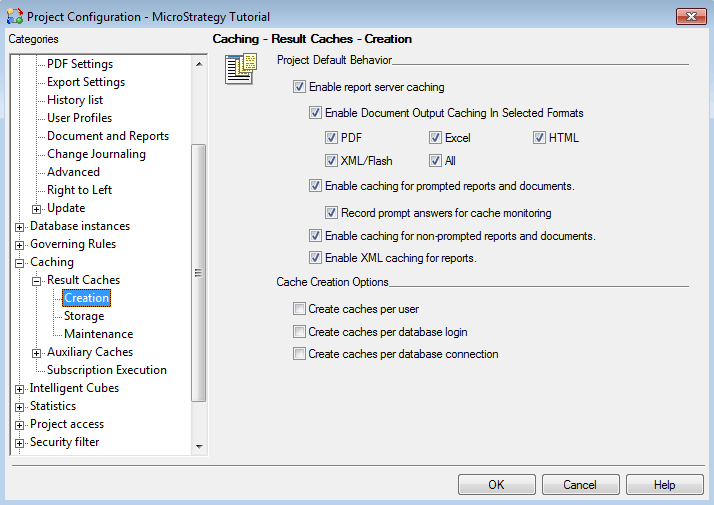
Certain users may complain that report caches are not being created when running reports in Strategy 10.x even though caching has been enabled at the report-level and at the project-level through the project configuration. The user will run a report in Desktop and nothing will appear in the Cache Monitor.
Report-level cache settings:

Project-level cache settings:
It is possible that the user does not have caching enabled at the user preference level. This would be affirmed if other users are able to create caches and the administrator can view them in the cache monitor. This setting can be checked by opening a project in Developer and navigating to Tools > My Preferences > General > Caches in the toolbar. In this tab, each individual user can choose to enable server caching.

For more information on how users can enable/disable the use of report caches for reports, projects, and individual, refer to the following Strategy KnowledgeBase Technical Note:
KB4159 - How can a Strategy Intelligence Server Administrator disable the use of report caches for all projects, for all users or only for themselves?
