SUMMARY:
This issue has been classified as a defect by Strategy. The impact is limited to Strategy Web 9.x product only with reports based off a cube with less attribute forms than the element list. Two workaround is currently available in the current document. A solution/code fix for this issue is not available in current releases but is being reviewed for a future Strategy release.
SYMPTOM:
In Strategy Web, when a users try to search for an element in the cube (none) appears as shown below:
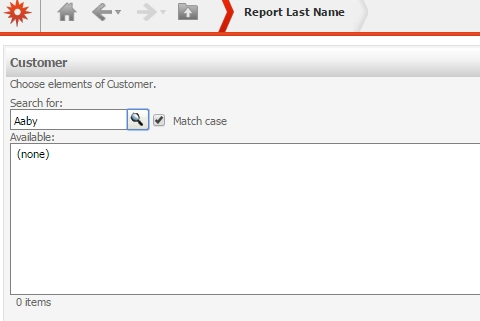
(non)
STEPS TO REPRODUCE:
1. Create an Element Prompt named 'Elements of Customer' with the Customer Attribute as shown below:
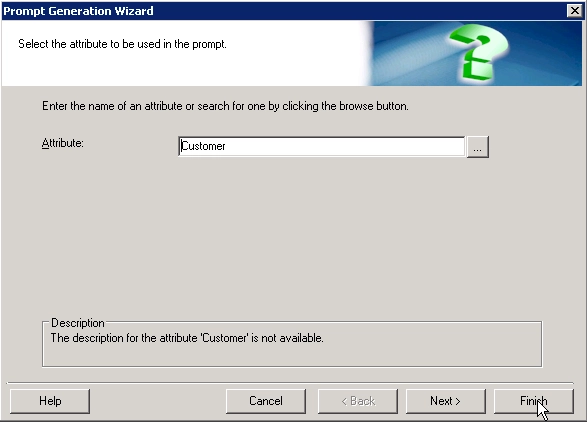
Element Prompt
2. Create a Cube named 'Customer Last Name Only' with the Customer Attribute containing only ID and Last Name Attribute Forms as shown below:
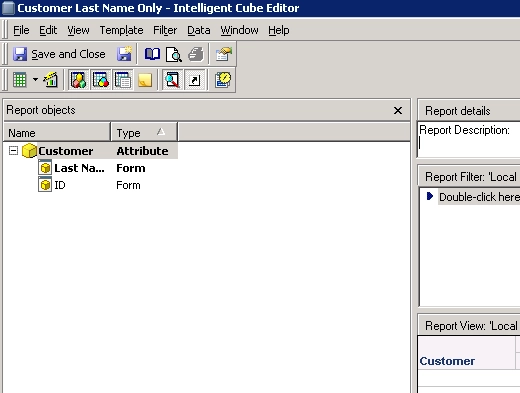
Last Name
3. Publish the Cube as shown below:
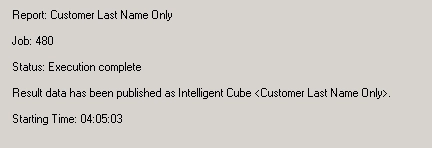
Publish
4. Create a Report named 'Report Last Name' based off the 'Customer Last Name Only' Cube and add the 'Elements of Cusotmer' to the view filter as shown below.
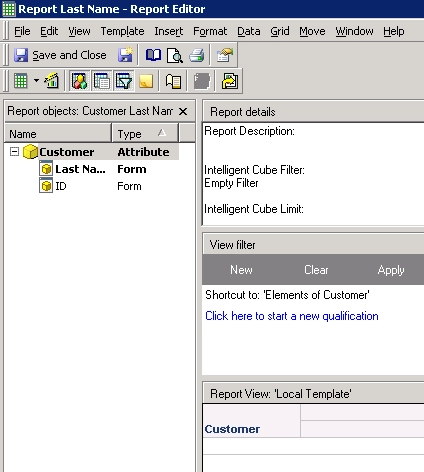
Report
5. Run the 'Report Last Name' Report in Strategy Web and the image below loads.
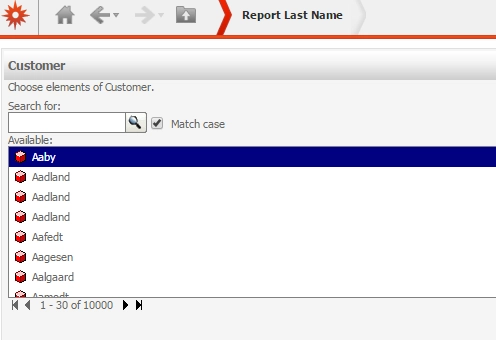
First Load
6. Type Aaby in the 'Search for:' box and click on the magnifying glass. Aaby doesn't show as in the image below.
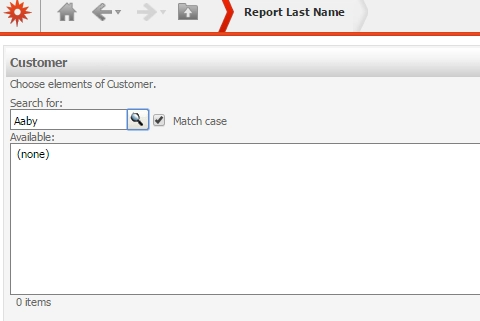
(none) Steps
Note: Unchecking Match case doesn't affect the search results.
CAUSE:
This issue occurs if the cube that are created with less Attribute Forms as the Element prompt with the same Attribute. The search directly uses the attribute form from the attribute definition, instead of form from the intelligent cube. This is a known issue classified as a defect with Strategy Web 9.x
ACTION:
Contact Strategy Technical Support for an update on the status of the issue. Currently this issue is still being reviewed for feasibility by our Technology team and it is not scoped for any upcoming scheduled Strategy release.
WORKAROUND:
1. Use Strategy Developer/Desktop to run the report as shown below.
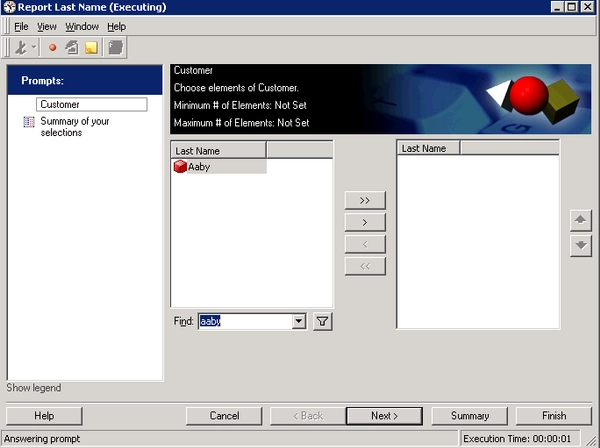
Developer
2. Add the missing attribute form to the cube as shown below.
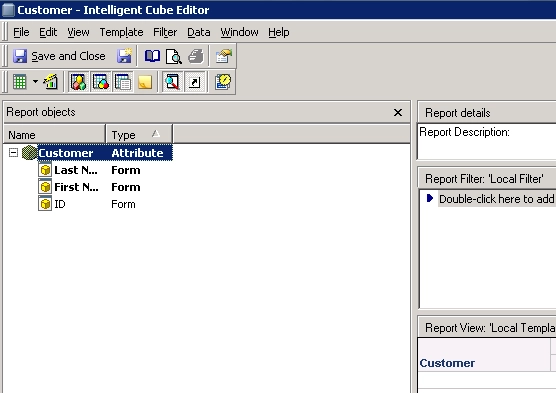
Both Names
ADDITIONAL TROUBLESHOOTING:
If the workaround steps above do not resolve the issue or a different error occurs, please consider calling Strategy tech support with the following information of troubleshooting already done:
1. Attribute information including Forms.
2. What limiting factor is being applied to the report or cube.
TO LEARN MORE:
KB46980: "Error loading content" error message appears when selecting prompt answers on a report that contains Search objects in the report layout in Strategy Web 9.3.1
: Attributes are missing from search results when searching on a string in a Web Quick Search box in Strategy Web 9.3.1.
KB48007: How to search logical table in Strategy 9.x
Strategy Internal Reference Number 1014077
