INTRODUCTION
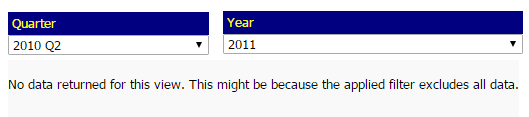
The error message "No data returned by this view. This might be because the applied filter excludes all the data" appears when certain filtering criteria exclude all data from the dataset. In the example below, there are no data at the intersection of the selected quarter and year elements, causing the error message to appear:
This error message cannot be removed, but it can be customized. There are two ways to customize this message in Strategy:
1. THROUGH DEVELOPER
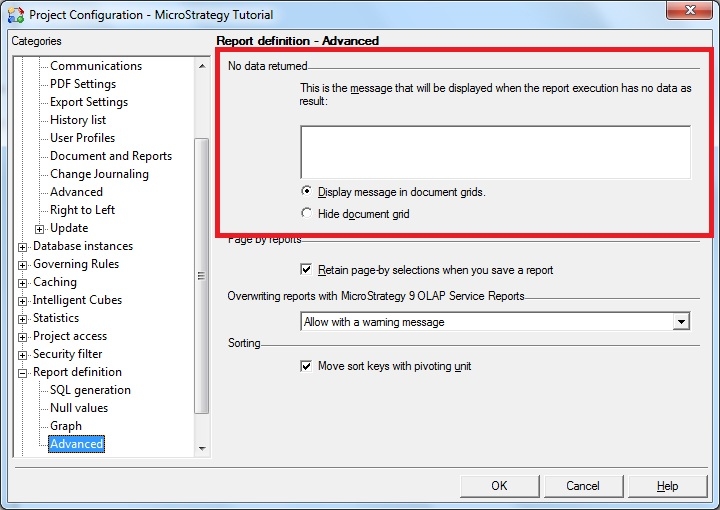
In Strategy Developer, navigate to Project Configuration > Report definition > Advanced. In the No data returned field, specify your custom message.
2. THROUGH WEB MESSAGE BUNDLES
This and certain other error messages used throughout Strategy Web can be found in the Strategy Web message bundles included in your Strategy Web installation. Follow the steps in KB16940 to customize these messages.
