When switching a layout in a document, the following error message pops-up though the layout was displayed earlier during the same Web user session.
User request is completed. %0a(Strategy Intelligence Server cannot handle
your request because a memory request has exceeded the configured limit.
Please contact the server administrator.)
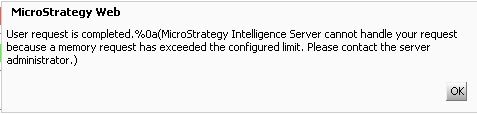
The Maximum Memory Consumption for XML generation has been exceeded. The XML generation is needed to send the results for the Report Services document to the Web server. This issue may not occur to display the same layout if it is the first layout to be rendered when the document is executed. But after operations like click other layouts and change panel selectors, etc., this error may appear on click to come back to the same layout.
Increase the governing setting for XML generation so that the document can be executed. This setting is available in the Strategy Intelligence Server Configuration in the File Generation tab, as shown below:
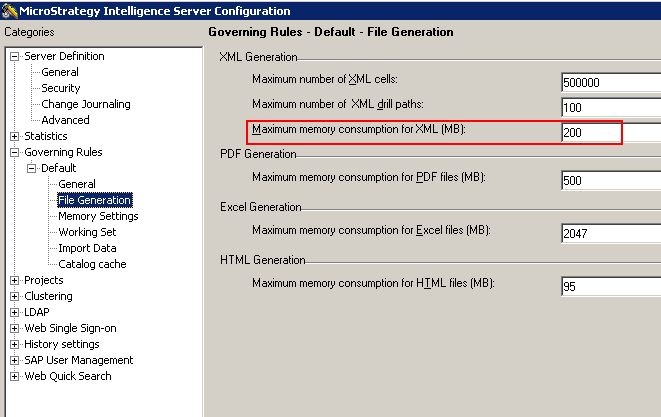
**This change does not require Intelligence Server to be restarted.
On related note, please refer to:
KB14355 - MsiWorkingSet::GetDocMsgRslt(): GetDocRslt() returns error 0x80041FF2 error appears in the DSSErrors log on Strategy Intelligence Server when executing a large Report Services document in Strategy Web
KB8621 - User request is completed. Maximum memory usage has been reached for existing objects." error message is received by users in Strategy Web
