1. Introduction:
R Integration Pack is a feature to deploy R Analytics to Strategy easily. The R Integration Pack is an evolution of previous FPWizard, an alternative approach to deploying analytics from R to Strategy. For more details regarding Strategy Function Plug-in Wizard, refer to the following Technical Note in Knowledge Base: KB41636: How to Integrate R functions into MicroStrategy 9.4.x or greater
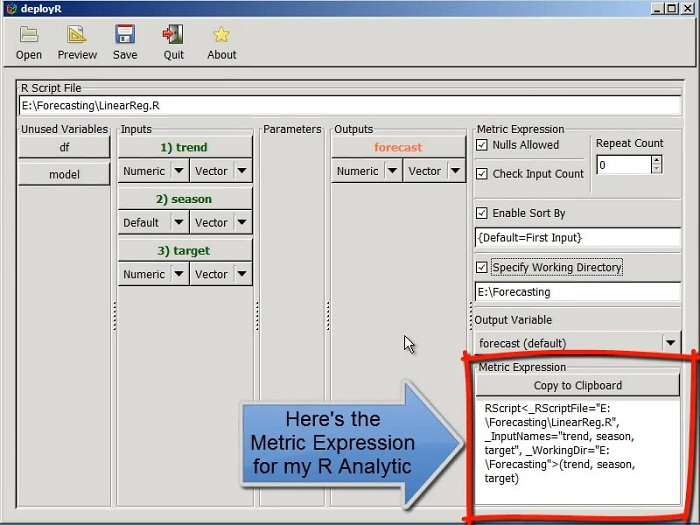
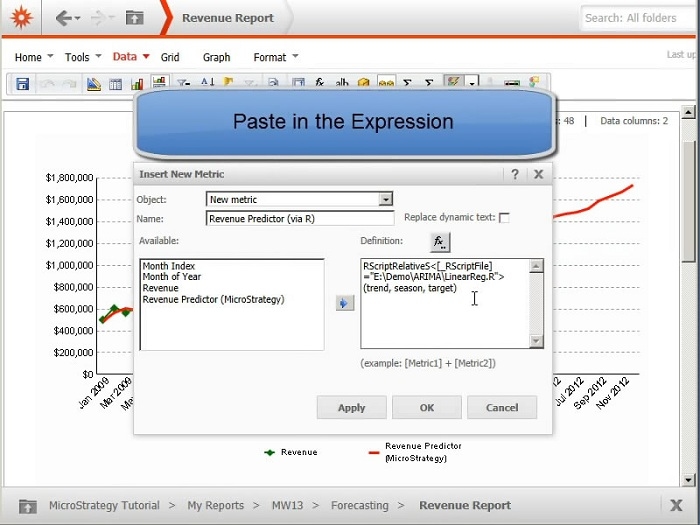
R Integration Pack and its deployR utility provide the metric expression of each potential output. The metric expression can be pasted into any Strategy metric editor for deploying the R Analytic to Strategy for execution. Watch video below about how R Integration Pack works in Strategy 9.4.x:
Demo: http://youtu.be/vvrhXlYSvYQ
The following chart shows the differences between previous Strategy R Function Plug-ins and R Integration Pack.
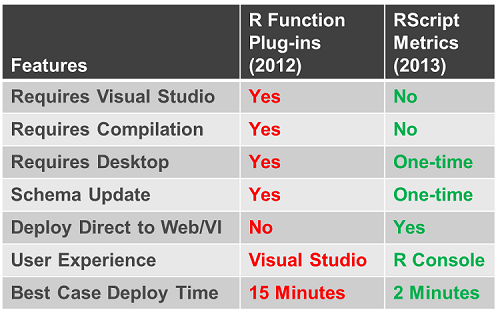
2. Prerequisites:
Strategy
R
3. Download R Integration Pack
The R Integration Pack consists of two main components:
RScript Functions Installer: This installer adds a set of functions to Strategy that are used for executing analytics in R. These functions are required to execute your R analytic using Strategy. You can download the appropriate installer for your operating system from: http://rintegrationpack.codeplex.com/.
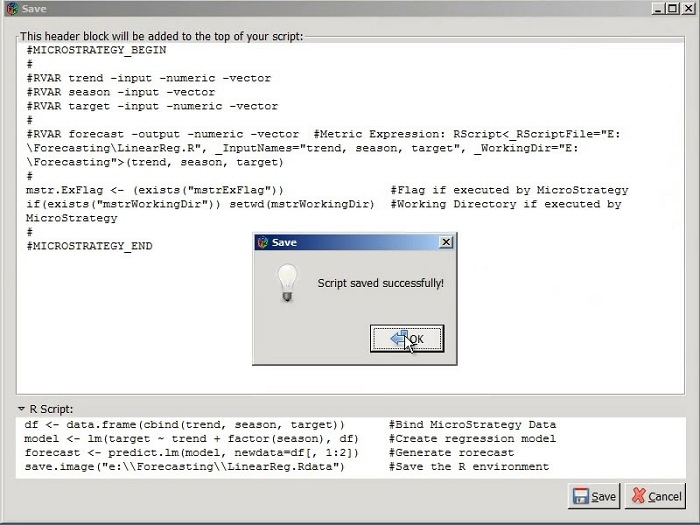
StrategyR Package for R: This package contains an R-based utility called deployR that analyzes an R analytic to captures its “signature” and persists it in a comment block at the beginning of the R script. This signature describes the number and nature of each input and output along with other information related to its execution so that Strategy can pass data to R, execute the analytic and deploy its results. This package is only required to prepare an R Script for execution by Strategy by capturing the function signature into the header block. Once the script has been prepared, this package is not required for executing the prepared script. This package can be installed into your R environment just like any other R package using the CRAN repository, accessible from http://www.r-project.org/ website. Click CRAN, choose a mirror and search "StrategyR" for the package name.
Following is a sample link: http://cran.r-project.org/web/packages/MicroStrategyR/index.html
4. Use deployR utility to create metrics expression
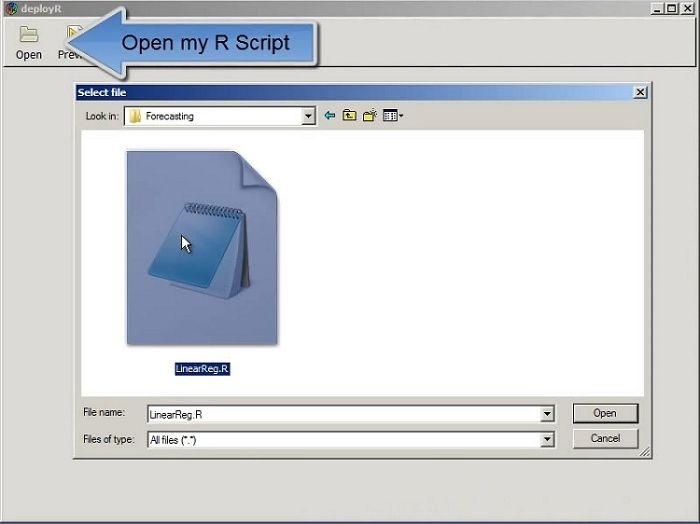
Assuming users already have their R script, DeployR Utility can add a description of user's Analytic's Signature to user's R Script so it can be deployed to Strategy. Follow below steps for high level guidance to use deploy R utility. For more help regarding R Integration Pack, refer to R Integration Pack User Guide available in http://rintegrationpack.codeplex.com/documentation.