PREREQUISITES
Make sure the intelligence server has already been configured for Kerberos authentication according to the steps from KB19110:
https://community.strategy.com/article/KB19110-How-to-configure-MicroStrategy-Intelligence-Server
SYMPTOM
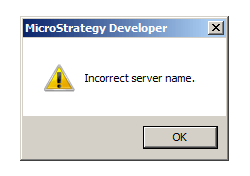
When attempting to connect to a 3-tier project source using integrated authentication (Kerberos) in Strategy Developer 10.4, the error message below is displayed, even if the Server name field is filled properly:
CAUSE
This is working as designed in Strategy Developer 10.4. The issue occurs because the server name provided is invalid or is not recognized in the network.
ACTION
Below there are a few settings that can be critical for integrated authentication to work properly:
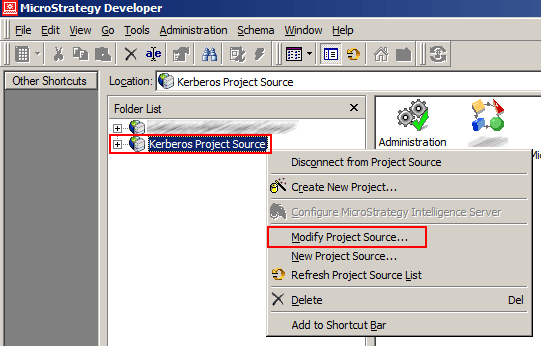
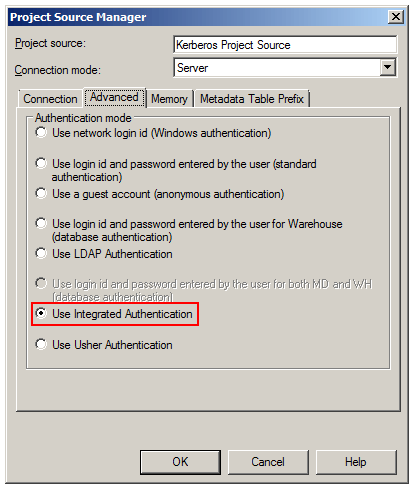
3. Click on the “Advanced” tab and make sure “Use Integrated Authentication” option is selected;
4. Click on the “Connection” tab and make sure the “Server name” field is filled properly. In the example, assume the intelligence server’s hostname is “iservername” and the AD domain is “mydomain.com”. Also, verify that the “Port number” field value matches with intelligence server’s port number.
If the steps above were reproduced and the same error still occurs, it’s possible that the intelligence server’s hostname is not recognized in the network. To fix it, follow the instructions below for Windows hosts file configuration:
192.168.1.99 iservername iservername.mydomain.com
KB439522
