When enabling multi-source option for the project and specifying database instance ordering for the project, primary database instance will be always selected, if consolidation is used in the report in Strategy 9.4.1 - 10.6.
The expected behavior is that if multi-sourcing enabled by the report, Strategy should be using database instance selected in database instance ordering under project configuration.
STEPS TO REPRODUCE:
Reproduction steps are using Strategy Tutorial Data as an example
1. Create a duplicate database instance from Tutorial Data, named "Tutorial Data 22"
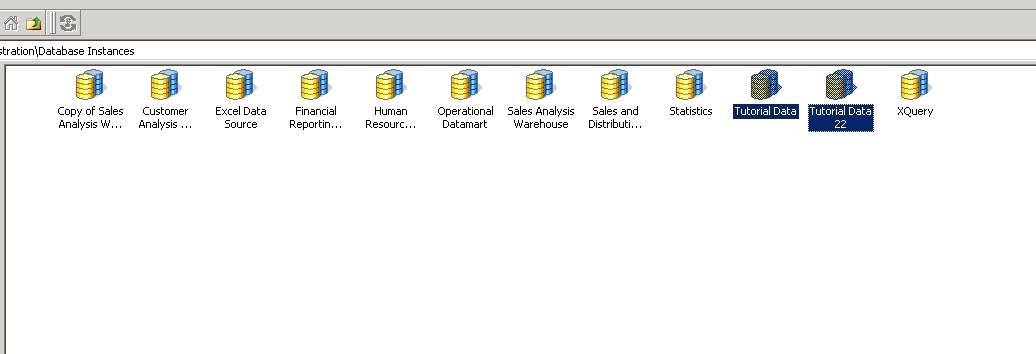
2. Go to Strategy Tutorial project, open Warehouse Catalog.
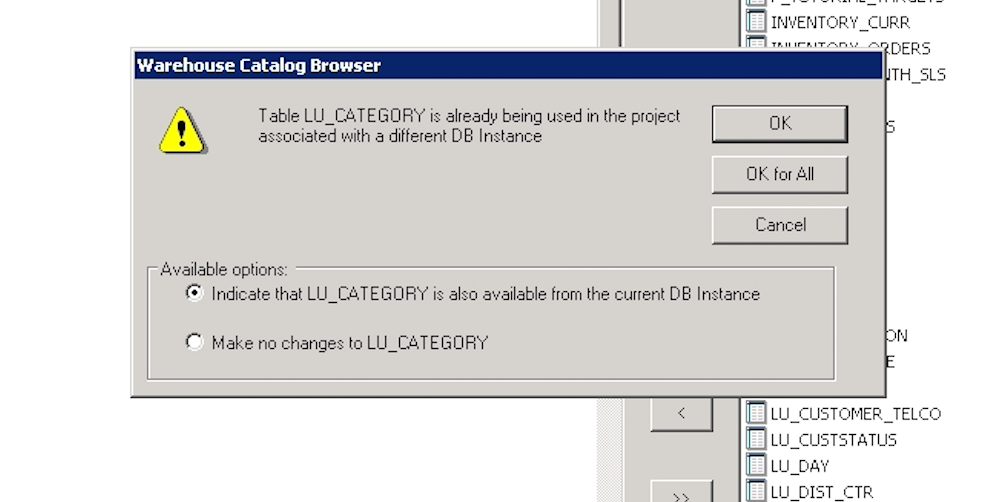
3. In Warehouse Catalog, select database instance "Tutorial Data 22", add table "LU_CATEGORY", when prompted, click OK.
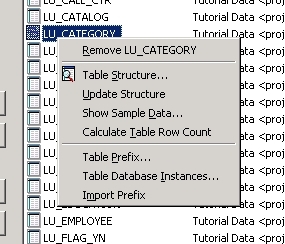
4. On the right, right click table "LU_CATEGORY", click "Table Database Instances..."
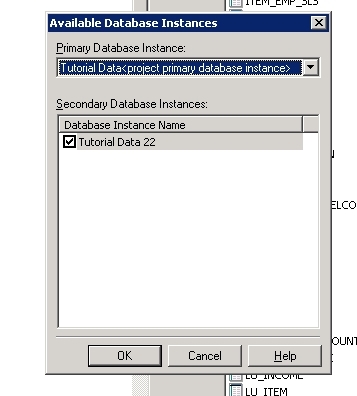
5. In Available Database Instances, the primary DBI is Tutorial Data, and secondary DBI is Tutorial Data 22.
6. Save and close, and update schema.
7. Go to Strategy Tutorial project configuration -> Database instances, check "Tutorial Data 22" to make sure it is available for the project to be used.
8. Go to project configuration -> Report definition -> SQL generation, Modify Database instance ordering.
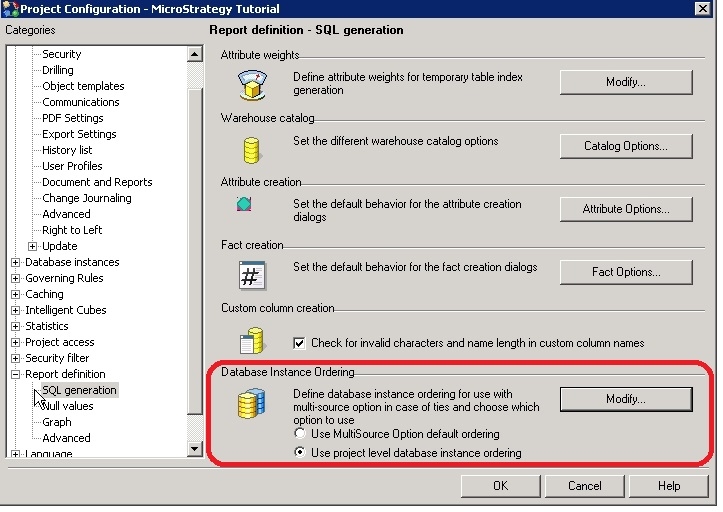
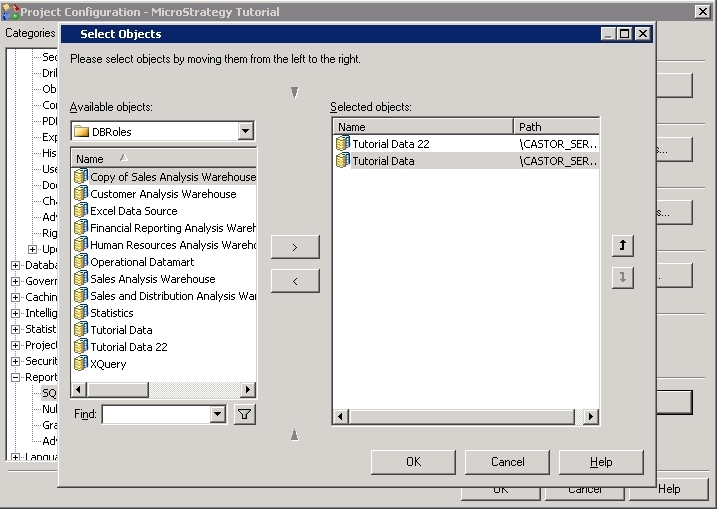
9. In DBI ordering editor, select "Tutorial Data 22" in first order, and then goes "Tutorial Data".
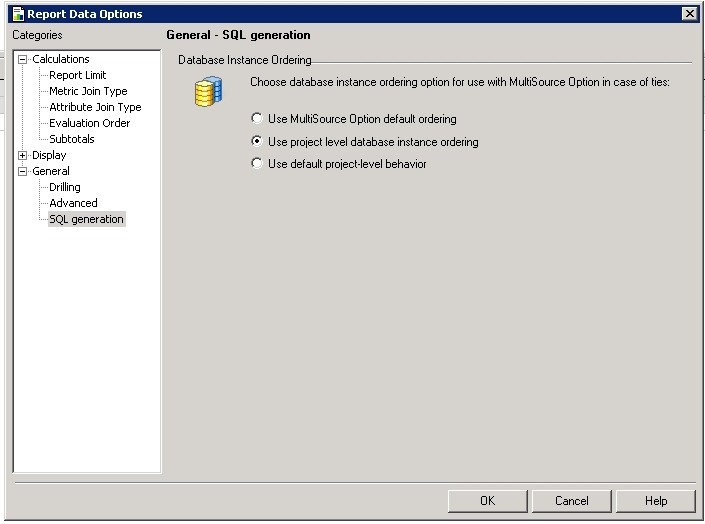
10. Create a new report, add attribute "Category". Go to Menu -> Report Data Options -> General -> SQL generation, select "Use project level database instance ordering".
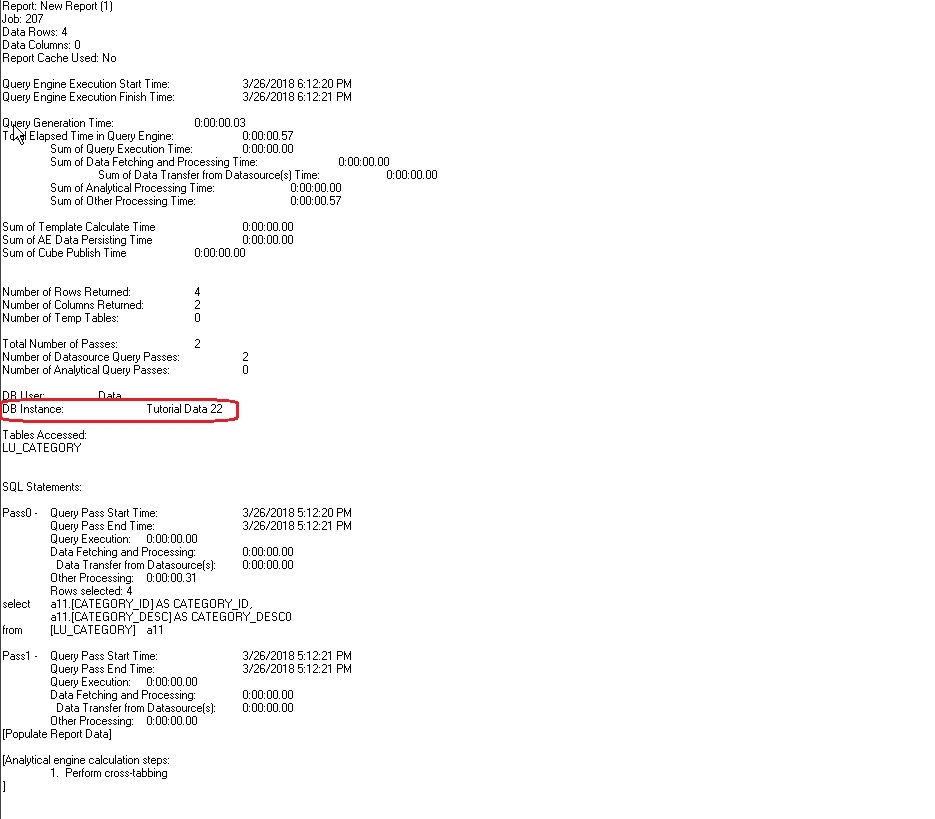
11. Execute it. In SQL View, the database instance use is "Tutorial Data 22", which is expected.
12. Create a consolidation with two elements from attribute "Category". For more information about how to create consolidations, visit the following documentation.
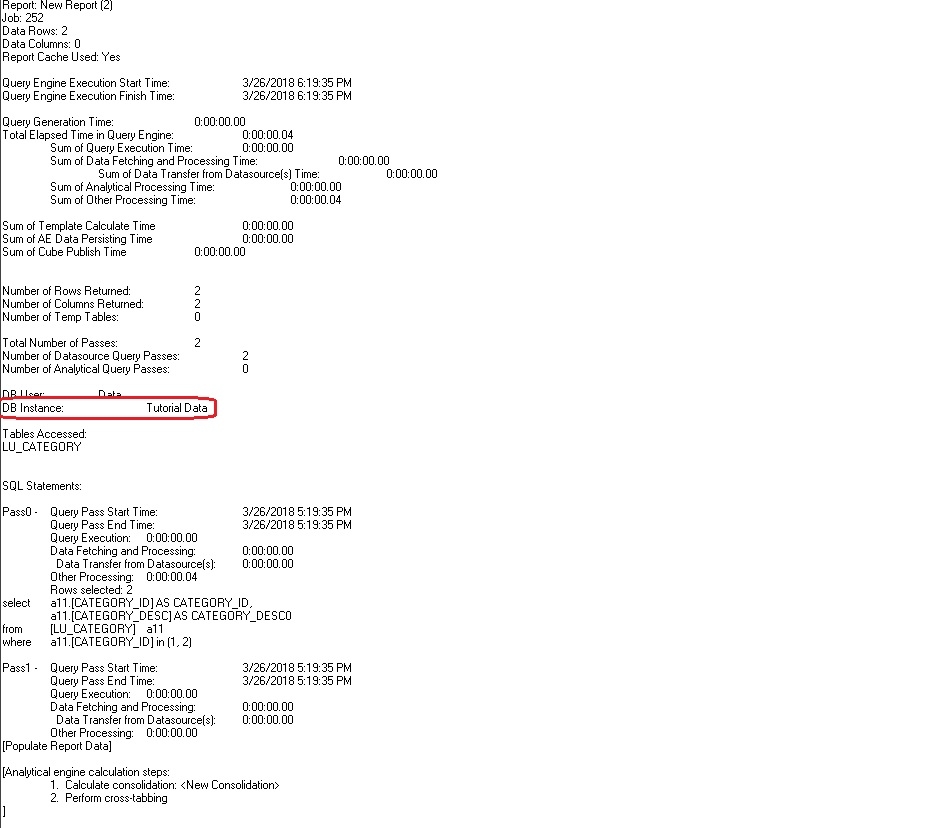
13. Create another new report and add the consolidation and attribute "Category". Go to Menu -> Report Data Options -> General -> SQL generation, select "Use project level database instance ordering" (step 10). Execute it. In SQL View, that database instance in use is "Tutorial Data", while "Tutorial Data 22" is expected to be used.
CAUSE:
This is a known defect in Strategy, which occurs only when consolidations are used in the report.
ACTION:
This issue has been addressed in Strategy 10.7.
If you are upgrading to Strategy 11.0 or above, to pick up the fix, enable project level setting "Data Engine Version" to 11. This property can only be enabled through Workstation. For more details on enabling the setting, refer to Change Data Engine Version.
The Strategy Internal Reference Number for the issue discussed in this technical note is KB440333 and DE43059.
