EducationSoftwareStrategy.com
StrategyCommunity

Knowledge Base

Product

Community

Knowledge Base

TopicsBrowse ArticlesDeveloper Zone

Product

Download SoftwareProduct DocumentationSecurity Hub

Education

Tutorial VideosSolution GalleryEducation courses

Community

GuidelinesGrandmastersEvents
x_social-icon_white.svglinkedin_social-icon_white.svg
Strategy logoCommunity

© Strategy Inc. All Rights Reserved.

LegalTerms of UsePrivacy Policy
  1. Home
  2. Topics

KB45652: How to prevent Clickjacking in MicroStrategy Web 9.4.1 and above


Community Admin

• Strategy


SYMPTOM:
 
Clickjacking, also called a UI redress attack, is a form of security attack in which an attacker uses multiple transparent or opaque layers to trick a user into clicking on a button or link on another page when they were intending to click on the top level page. In other words, the attacker is hijacking clicks meant for a legitimate page and routing them to another page, most likely owned by another application, domain, or both. For example, an attacker may load the login page of a trusted website into an invisible iframe to trick a user into typing their user name and password into the invisible frame. It is important to mention that clickjacking is a browser security vulnerability and not a Strategy vulnerability, that can be avoided by adding certain headers or scripts to the responses issued by the web application server.
 
ACTION:
Starting in Strategy 10, the Prevent clickjacking by adding an X-Frame-Options header to page responses option Set X-Frame-Options to DENY is unavailable.
The new available option is Prevent clickjacking by adding an X-Frame-Options: SAMEORIGIN header to page responses. For more information, see KB242380.

ka04W000000OgUCQA0_0EM4W0000028Qrl.jpeg

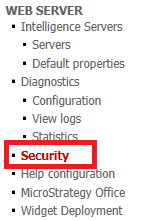
Strategy Web 9.4.1 introduced two new settings to force the application server to add the necessary headers to address this issue. They can be found in the Strategy Web 9.4.1 and newer Admin page under Security and located at the bottom of the page, like shown below.
 

ka04W000000OgUCQA0_0EM4400000026N2.png
  • Prevent clickjacking by adding a frame-breaking script to pages:
    Select this option to prevent the page from being incorporated into a frame or iframe using a script that forces the parent window to load the URL of the current frame. This option is supported in all web browsers and preserves all of the page's content. However, portals are not supported using this option, as the portal contents will replace the parent window.
  • Prevent clickjacking by adding an X-Frame-Options header to page responses:
    X-Frame-Options is an HTTP response header sent by the Web Application Server to tell web browsers under what conditions the contents of a page should be allowed to load within a frame. Browsers that understand the header will not display the contents of the page if the conditions are violated. However, if the user is on a non-secure or unfamiliar network, attackers may be able to use a proxy to strip the header. This option is supported by Internet Explorer 8+, Safari 4+, Chrome 4+, and Firefox 3.6+. Select one of the following:
    • Set X-Frame-Option to SAMEORIGIN:
  • Select this option to allow the page to load in a frame if the page and the frame attempting to load the page share the same domain. This option accommodates portals coming from the same domain, and provides attackers with less chances to find a workaround. However, requests from cross-domain portals will be denied. If using portals,  the portal server must be located under the same domain as the Strategy Web server that is serving the content.
    • Set X-Frame-Options to DENY:
      Select this option to prevent the page from being loaded if it will be displayed inside a frame, regardless of the domain in which the frame is located.

It is important to mention that all these security measures are enforced by the Web Browser. The X-Frame header can also be implemented directly on the web application server as explained in the following Microsoft Technical Note: http://support.microsoft.com/kb/2694329.
Note: Refer to Microsoft Support for more information on the settings for Internet Information Services.
 
Third Party Software WARNING
 
The third-party product(s) discussed in this technical note is manufactured by vendors independent of Strategy. Strategy makes no warranty, express, implied or otherwise, regarding this product, including its performance or reliability.


Comment

0 comments

Details

Knowledge Article

Published:

April 12, 2017

Last Updated:

May 23, 2023