NOTE:
For additional information on the iPhone/iPad mobile connectivity settings, refer to the Strategy technical note:
As it is possible to define multiple servers within a mobile configuration, to make the configuration easier, if the authentication is the same for all servers, it is possible to apply a default authentication. To apply a default authentication, define the Authentication mode to be used under the Default Mobile Server Authentication section, and check the Use default authentication option, as shown in the picture below for the desired mobile servers:
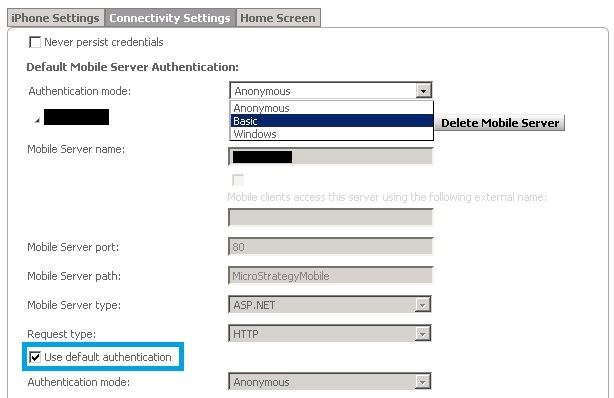
When enabling the Use default authentication option, the authentication setting for that server will become gray, as seen above.
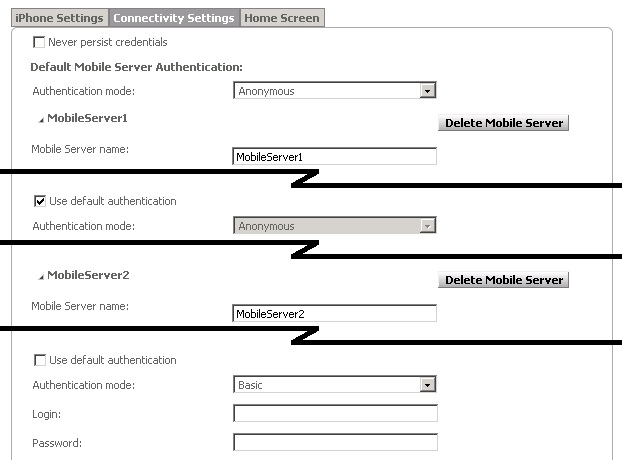
As in the example below, the MobileServer1, is using the default authentication while the MobileServer2 is using a specific authentication.