At a very simple level incomplete attribute lookup tables are lookup tables for attributes that do not contain all of the attribute elements for those attributes. This can be common in scenarios where transactions are added continuously to a data warehouse but lookup tables are only updated on a less frequent timed schedule.
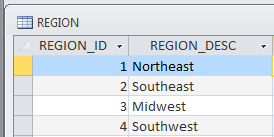
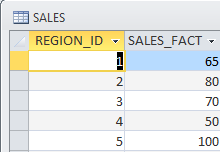
The following example both illustrates the base concept and will be used to outline different situations that can arise with incomplete lookup tables. Consider the following simplified data warehouse with tables REGION and SALES:
An attribute named Region is created defined as follows:
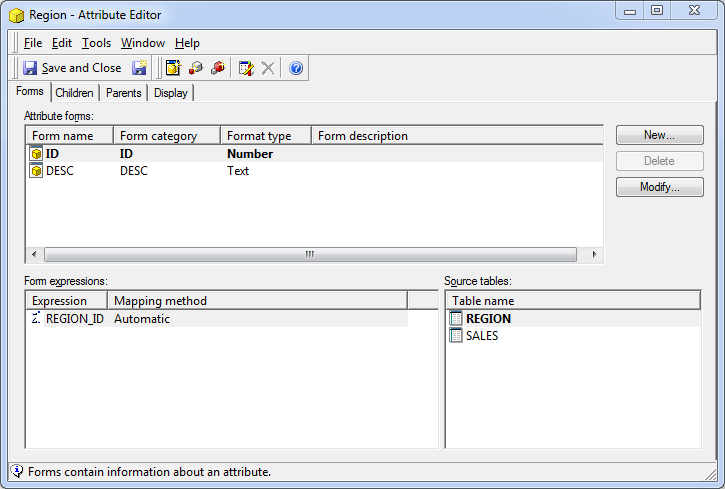
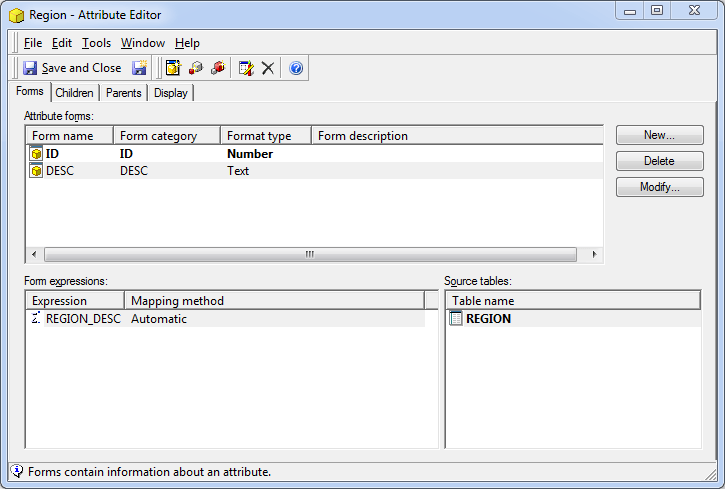
Note the lookup table for both forms of this attribute is the REGION table which has 4 rows of data. A fact is created against the SALES_FACT column, and a metric named Sales is created against the fact defined as Sum([Sales Fact]){~+}.
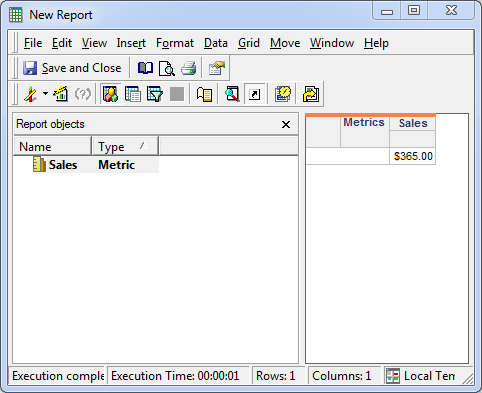
Upon placing Sales in the report, a value of $365 is returned:
Adding the Region attribute (with the DESC form as the report display form) causes the total value for Sales to drop by $100:
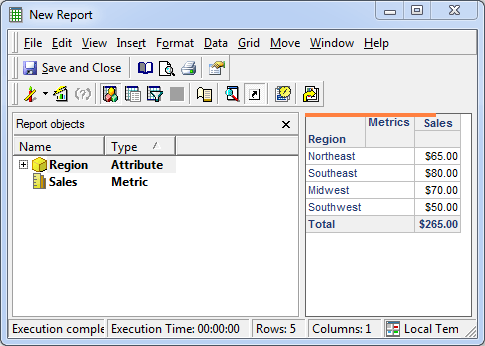
This is working as designed. By default Strategy will do an inner join between the metric pass and the lookup table for the attribute (and relationship tables if the levels are not the same). This inner join will only preserve common rows causing the row for Region ID 5 to be lost.
There is a setting to change the behavior so that a left outer join is done from the metric calculation pass to the lookup table/relationship table. This property is called "Preserve all final pass result elements". This will work in some situations to allow for rows to be preserved. In those situations columns that are selected from the lookup table will end up with null values. More about this setting is available in KB17514 . In situations where it cannot work the fact table level and metric calculation level are different and doing an outer join would lead to ragged hierarchy created nulls which are a data integrity issue.
